
Updated on 2026-07-21 / iPhone Tips
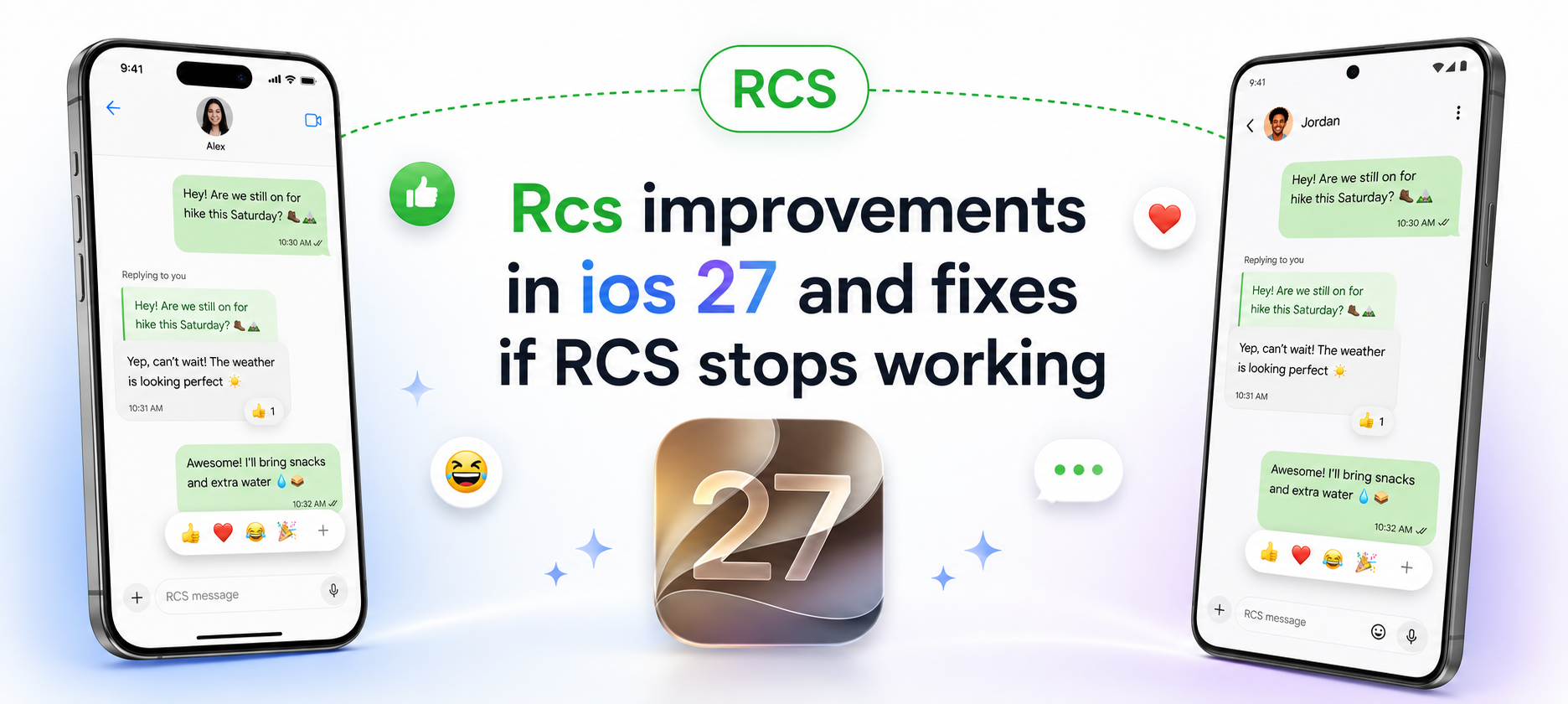
Quick answer: The Rcs improvements in ios 27 bring inline replies and better photo and video reactions to RCS chats between iPhone and Android users. These changes first appeared in rcs ios 27 , but some users may not see them right away. Others may find that RCS stops working, switches back to SMS, or fails to send messages after the update. This guide explains what changed, why the new features may be missing, and how to fix common iOS 27 RCS problems.
- Part 1: What Changed with RCS in iOS 27?
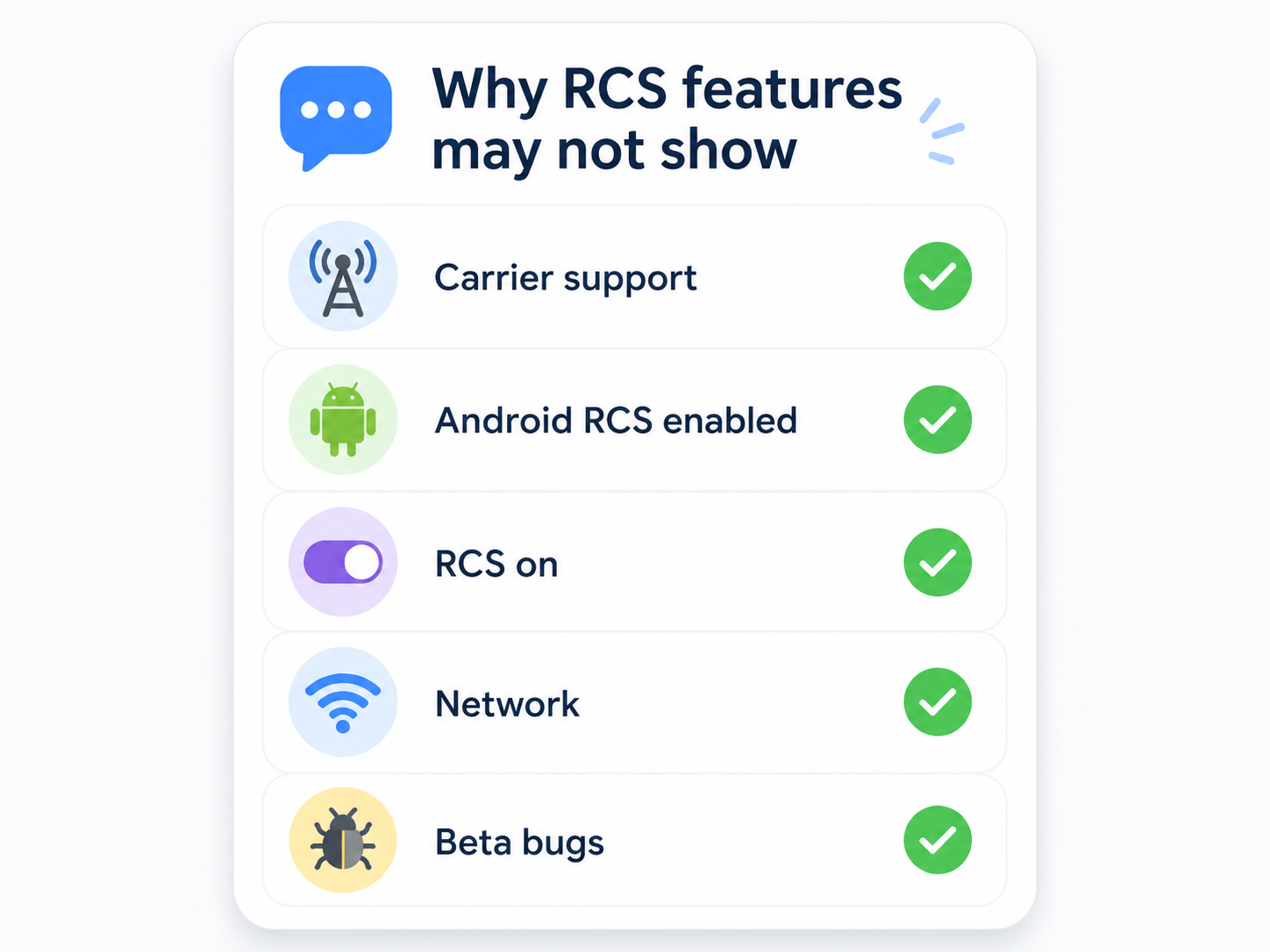
- Part 2: Why You May Not See the New RCS Features on iOS 27
- Part 3: Common iOS 27 RCS Problems Users Are Facing
- Part 4: How to Fix RCS Not Working on iOS 27
- Part 5: Fix iOS 27 RCS Issues Caused by System Bugs with ReiBoot
- FAQs: FAQs About iOS 27 RCS Improvements
Part 1: What Changed with RCS in iOS 27?
Apple added RCS support to iPhone in iOS 18, making chats with Android users better than old SMS and MMS. With iOS 27, Apple is improving that experience again by adding two features users have wanted for a long time.
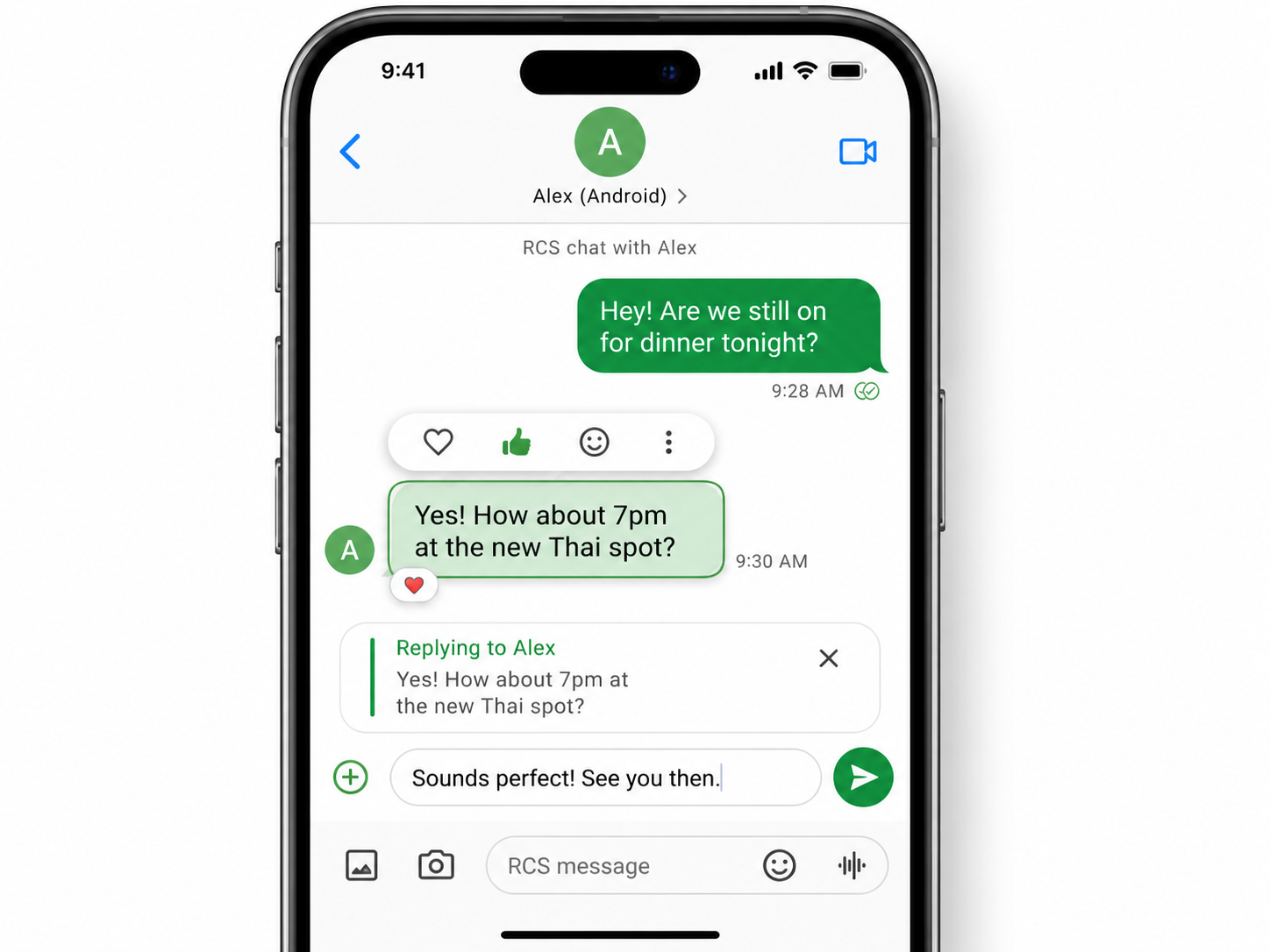
The first change is inline replies. In an RCS chat with an Android user, you can long-press a message and tap Reply to respond to that exact message. This makes long conversations and group chats easier to follow.
“Can't believe it took this long. Apple moving at a glacial pace. But at least it happened.”
From Reddit users discussing iOS 27 RCS inline replies
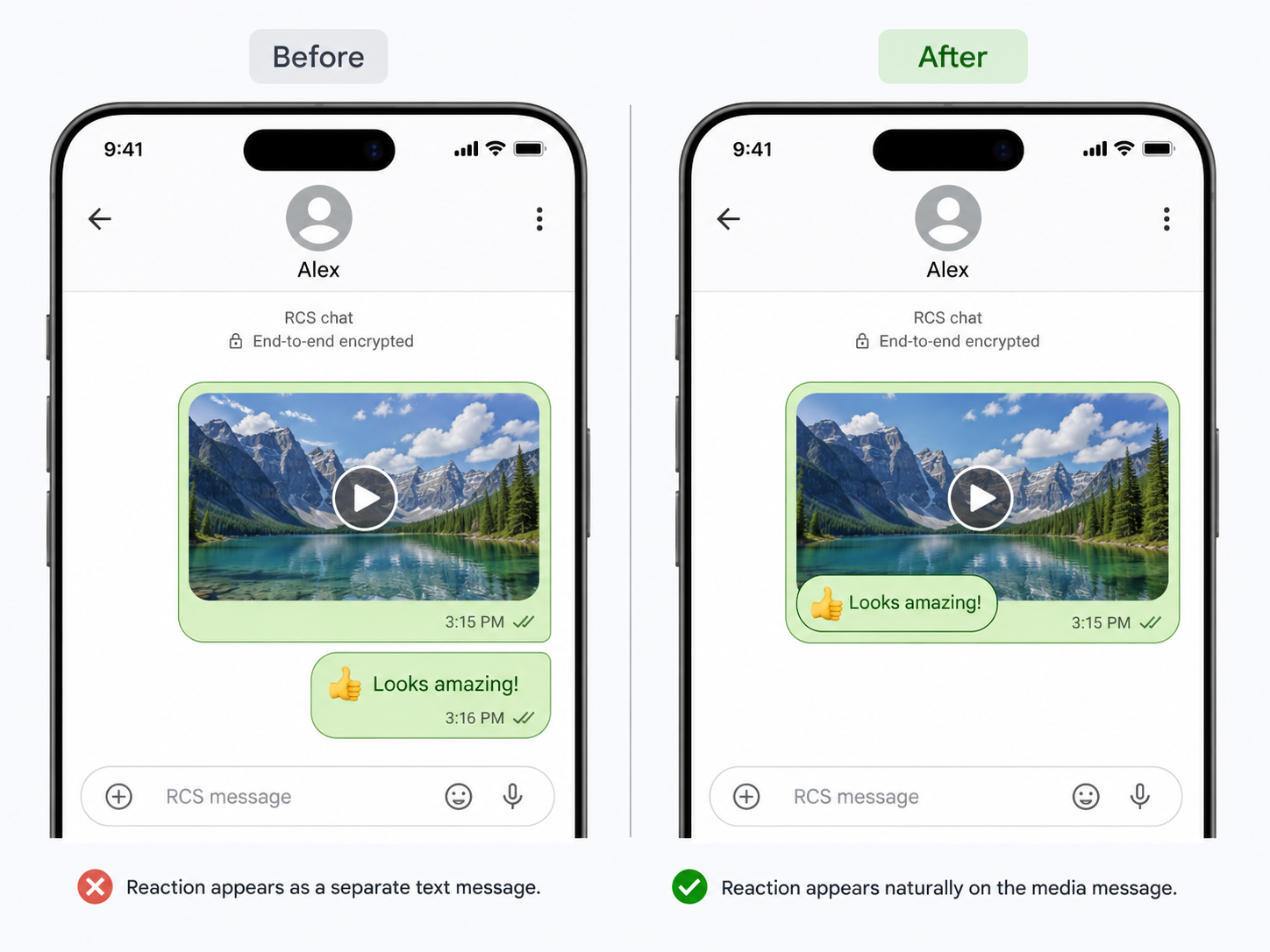
The second change is better reactions for photos and videos. Instead of showing reactions as a separate text line, iOS 27 can display them more naturally on the media message itself. This makes RCS chats feel closer to iMessage, even though they still use green bubbles.
“Same here. I'm in a group chat with my wife's family and every message is "Person one posted a picture" and then at least 20 of "Person xyz liked, or hearted the message" back to back.”
From Reddit users discussing RCS reactions in group chats
In short, the Rcs improvements in ios 27 make iPhone-to-Android chats clearer, cleaner, and easier to use.
Part 2: Why You May Not See the New RCS Features on iOS 27
If you updated your iPhone but still do not see inline replies or improved reactions, it does not always mean something is wrong with your phone. These features depend on several things working together.
- You may not be on the right version. The new RCS features first appeared in iOS 27 , so users on earlier builds may not see them.
- Your carrier may not fully support RCS. RCS on iPhone depends on carrier support, and rollout can vary by region, plan, or line.
- iOS 27 is still in. iOS 27 software can be unstable or may work with some contacts but not others.
- The Android user may not have full RCS support. Their phone, carrier, and messaging app also need to support RCS features.
- The chat may still be using SMS/MMS. Some old threads may not switch to RCS automatically.
A quick way to test this is to make sure RCS is enabled on both sides, then start a new conversation with the Android contact and check whether RCS features appear.
Part 3: Common iOS 27 RCS Problems Users Are Facing
RCS Not Working After iOS 27 Update
Some users report that RCS stops working after installing iOS 27. Messages may stop showing as RCS, activation may fail, or chats may fall back to SMS/MMS. This can happen when carrier settings need to refresh, network settings get disrupted, or the system causes Messages to behave incorrectly.
iOS 27 RCS Messages Not Sending to Android
If your iOS 27 RCS messages are not sending to Android, the issue may come from either side. Your iPhone may have trouble registering RCS, the Android contact may not have RCS enabled, or the carrier may not fully support the feature. In some cases, messages may show Not Delivered or switch back to SMS/MMS with fewer rich features.
RCS Inline Replies Not Showing
“At least we have somewhat mitigated this in Google Messages with text>emoji conversion, iOS users have been seeing "X liked Y message" for years.”
From Reddit users discussing iPhone and Android RCS reactions
If the Reply option does not appear when you long-press a message, the conversation may not be using full RCS. This can also happen if the other person's Android device does not support the same RCS features, or if the current chat thread started as SMS/MMS and never refreshed properly.
Part 4: How to Fix RCS Not Working on iOS 27
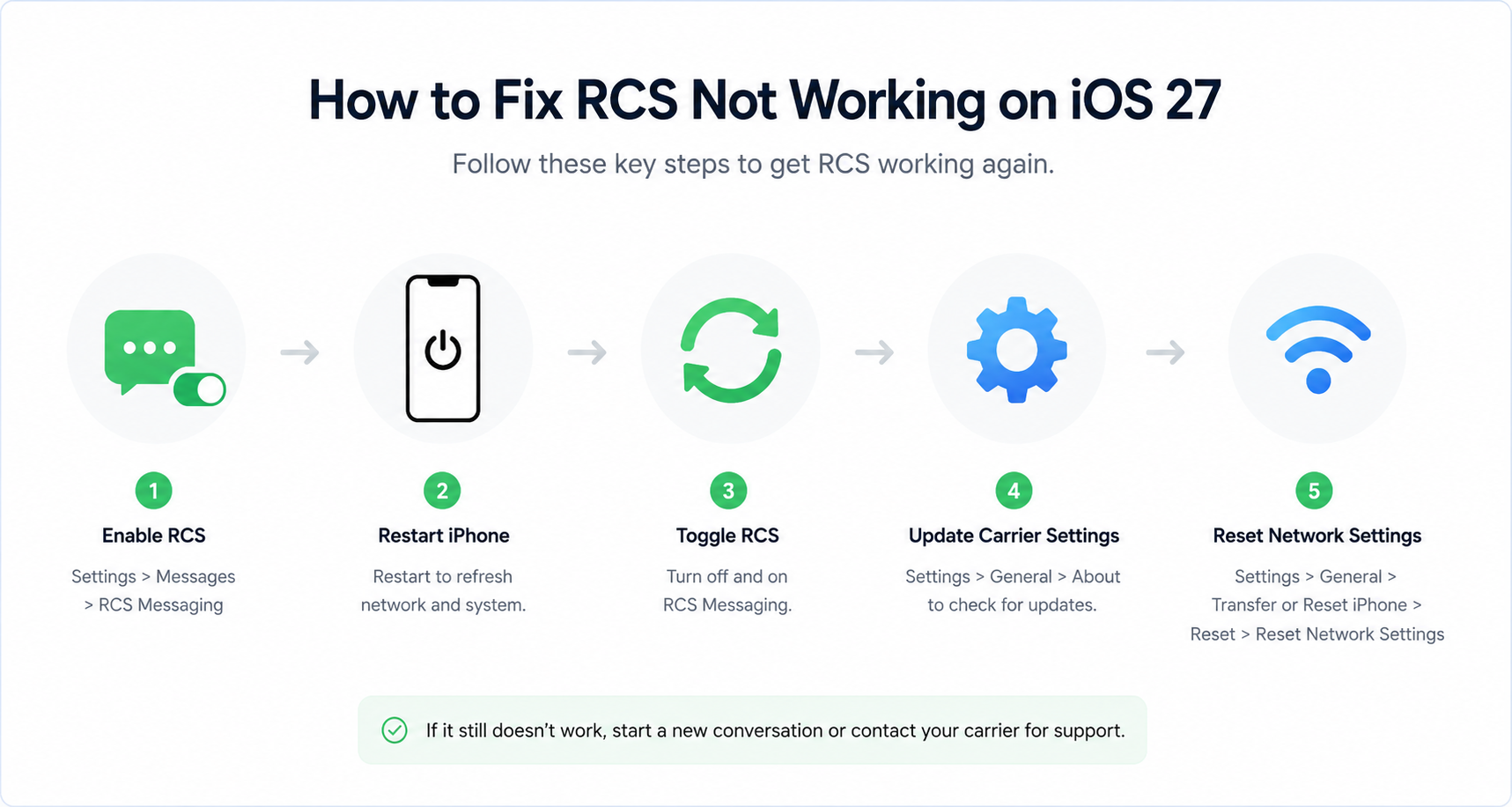
If RCS is not working after the iOS 27 update, try these fixes in order. Start with the simple checks before moving to system repair.
- Check if RCS is enabled on iPhone. Go to Settings > Apps > Messages and make sure RCS Messaging is turned on.
- Restart your iPhone. A restart can refresh Messages, network registration, and temporary system glitches after an update.
- Turn RCS off and on again. Turn off RCS Messaging, wait about 30 seconds, then turn it back on.
- Update carrier settings. Go to Settings > General > About. If a carrier settings update appears, install it.
- Reset network settings. Go to Settings > General > Transfer or Reset iPhone > Reset > Reset Network Settings. This clears Wi-Fi passwords, VPN settings, and cellular network settings, so use it after the simpler fixes.
- Start a new conversation. Old SMS/MMS threads may not switch to RCS correctly. Open a fresh chat with the Android contact and test again.
- Ask the Android user to check RCS. If RCS only fails with one person, ask them to confirm that RCS is enabled and working on their phone.
Part 5: Fix iOS 27 RCS Issues Caused by System Bugs with ReiBoot
After trying the basic fixes, RCS may still fail because of an iOS 27 system issue. This is more likely when Messages freezes, RCS fails across multiple Android contacts, network features behave strangely, or the problem starts right after the iOS update.
In that case, Tenorshare ReiBoot is a practical next step. It is designed to repair iOS system issues without complicated iTunes or Finder steps, which makes it useful for users who are not comfortable with manual troubleshooting.
ReiBoot can help in these situations:
- RCS not working after iOS 27 update
- iOS 27 RCS messages not sending to Android
- Messages app freezing, crashing, or acting abnormally
- iPhone keeps switching from RCS to SMS/MMS after installing iOS 27
- Network or system glitches after installing iOS 27, such as iOS 27 Wi-Fi issues
- iPhone stuck on Apple logo, recovery mode, black screen, or boot loop
Here is how to use ReiBoot to repair iOS 27 RCS problems:
-
Download and install Tenorshare ReiBoot on your computer.
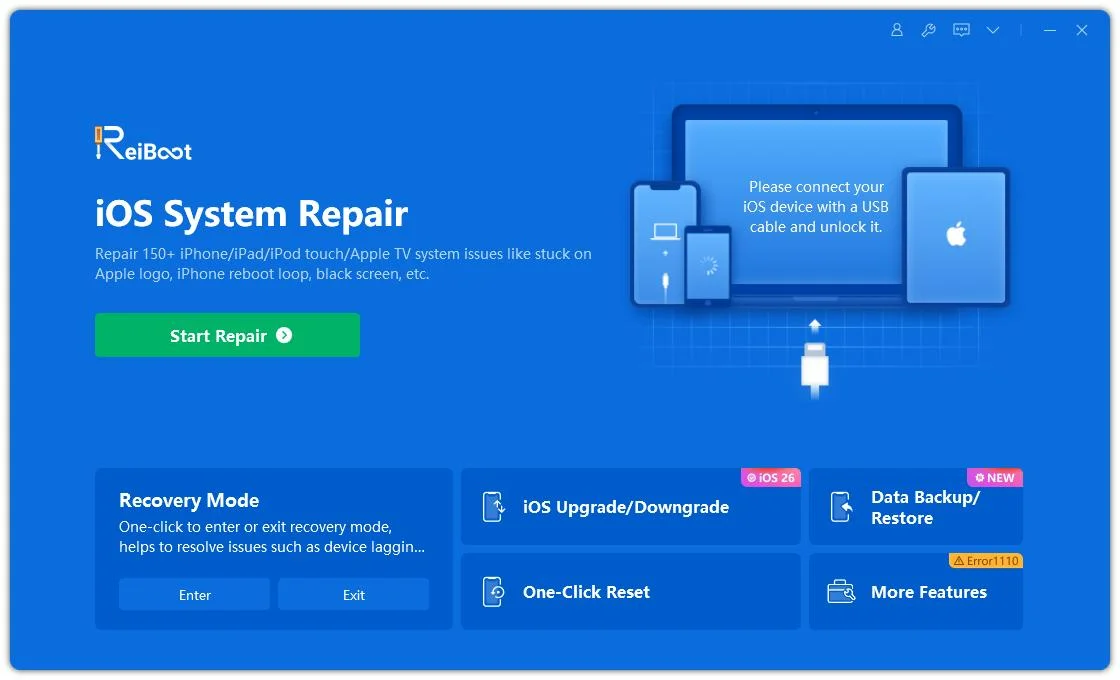
- Connect your iPhone to the computer.
-
Open ReiBoot and choose Standard Repair.
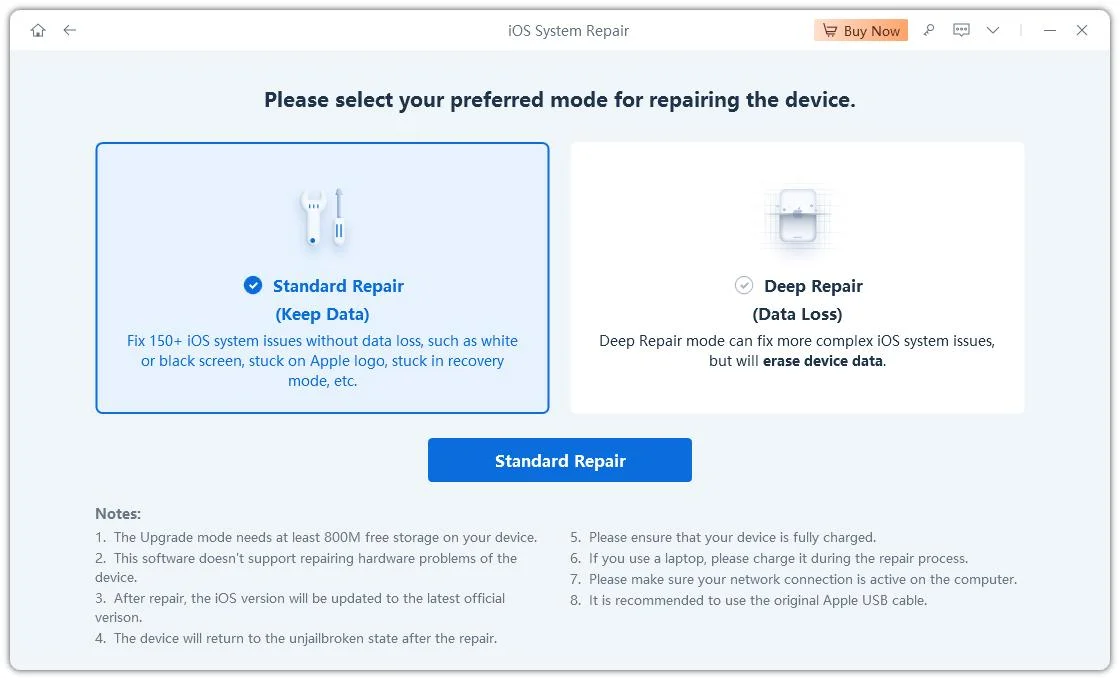
- Download the firmware package when prompted.
-
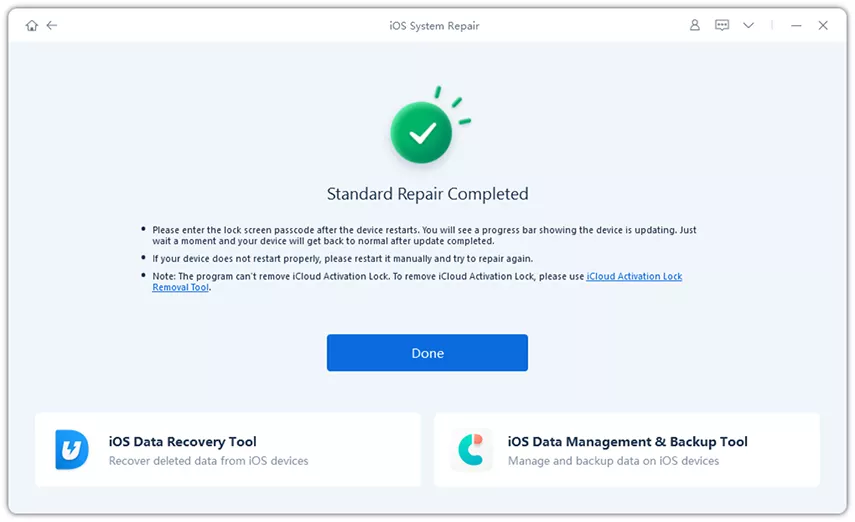
Start the repair and wait for the process to finish.

-
After your iPhone restarts, open Messages and test RCS again.
Tip: Use ReiBoot after you have checked carrier support, restarted your iPhone, toggled RCS, and reset network settings. If the issue is caused by an iOS system bug, repairing the system is often more effective than repeating the same network fixes.
FAQs About iOS 27 RCS Improvements
1. Does iOS 27 support RCS inline replies?
Yes. iOS 27 adds inline replies for RCS chats, so you can long-press a message and reply to it directly in a conversation with an Android user.
2. Why don't I see the Reply option in RCS chats?
The Reply option may be missing because your carrier does not fully support RCS, the Android contact does not support the feature, RCS is not active on both phones, or the chat is still using SMS/MMS.
3. Why is RCS not working after iOS 27 update?
RCS may stop working after the update because of carrier settings issues, RCS activation problems, network glitches, Messages app bugs, or iOS 27 instability.
4. Why are my iOS 27 RCS messages not sending to Android?
This usually happens when the Android contact does not have RCS enabled, your carrier does not fully support RCS, the network is unstable, or your iPhone falls back to SMS/MMS.
Conclusion
The Rcs improvements in ios 27 make iPhone-to-Android messaging more useful by adding inline replies and better reactions for photos and videos. If you do not see the new features yet, check your iOS version, carrier support, Android contact, and RCS settings first. If RCS stops working after the update and basic fixes do not help, Tenorshare ReiBoot is a helpful option for repairing iOS system problems and getting Messages back to normal.
