Updated on 2026-06-16 / Download ReiBoot
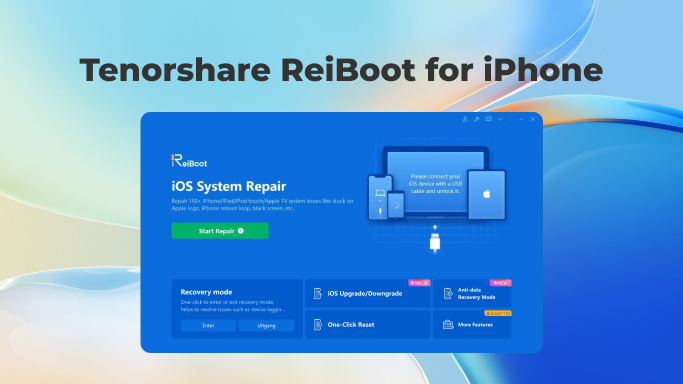
What is ReiBoot & Why Choose ReiBoot for iPhone?
We live in an era where people hold onto their devices for a much longer period of time than they used to in the past, whether it be an iPhone user or an Android user. However, as time progresses, no matter how good your smartphone was, it is bound to show its age, especially true for iOS users. Over time Apple has been notorious for slowing down their old devices that people have grown to love as they launch new products.
In fact, there can be various issues like screen stuck, recovery mode, unresponsive iOS, stuck Apple logo, and more.
But once you get in touch with Tenorshares ReiBoot, your troubles will be no more since it is built explicitly for various iOS issues and makes the iOS experience seamless.
ReiBoot is a powerful iOS system repair tool designed to fix over 150 iPhone and iPad issues. From Apple logo stuck, frozen screen, recovery mode, to unresponsive iOS, ReiBoot provides one-click solutions that are fast, safe, and data-friendly. Trusted by millions, it ensures your device runs smoothly on iOS 7 up to iOS 27.
So, once you Download ReiBoot for iOS, all these problems will be solved, along with many more.
Free ReiBoot Download for iOS Devices
Tenorshare ReiBoot is free to download and works on both Windows and Mac. As a computer-based tool, it offers cross-platform compatibility, allowing users worldwide to fix iOS system problems without risking data loss.
When it comes to software like ReiBoot, the primary concern faced by users is the fear of losing data. However, Tenorshares ReiBoot assures the safety of your data while also providing the best solutions possible. Moreover, thanks to the continuous updates by developers, the new ReiBoot versions are now highly stable and compatible with the latest iOS devices.
ReiBoot iOS System Repair – Key Features
- One-Click Recovery Mode: Enter & Exit
- Fix 150+ iOS System Issues
- Update or Downgrade iOS
- Backup & Restore iPhone
- Fix iTunes Error
- Device Optimization
Exit recovery mode or boot loops on your iPhone or iPad effortlessly.
Repair devices stuck on the Apple logo or black screen without losing data.
Safely update or downgrade your iOS version, including iOS 27.
Easily back up your iPhone data before making system repairs and restore it afterward to ensure your photos, contacts, and important files remain safe during troubleshooting.
Resolve common iTunes errors that occur during updates, restores, or syncing, ensuring smooth communication between your iPhone and iTunes.
Speed up your iPhone, clean junk files, and optimize performance without introducing bugs.
ReiBoot Supported Device
ReiBoot boasts about being the best and only boot recovery application that provides an excellent experience of complete operating system repair on almost every iOS device ranging from iOS 7 up to iOS 27. All iOS devices are supported by Tenorshare ReiBoot including iPhone, iPad and iPod.
How to Use ReiBoot on iPhone / iPad
- Step 1: Install ReiBoot on Your Computer
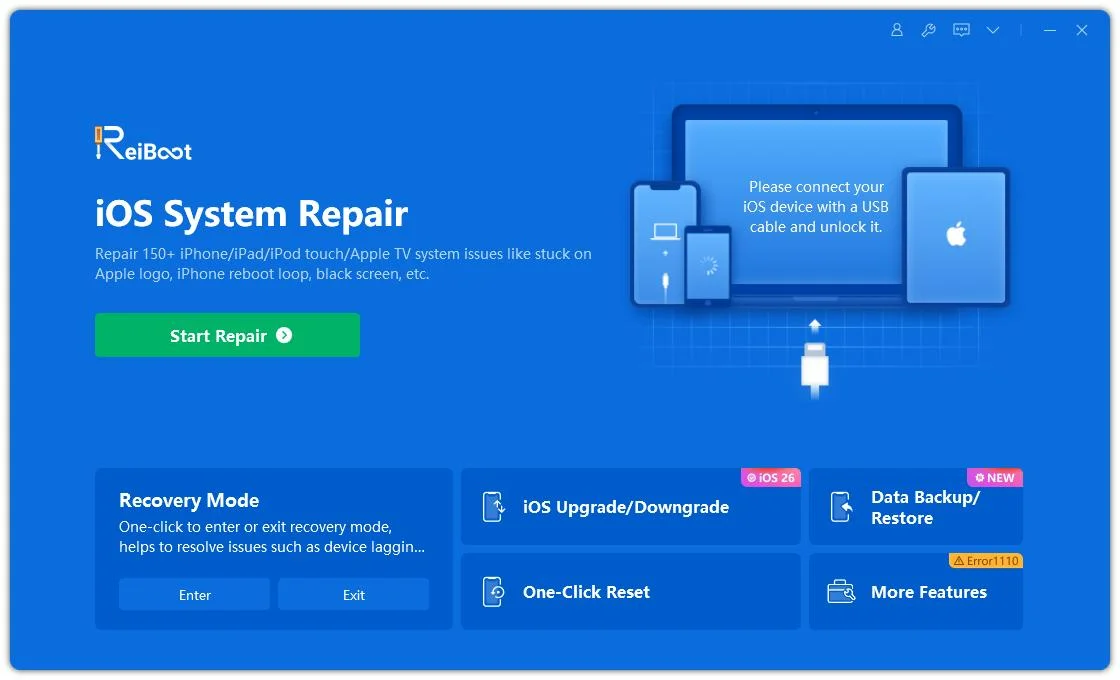
Download and install Tenorshare ReiBoot on your Windows PC or Mac. Connect your iPhone or iPad using the original Apple cable to ensure a stable connection. Open ReiBoot and click the “Start” button on the main interface to begin the repair process.
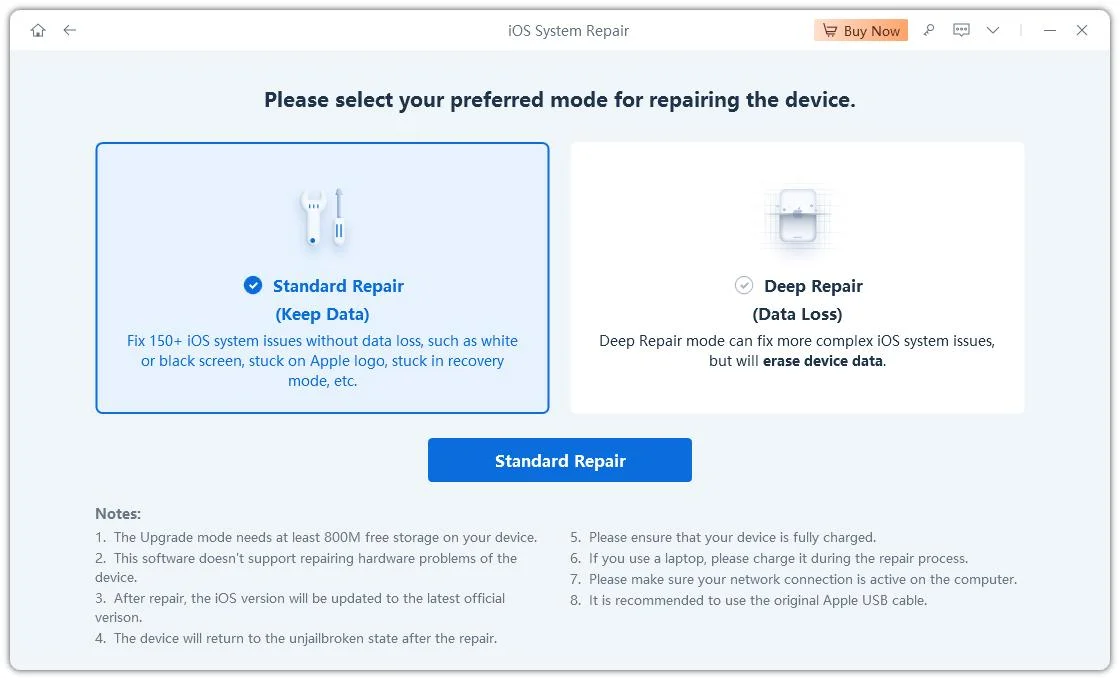
- Step 2: Choose “Standard Repair”
Select Standard Repair to fix iOS system issues on your iPhone or iPad without losing any data.
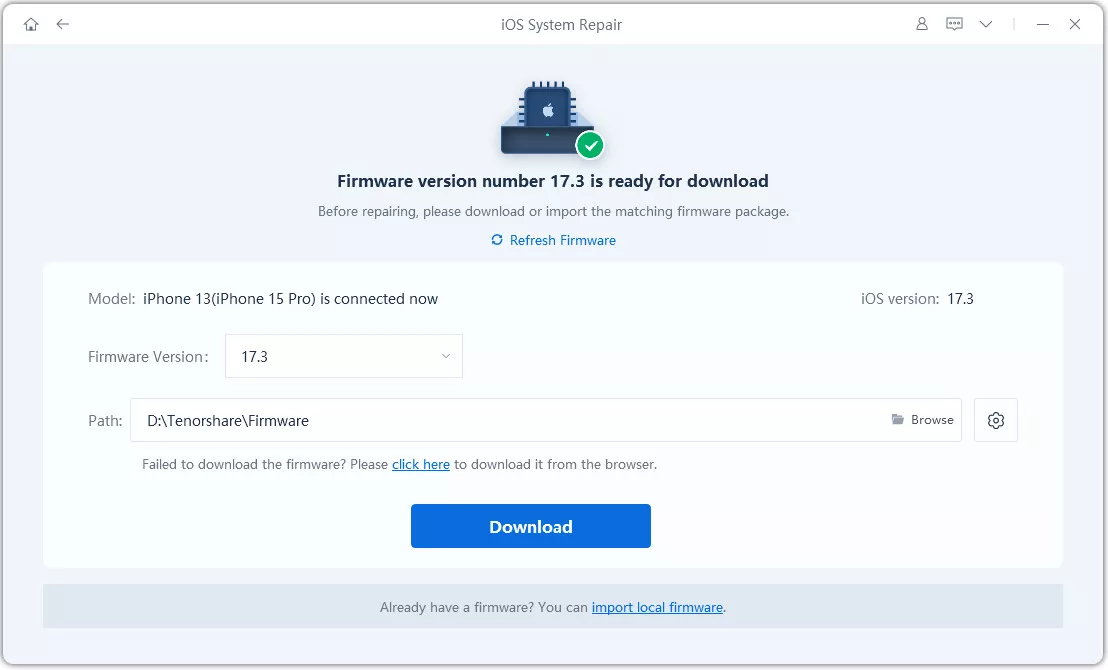
- Step 3: Download the Firmware
Click Download to get the latest firmware for your device. If necessary, ReiBoot will guide you to enter Recovery Mode or DFU Mode.
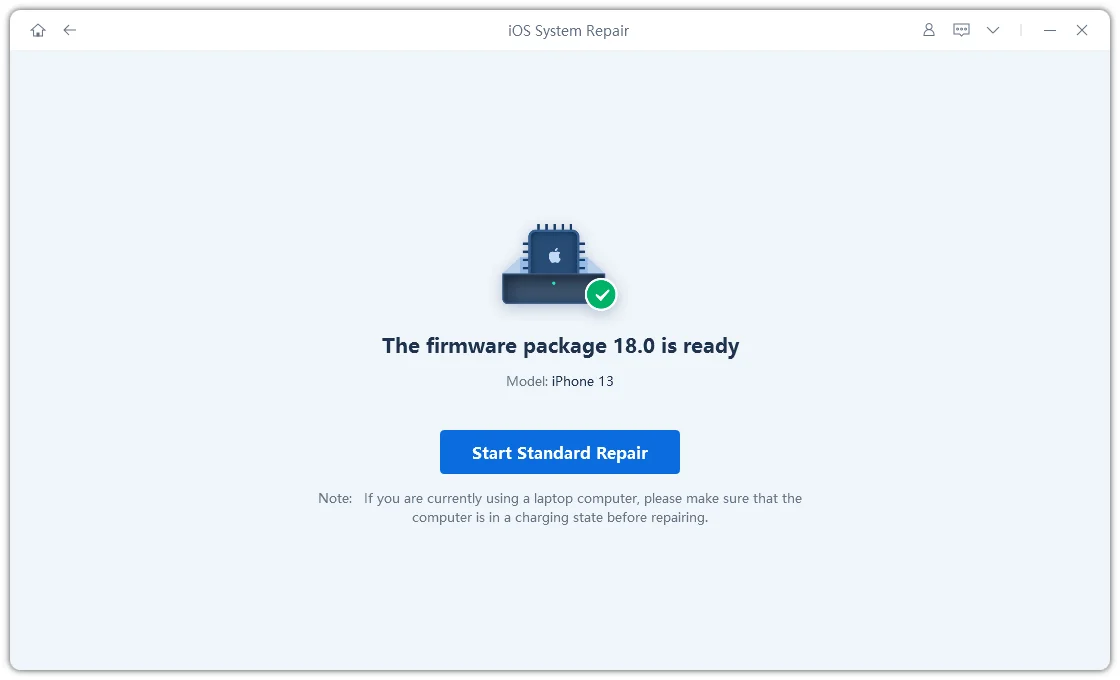
- Step 4: Begin the Repair
Click Start Standard Repair and wait while ReiBoot repairs your iOS system.
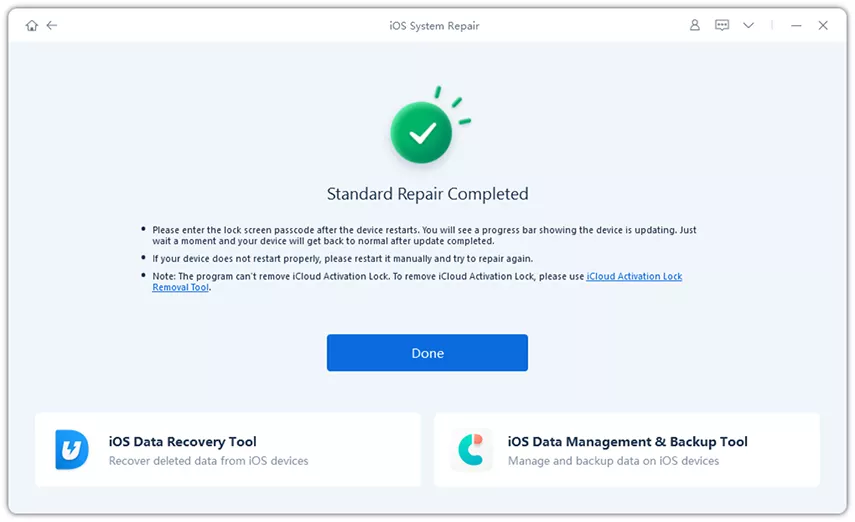
- Step 5: Standard Repair Completed
Your device will restart automatically once the process is complete, and all your data will remain safe.