
Updated on 2026-07-21 / iPhone Tips
Apple's iOS 27 brings new features and changes, but many users still want more control over their iPhone. That's why interest in jailbreak iOS 27 methods is growing again. Jailbreaking allows you to customize your device, install unofficial apps, and unlock features Apple normally restricts.
However, versions are harder to jailbreak because security patches change frequently. This guide explains safe ways to jailbreak iOS 27 .
Note: This article is for educational and informational purposes only. Jailbreaking may void your warranty, reduce device security, cause instability, or violate certain platform policies. If your iPhone encounters system issues during the jailbreak process, ReiBoot can help fix common iOS problems safely.
- Part 1: Can You Jailbreak iOS 27 Right Now?
- Part 2: Top 6 iOS 27 Jailbreak Tools
- Part 2.1 Palera1n
- Part 2.2 Dopamine
- Part 2.3 Checkra1n
- Part 2.4 Unc0ver
- Part 2.5 Pangu
- Part 2.6 Sileem Repo Extractor
- Part 3: How to Prepare for iOS 27 Jailbreak & Understand Risks
- Part 4: Facing iPhone Issues When Jailbreaking iOS 27? Use ReiBoot to Fix
Part 1. Can You Jailbreak iOS 27 Right Now?
Apple is expected to announce iOS 27 at WWDC 2026 on June 8, 2026, and there is no public jailbreak available yet. The is still new, and Apple's security makes early jailbreaks very unlikely.
Not all iPhones will support iOS 27. Reports suggest it will drop support for iPhone 11 series and iPhone SE (2nd generation). The oldest supported device is expected to be iPhone 12 with the A14 Bionic chip.
Devices that will NOT support iOS 27:
iPhone 11, 11 Pro, 11 Pro Max
iPhone SE (1st & 2nd generation)
iPhone XS, XS Max, XR, X
iPhone 8, 8 Plus
All older models
Part 2. Top 6 iOS 27 Jailbreak Tools
Interest in jailbreak iOS 27 for free is growing as users look for ways to unlock more control and customization on their iPhones. Jailbreak tools are widely used for device modification, testing, and advanced system access across different iOS setups. Below are the most well-known tools.
1. Palera1n
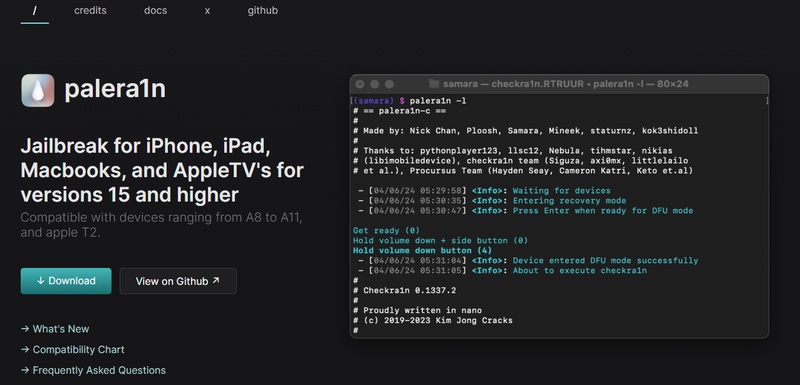
Palera1n is a semi-tethered jailbreak tool often discussed when users search for jailbreak iOS. It mainly works on older devices and is sometimes tested by users exploring jailbreak iOS 27 with computer methods, but only in limited environments. It is not a solution for jailbreak iOS 27 on iPhone 17 or newer devices.
-
Supported devices: A8--A11 only
-
Supported iOS range: iOS 15 -- iOS 16.x (limited updates beyond this)
-
Type: Semi-tethered
-
Requirement: Mac or Linux computer
-
Limitation: Not compatible with iPhone 11 and newer devices
2. Dopamine
Dopamine is a modern rootless jailbreak tool designed for A12--A16 devices. It is commonly mentioned in searches for jailbreak iOS 27 without computer because it can re-enable jailbreak through an app after setup. However, it only supports older iOS versions.
-
Supported devices: A12--A16
-
Supported iOS range: iOS 15 -- iOS 16.5
-
Type: Semi-untethered (app-based)
-
Requirement: No PC needed after installation
-
Limitation: No support for iOS 17+ / systems like iOS 27
3. Checkra1n
Checkra1n is one of the most well-known jailbreak tools using the checkm8 exploit, similar to Palera1n. It only works on older devices (A5--A11 chips). It is stable but limited to older iOS versions and does not support modern iPhones or latest iOS builds.
-
Supported devices: iPhone 5s to iPhone X
-
Supported iOS range: iOS 12 -- iOS 14.x (limited updates only)
-
Type: Semi-tethered
-
Requirement: Mac/Linux PC required
-
Limitation: Not compatible with iOS 15+ modern devices
4. Unc0ver
unc0ver is a semi-untethered jailbreak tool mainly used for older iOS releases. It is still discussed in communities searching for jailbreak iOS 27, although it does not support newer versions.
-
Supported devices: A12--A14 (limited)
-
Supported iOS range: iOS 11 -- iOS 14.8 (mostly)
-
Type: Semi-untethered
-
Requirement: No PC needed after install
-
Limitation: No support for modern iOS versions
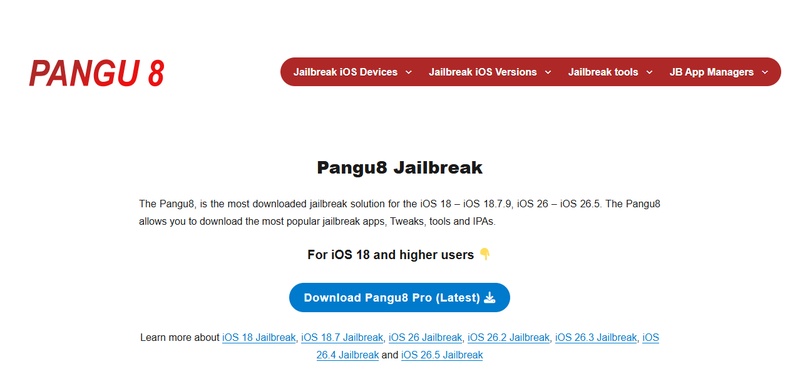
5. Pangu
Pangu was one of the earliest jailbreak tools used for iOS 9--10 era devices. It is now discontinued but still mentioned in jailbreak history. It has no active support for modern iOS versions.
-
Supported devices: Older iPhones (A5--A9 era)
-
Supported iOS range: iOS 9 -- iOS 10
-
Type: Untethered (old versions)
-
Requirement: PC-based (outdated tools)
-
Limitation: Completely outdated and not usable for modern iOS
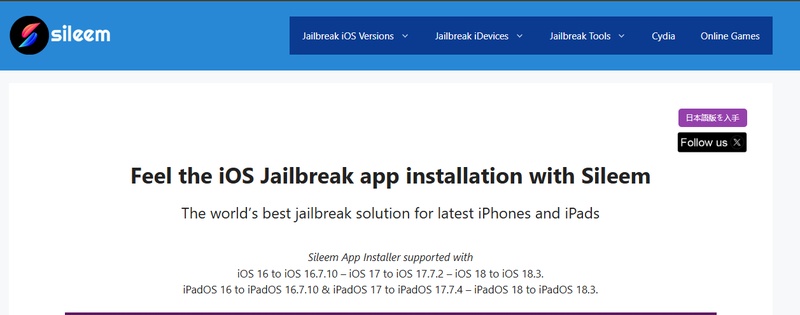
6. Sileem Repo Extractor
Sileem Repo Extractor is not a real jailbreak but a repo-based installer used to access jailbreak-style apps. It does not modify system root access but allows installation of modified apps and themes.
-
Supported devices: Most iPhones (depends on iOS version)
-
Supported iOS range: iOS 13 -- iOS 18 (limited functionality)
-
Type: Virtual / repo-based tool
-
Requirement: No PC required
-
Limitation: Not a full jailbreak, only app-level access
Part 3. How to Prepare for iOS 27 Jailbreak & Understand Risks
The idea of modifying an iPhone 17 or iOS 27 brings both excitement and technical risk. This process, often called jailbreaking, gives extra control over the device, but it also affects system security and stability. Before trying anything, it's important to prepare properly and understand what can go wrong.
Pre-Jailbreak Checklist: How to Prepare
-
Create a full local backup
Use a Mac or PC to make a complete encrypted backup through Finder or iTunes. Don't depend only on iCloud. Save and archive the backup so it won't be overwritten. This helps you restore your data if something goes wrong.
-
Save SHSH2 blobs
SHSH blobs are Apple's digital approval for iOS versions. Saving them early can help you downgrade later if the system becomes unstable. This step is time-sensitive and usually done before Apple stops signing the version.
-
Turn off security settings temporarily
Disable Find My iPhone, Face ID or passcode, and automatic updates. These security features can sometimes interfere with installation or cause errors during system changes.
-
Use trusted sources only
Only download tools from verified developers. Avoid "one-click jailbreak" websites or paid unlock tools, as most of them are unsafe or fake.
Risks You Should Know
Jailbreaking removes Apple's built-in security system, which can make your device more open but also more vulnerable.
-
Malware risk: Without system protection, harmful apps can access your files, passwords, and personal data
-
App restrictions: Banking apps, Apple Pay, and some secure services may stop working
-
System damage: A small error can cause the device to crash or stop working properly
-
Battery and performance issues: Unstable tweaks can lead to overheating and fast battery drain
-
Warranty loss: Jailbreaking goes against Apple's rules and can void your warranty
Part 4. Facing iPhone Issues When Jailbreaking iOS 27? Use ReiBoot to Fix
Jailbreaking iOS 27 or using iOS 27 can sometimes cause issues like a stuck Apple logo, boot loop, or recovery mode problems. This usually happens when system files get damaged or the process doesn't complete correctly.
In situations like this, Tenorshare ReiBoot can help fix the device without complicated steps. It is a repair tool that fixes iOS problems, enters or exits recovery mode with one click, and solves common issues without iTunes or technical skills. Reiboot helps users recover their device safely without losing data in many standard cases.
Key Features of ReiBoot
-
Fixes common iOS system issues like Apple logo stuck or black screen
-
Enters and exits recovery mode with one click
-
Repairs iOS without iTunes or data loss in standard repair
-
Supports all major iPhone models and iOS versions
-
Easy interface with no technical skills required
How to Use Standard Repair Mode to fix ipone without data loss:
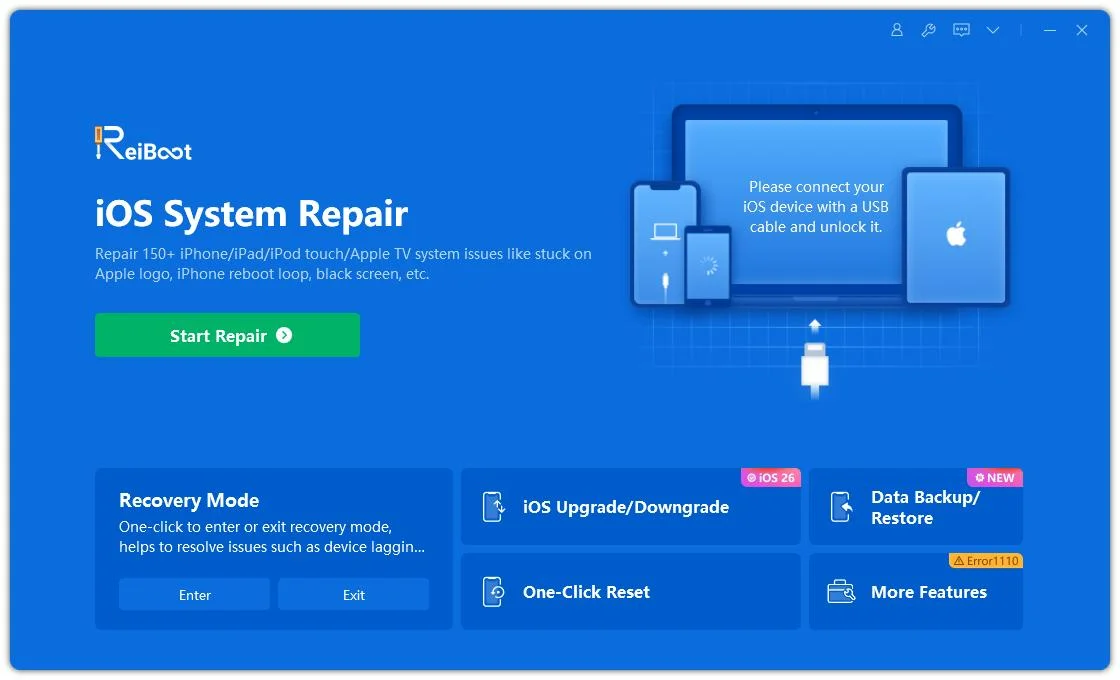
- Step 1: Launch ReiBoot on Your Computer
Download and install Tenorshare ReiBoot on your computer. Open the program and connect your iPhone that has issues after attempting to jailbreak iOS 27.
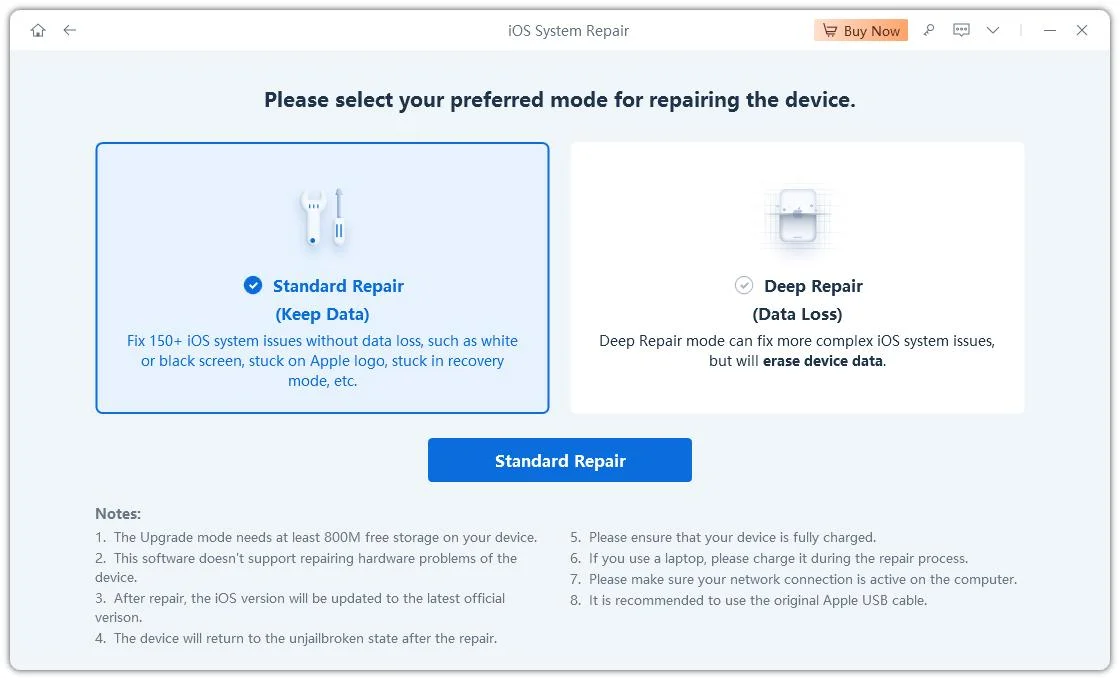
- Step 2: Click on "Standard Repair"
Click on "Standard Repair" when ReiBoot detects your device to fix issues caused during iOS 27 jailbreaking without data loss.
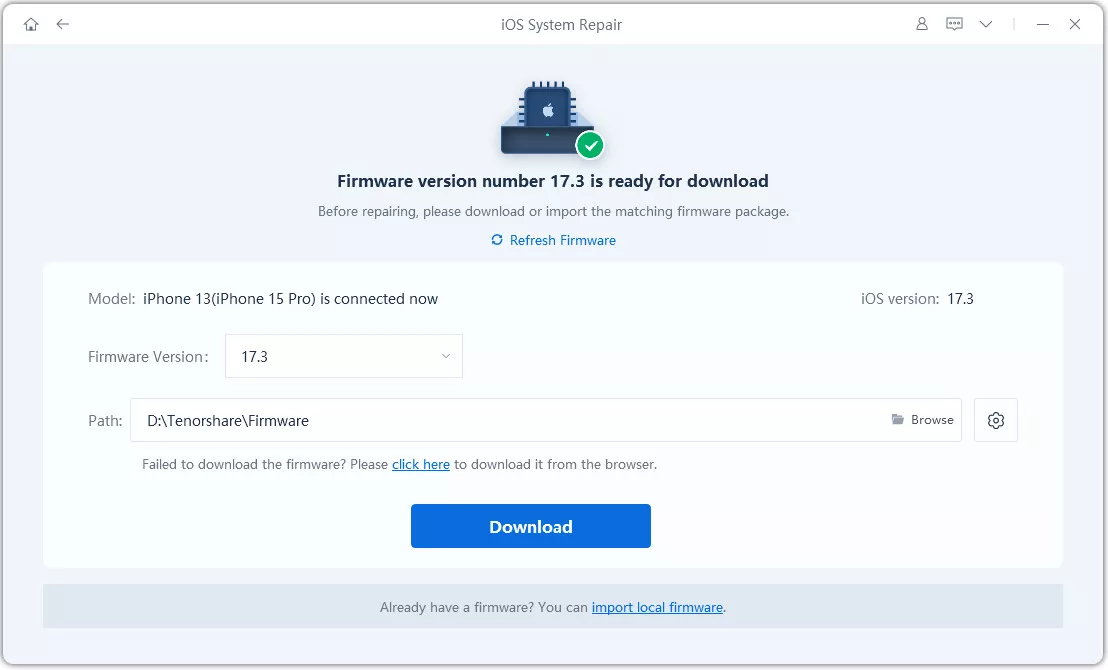
- Step 3: Download Firmware Package
Download the latest firmware package when prompted. ReiBoot will automatically prepare the correct system firmware for repair.
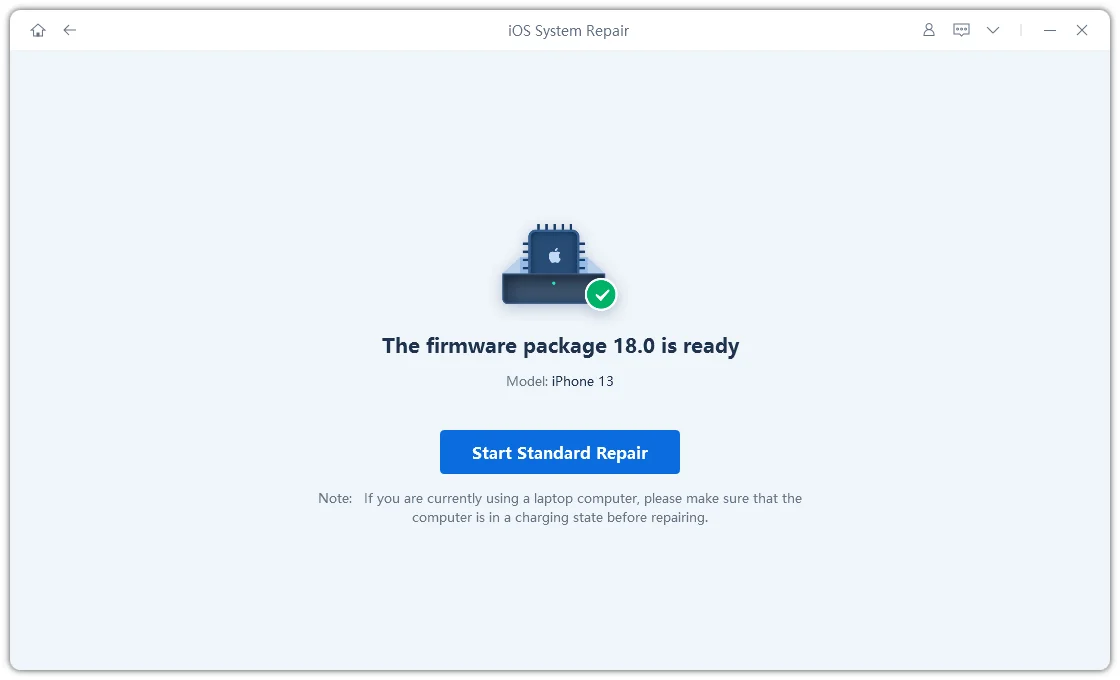
- Step 4: Start Standard Repair
Once the firmware is ready, click “Start Standard Repair” to fix issues when jailbreaking iOS 27. Wait for the repair process to complete.
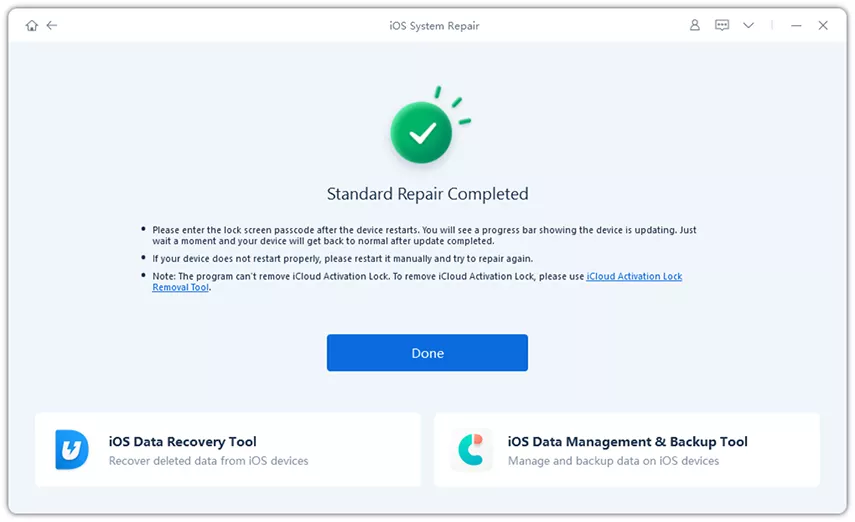
- Step 5: iPhone Back to Normal
Your iPhone will restart automatically after repair. Check whether jailbreaking-related issues are resolved and the device works normally again.
Conclusion
Right now, jailbreak iOS 27 is not fully available or stable, and most methods online are either outdated or unsafe for new devices like iPhone 17. Even if it works, it can easily cause system issues, crashes, or data loss. If something goes wrong during testing or jailbreak attempts, ReiBoot is a simple way to fix your iPhone. It repairs common iOS problems and brings your device back to normal without complicated steps.
