
Updated on 2026-07-21 / iPhone Tips
Updating to the latest software is exciting, but it can sometimes go wrong. If your iPhone won't turn on after the iOS 27 update, don't panic. This common issue often happens due to software glitches or installation errors during the phase.
Whether your screen is stuck on black or trapped in a boot loop, most fixes are simple to do at home. In this guide, we provide nine easy solutions to get your device running again. Let's get your iPhone back to life.
Part 1. iPhone Won't Turn On Fixes Compared
| Solutions | Success Rate | Data Loss | Ease of Use | Time Required |
|---|---|---|---|---|
| Force Restart iPhone | Low | No | Very Easy | 1–2 Minutes |
| ReiBoot System Repair | High | No | Easy | 5-10 minutes |
| Charge iPhone | Low | No | Easy | 30–60 Minutes |
| Recovery Mode | Medium | May Lose Data (Restore) | Medium | 15–30 Minutes |
| Update / Restore via iTunes | Medium | May Lose Data (Restore) | Medium | 20–30 Minutes |
| DFU Mode Restore | High | Yes (Data Erased) | Hard | 20–45 Minutes |
| Nearby Device Restore | Medium | No | Medium | 10–30 Minutes |
| Check Hardware Issues | Medium-High | No | Easy | Varies |
| Contact Apple Support | High | No | Easy | 1–7 Days |
Part 2. 9 Ways to Fix iPhone Won't Turn On After the iOS 27 Update
The iOS 27 update can sometimes cause black screens, boot loops, or frozen Apple logos. These simple fixes can help solve iphone wont turn on after ios 27 update problems quickly.
1. Force Restart Your iPhone
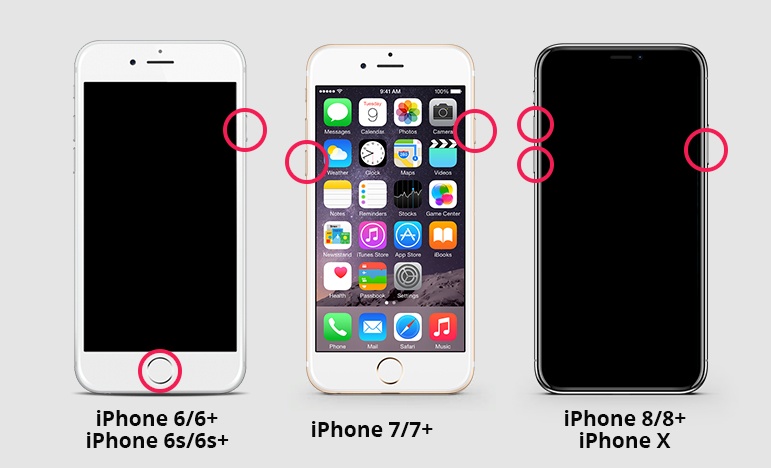
A force restart is the quickest way to resolve an iphone hang after ios 27 update. It cuts the power and forces the system to reboot, which often clears issues.
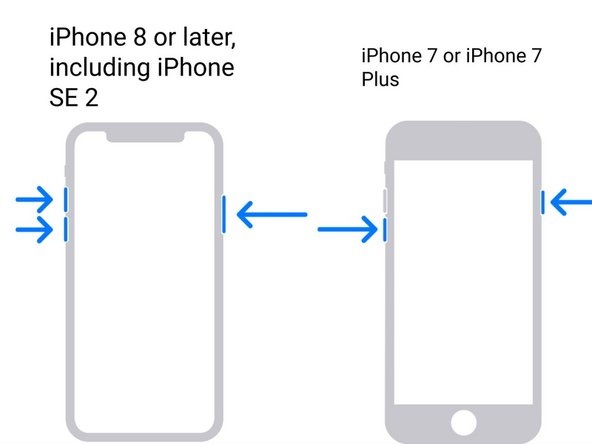
Steps for iPhone 8 and Later
Press and quickly release the Volume Up button.
Press and quickly release the Volume Down button.
Press and hold the Side button.
Release the button after the Apple logo appears.
Steps for iPhone 7 and 7 Plus
-
Press and hold the Volume Down button and Power button together.
-
Keep holding both buttons until the Apple logo appears.
Steps for iPhone 6s and Earlier
-
Press and hold the Home button and Power button together.
Release both buttons after the Apple logo appears.
2. Fix Your iPhone Won't Turn Easily with Reiboot
ReiBoot is a powerful iOS system repair tool designed to fix iPhone startup issues without complicated manual methods. It helps when your device gets stuck on a black screen, Apple logo, or becomes unresponsive after an update like iphone wont turn on after ios 27 update.
The tool repairs system glitches and brings your iPhone back to normal without advanced technical skills. It fixes iOS problems automatically and brings your iPhone back to normal without complicated steps.
What ReiBoot Can Do
-
Fix black screen and frozen Apple logo issues
-
Repair boot loop and startup failure problems
-
Resolve update errors and system crashes
-
Enter or exit Recovery Mode with one click
-
Repair iOS system without iTunes errors
Steps to fix iphone won't turn on after ios 27 update troubleshooting with reiboot:
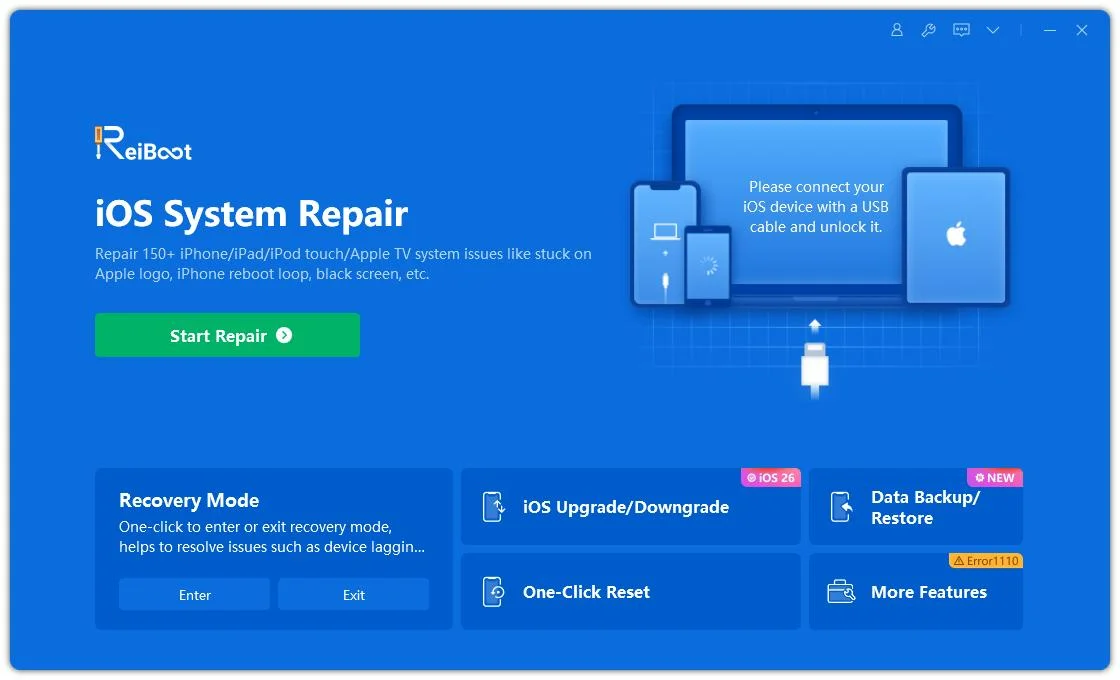
- Step 1: Launch ReiBoot on Your Computer
Download and install Tenorshare ReiBoot on your computer. Open the program and connect your iPhone that won't turn on after the iOS 27 update.
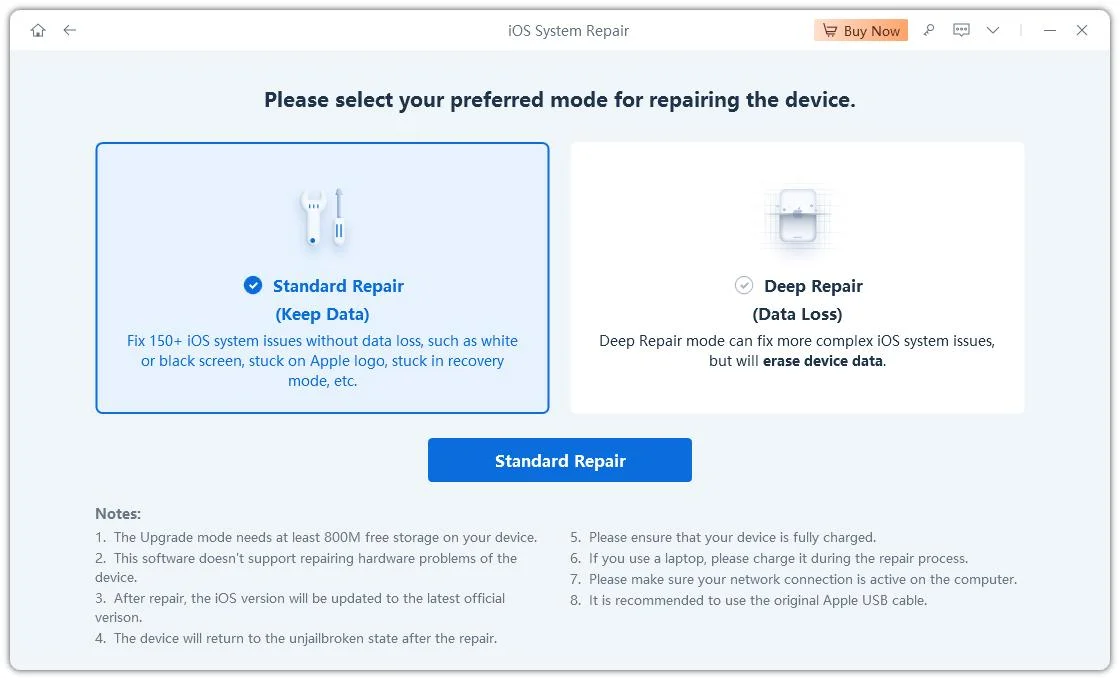
- Step 2: Click on "Standard Repair"
Click on "Standard Repair" after ReiBoot recognizes your iPhone and prepares to fix the startup issue.
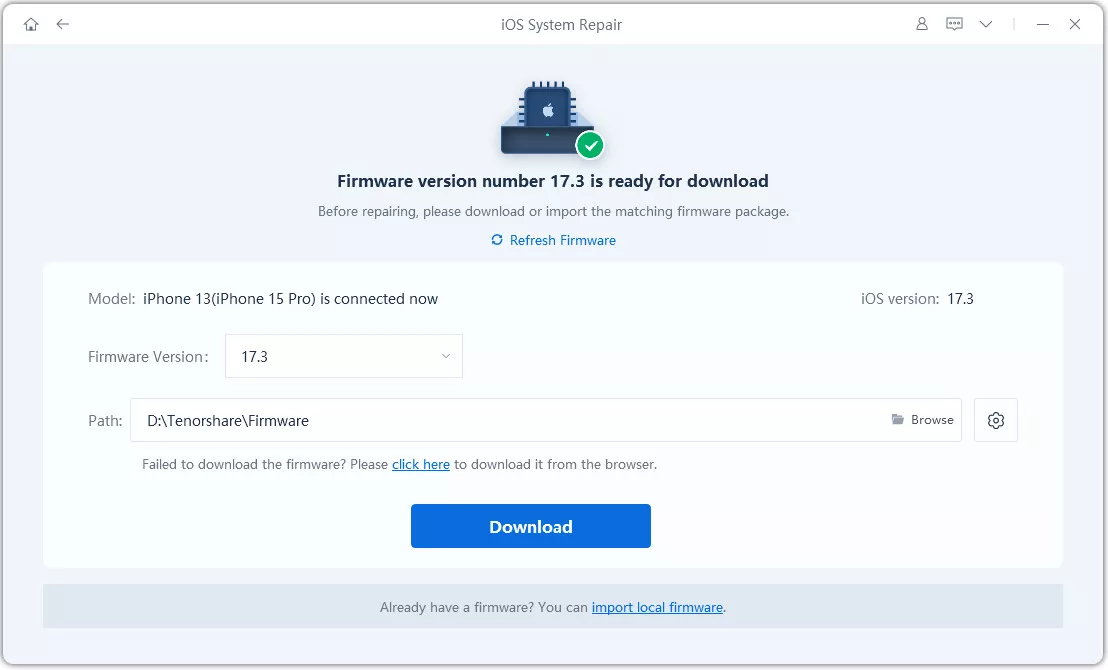
- Step 3: Download Firmware Package
Download the latest firmware package when prompted. ReiBoot will automatically match the correct firmware for your device.
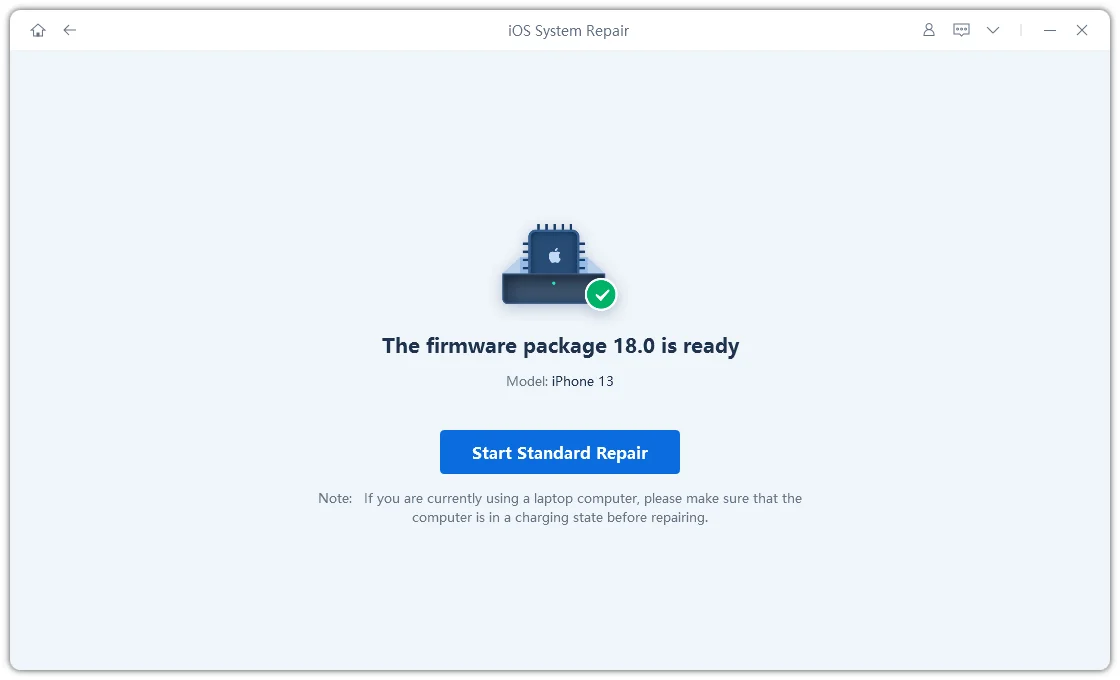
- Step 4: Start Standard Repair
Once the firmware is ready, click “Start Standard Repair” to repair the iPhone that won’t turn on after the iOS 27 update.
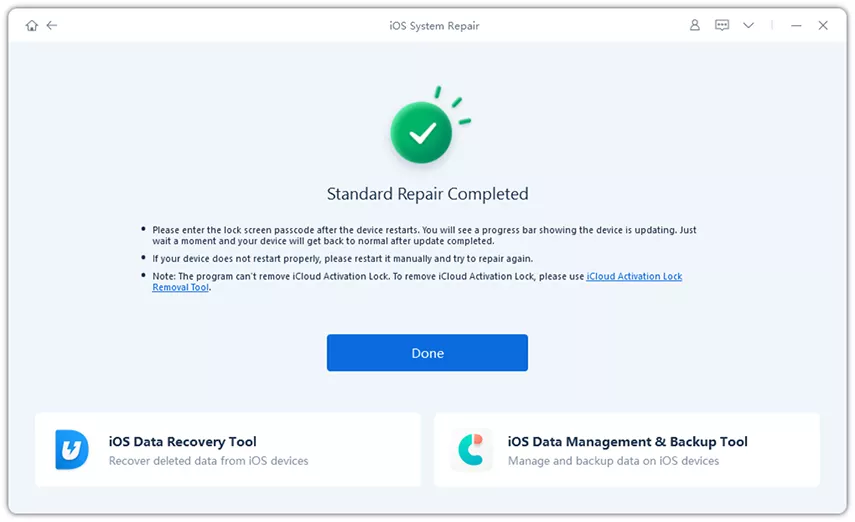
- Step 5: iPhone Turns On Again
Your iPhone will restart automatically after the repair. Check if your device powers on normally without losing any data.
3. Charge iPhone for at Least One Hour
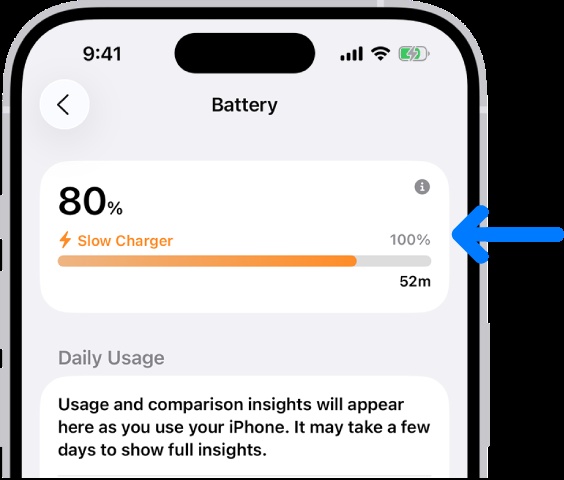
Sometimes the update process drains the battery completely, leading to an iphone not turning on even after charging for just a few minutes. The battery may need a deeper "trickle charge" to respond.
-
Plug your device into a wall outlet using an official Apple cable.
-
Leave it alone for at least 60 minutes.
-
If you still see no charging icon, try a different cable or power adapter.
4. Put iPhone into Recovery Mode
Recovery Mode is a reliable fix when your iPhone fails to start after a failed update. It helps reinstall iOS using a computer and can solve serious system issues related to iphone wont turn on after ios 27 update.
-
First, connect your iPhone to a Mac or Windows computer using a USB cable.
-
Open Finder (on Mac) or iTunes / Apple Devices app (on Windows).
-
Now press the correct button combination for your iPhone model:
-
iPhone 8 or later: Press and quickly release Volume Up, then Volume Down, then press and hold the Side button.
-
Keep holding the Side button even after the Apple logo appears.
-
-
Continue holding until you see the Recovery Mode screen (a cable pointing to a computer).
-
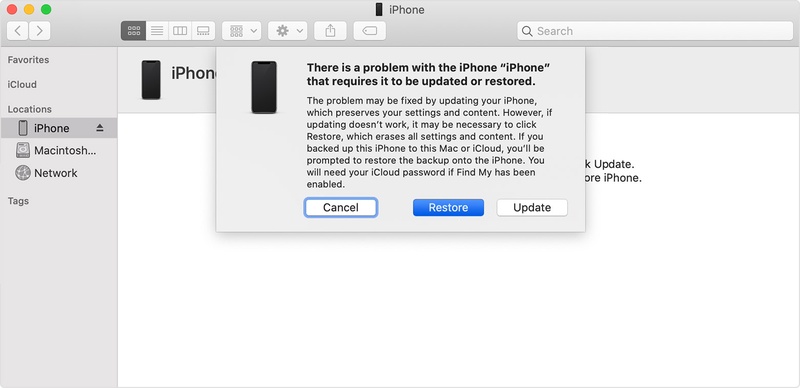
When your computer detects the iPhone, a pop-up will appear with two options.
-
Choose Update first to reinstall iOS without deleting data. If it does not work, select Restore iPhone to fully reinstall the system.
5. Update or Restore iPhone via Finder, iTunes, or Apple Devices
A corrupted or incomplete update can lead to iphone not turning on after ios 27 update problems. Updating or restoring through a computer replaces damaged system files and helps restore normal startup.
-
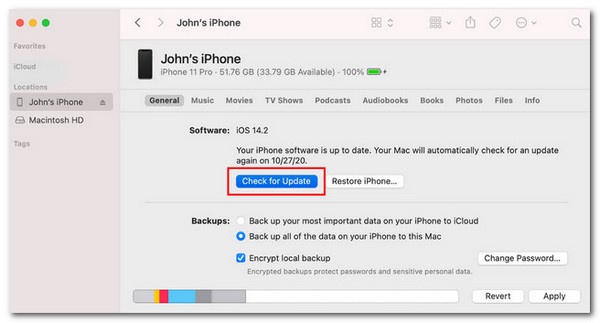
Launch Finder, iTunes, or the Apple Devices app on your computer.
-
Choose your iPhone from the list once it is detected.
-
Tap Check for Update and let the system scan for available iOS versions.
-
If an update is shown, click Download and Update and wait for it to finish completely.
-
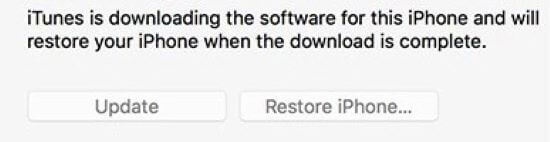
If the problem still remains, select Restore iPhone to reinstall a fresh iOS system.
6. Use DFU Mode (Deep Restore Method)
DFU Mode is the deepest restore option and is used when iphone 17 wont turn on after ios 27 update or when Recovery Mode does not work. It reloads both firmware and iOS completely
For iPhone 8 and later:
-
Connect your iPhone to a computer and open Finder or iTunes.
Press and release the Volume Up button quickly.
Press and release the Volume Down button quickly.
-
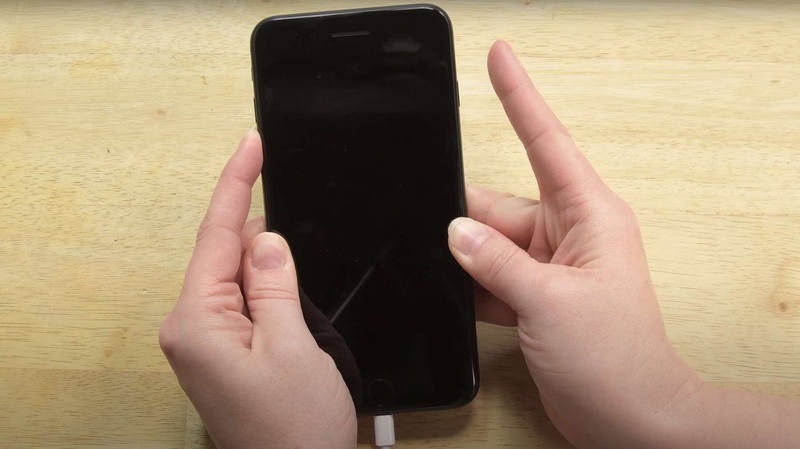
Now press and hold the Side button until the screen turns black.
-
As soon as the screen goes black, press and hold Volume Down while still holding the Side button for 5 seconds.
-
Release the Side button only, but keep holding Volume Down for about 10 more seconds.
-
If the screen stays completely black and nothing shows, your iPhone is now in DFU Mode.
Restore iPhone in DFU Mode
-
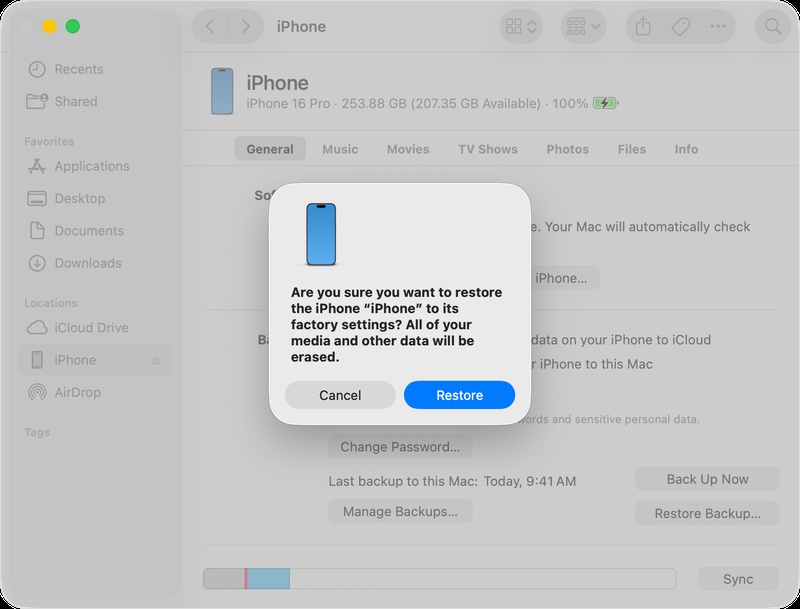
Once your computer detects the device, a message will appear.
-
Click Restore iPhone to install a fresh version of iOS.
-
Wait until the process completes and the device restarts automatically.
7. Try Nearby Device Restore
Nearby Device Restore is a wireless recovery method that helps fix iphone not working after ios 27 update using another Apple device nearby. It is useful when the phone cannot connect properly to a computer.
-
Make sure the nearby iPhone or iPad is running iOS 18 or iPadOS 18 or later.
-
Plug the unresponsive iPhone into a power source to avoid shutdown during recovery.
-
Place the affected iPhone close to another unlocked Apple device that is already connected to Wi-Fi.
-
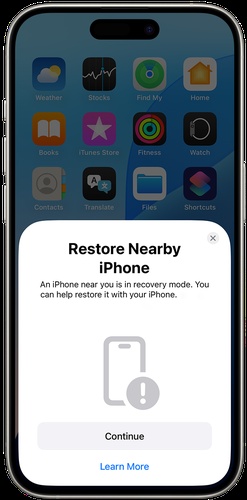
Wait until the message "Restore Nearby iPhone" appears on the working device, then tap Continue.
-
A six-digit code will appear on the recovery iPhone; enter it on the nearby device to connect and share Wi-Fi.
-
Tap OK when you see the message "Restoring iPhone" on the screen.
8. Check for Hardware Problems
Hardware issues may be the cause when software fixes don't work. This often happens after an update or deep battery drain, especially in cases like iphone not turning on even after charging.
Dust in the charging port, a faulty cable, or a weak battery can stop the iPhone from powering on. Water damage or overheating may also be responsible.
9. Contact Apple Support
Apple Support is the final and most reliable option for serious issues. They can check deep software or hardware problems causing iphone wont turn on after ios 27 update.
You can contact them through the Apple Support app or website for guided help. If needed, book a visit at an Apple Store or authorized service center.
Part 3. FAQs on iPhone Won't Turn On After the iOS 27 Update
Q1. Will iOS 27 brick my phone?
No, iOS updates usually do not "brick" an iPhone. However, they can sometimes cause serious software issues like black screen, boot loops, or startup failures. These problems are usually fixable using recovery methods or a system restore.
Q2. What is the bug fixed in iOS 27?
updates fix early system issues like crashes, lag, and app problems, but they can also bring new bugs since they are still being tested.
Q3. Does iOS 27 have bugs?
Yes, versions often have bugs. You may face freezing, battery drain, or startup issues because the software is not fully stable.
Conclusion:
Waking up to a lifeless device is the last thing you want, but an iphone wont turn on after ios 27 update is usually just a temporary software snag. Whether it's a crash or battery issue, these fixes can help restart your iPhone and get it working again. If you want a quick, stress-free fix, ReiBoot is the easiest way to repair iOS issues and bring your iPhone back to normal. It fixes boot loops and black screens while keeping your data safe.
