
Updated on 2026-07-21 / iPhone Tips
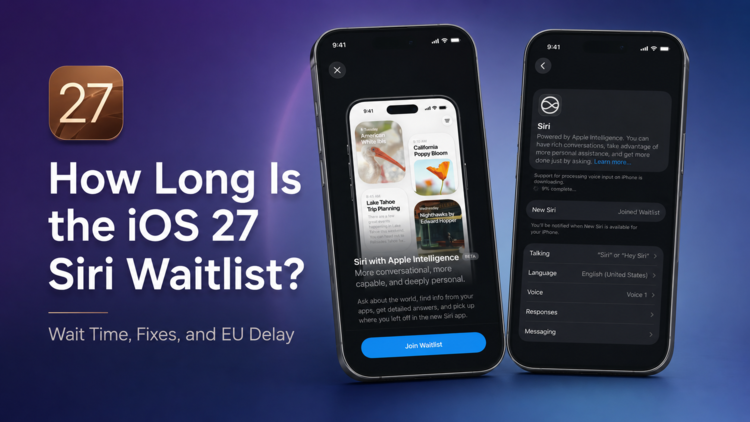
Still stuck on the iOS 27 Siri waitlist while others already have access? That can be frustrating, especially when Apple gives no clear wait time. Many users ask, “how long is the new Siri waitlist?” or “how long is the waitlist for the new Siri?” For some users, access may arrive in minutes; for others, it can take hours or longer. A normal “Waiting” status usually means patience is enough. But crashes, loading errors, or an iPhone stuck after the iOS 27 update may point to a system issue.
Quick Answer
There is no fixed iOS 27 Siri waitlist time. A normal wait can take from a few minutes to several hours. How long is the waitlist for the new Siri depends on Apple’s phased rollout, server load, and device eligibility. If the Siri AI page still opens normally, keep your iPhone connected to Wi-Fi and wait. If the page is missing, stuck, or your iPhone is acting abnormally, try the fixes below.
Part 1: Why Is My Siri AI Waitlist Taking So Long?
“My phone hasn't even done the indexing stage. Been waiting 10 hours overnight still nothing.”
From Reddit users discussing the iOS 27 Siri waitlist
The Siri AI waitlist works like a phased Apple Intelligence waitlist, so Apple does not enable access for every device at the same time. Some users may also see or search for “indexing in progress ios 27” when their iPhone is still preparing Apple Intelligence features in the background. High demand, server load, device compatibility, language settings, and regional availability can all affect when Siri AI becomes ready.
- iOS 27 demand: the iOS 27 release usually brings heavy traffic.
- Device compatibility: Siri AI may require a supported Apple Intelligence device.
- Language settings: Siri AI is expected to launch in English first.
- Region limits: some regions may not get access right away.
In short, the waitlist may simply be moving slowly. But if your iPhone also shows system problems, the issue may need more than patience.
Part 2: Still Waiting? Here's When to Worry
Before trying any fix, check whether your iPhone is just waiting or actually stuck.
Keep Waiting If Siri Looks Normal
A normal "Waiting" or "Joined Waitlist" status usually means your device is still in Apple's queue. You may also see discussions around “indexing in progress ios 27,” which often refers to the device preparing Apple Intelligence or Siri-related data in the background after an update. As long as the Siri AI page opens, your iPhone runs normally, and no update errors appear, keep the device charged and connected to Wi-Fi.
Take Action If Your iPhone Acts Abnormally
The waitlist may not be the real issue when the Join Waitlist button is missing, the Siri AI page keeps loading, Settings crashes, or your iPhone gets stuck on the Apple logo, black screen, recovery mode, or a boot loop after the iOS 27 update. These signs point to an iOS 27 system problem.
Part 3: How to Fix iOS 27 Siri Waitlist Taking Too Long
Fix 1: Keep Waiting
If your iPhone works normally and still shows the Siri AI waitlist, give it more time. The Apple Intelligence waitlist and Siri AI approval process can move slowly. Avoid repeatedly restarting the setup, signing out of your Apple ID, or trying to leave and rejoin the list, as this may not help and could make the process more confusing.
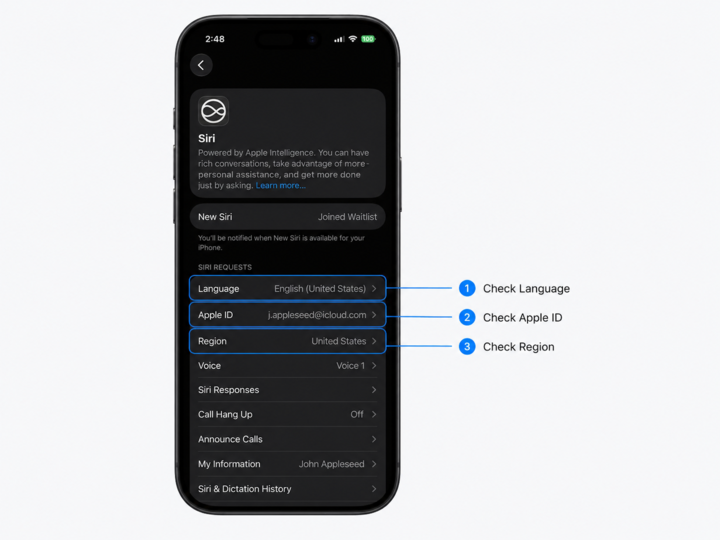
Fix 2: Check Region, Apple ID, and Siri Language
Open Settings > General > Language & Region and check whether your region supports Siri AI. Then make sure Siri is set to a supported language and your Apple ID is signed in correctly. A mismatched region, unsupported language, or account issue can make the waitlist appear stuck.
Fix 3: Restart and Update Your iPhone
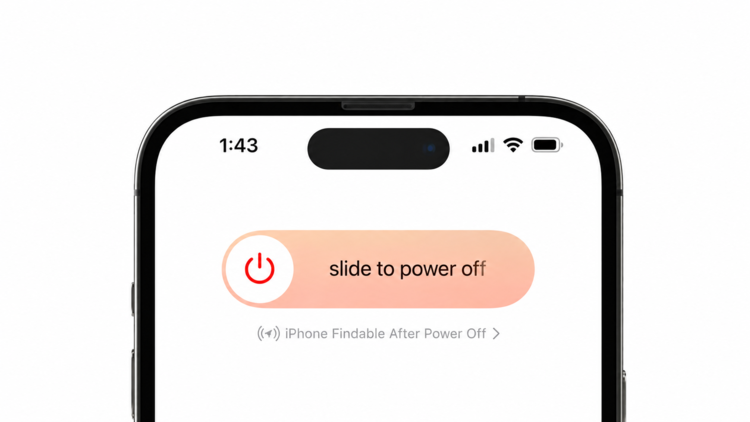
A restart can clear temporary glitches that stop the Siri AI page from updating. Power off your iPhone, wait a few seconds, then turn it back on. After that, go to Settings > General > Software Update and install the latest iOS 27 if one is available.
Fix 4: Fix iOS 27 Siri AI Stuck or Not Loading with ReiBoot [No Data Loss]
For iPhones that are not just waiting but actually acting abnormally, Tenorshare ReiBoot can help repair iOS 27 system issues. It cannot bypass Apple's official waitlist or speed up server-side approval, but it can fix device problems that stop the Siri AI settings page from loading properly, such as update failure, frozen Settings, recovery mode, black screen, Apple logo stuck, or boot loop.
- No data loss: Standard Repair is designed to fix common system issues without erasing your photos, messages, or apps.
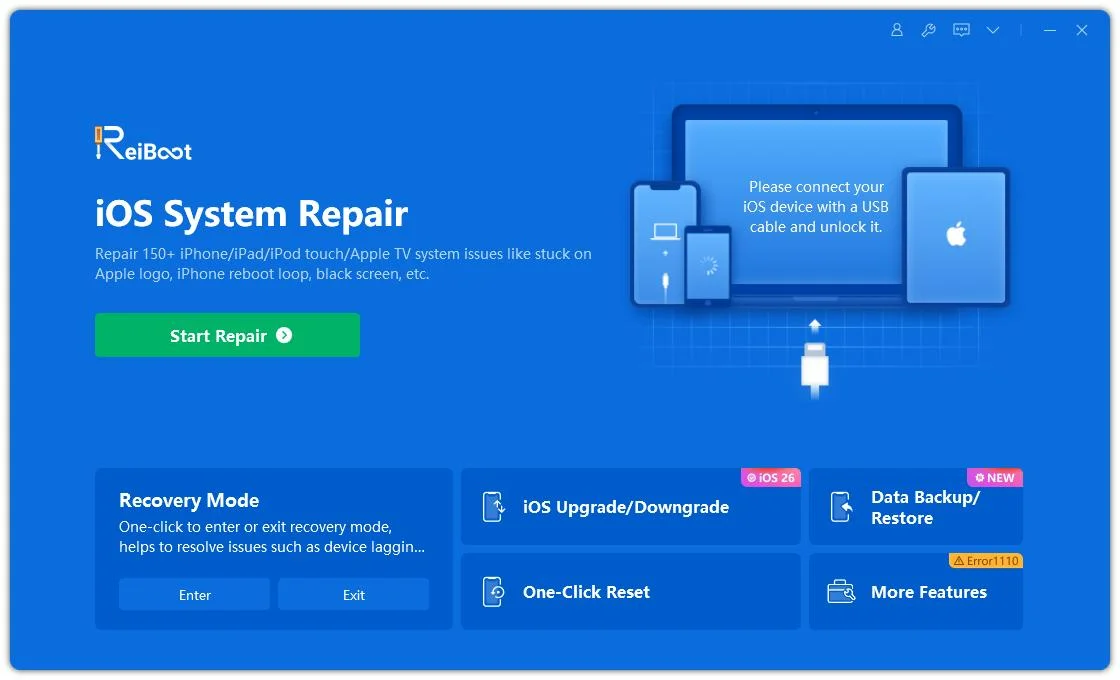
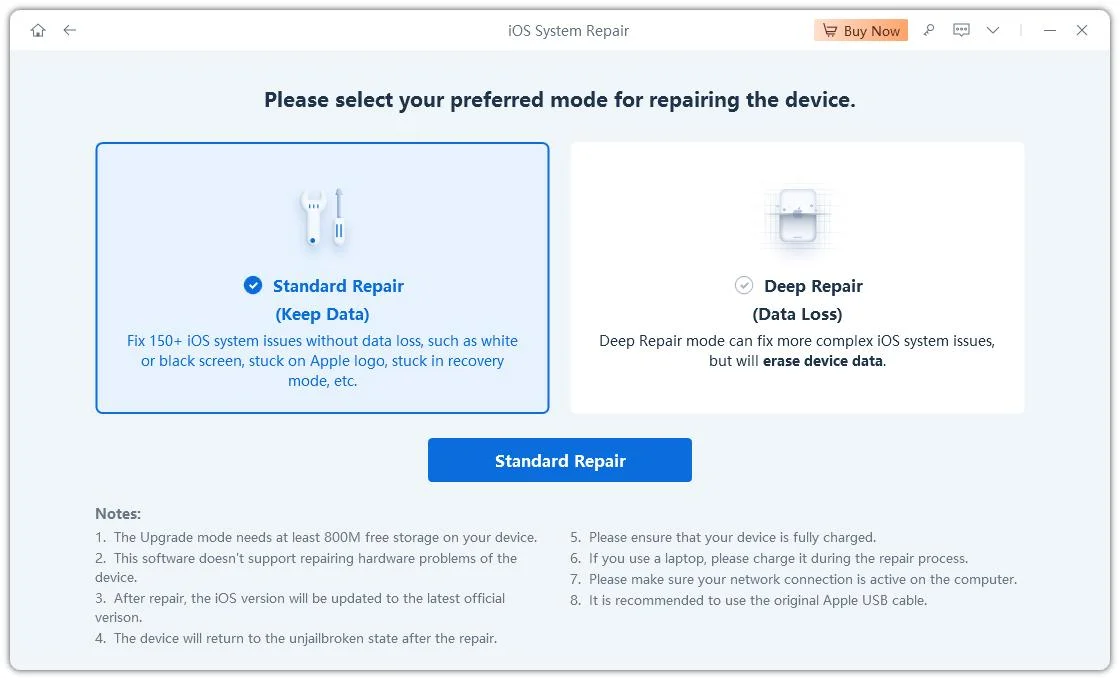
- Easy repair process: connect your iPhone, choose Standard Repair, download the firmware, and start repairing.
- Common iOS fixes: helps with recovery mode, Apple logo stuck, black screen, boot loop, and update errors.
- iOS 27 support: works with recent iOS versions, including iOS 27.
How to fix iOS 27 Siri AI issues with ReiBoot:
-
Download and launch Tenorshare ReiBoot
Install ReiBoot on your PC or Mac, then connect your iPhone with an original Apple USB cable. Once detected, click Start Repair. -
Choose Standard Repair
Select Standard Repair to fix common iOS 27 system issues without erasing your data. -
Start Standard Repair
Click Start Standard Repair and wait for the process to finish. Your iPhone will reboot automatically, and your data will remain intact.

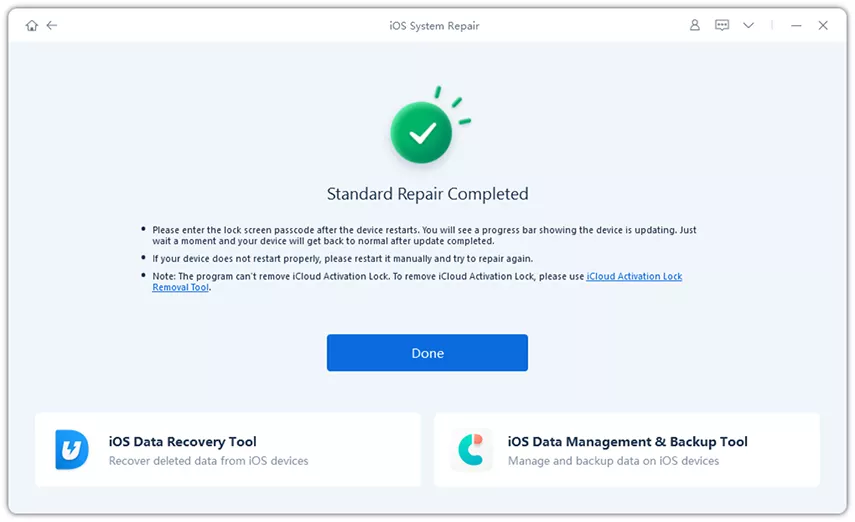
After the repair, restart your iPhone and open Settings again to check whether the Siri AI waitlist page loads normally.
Part 4: Siri AI in the EU: Waitlist or Region Delay?
For users in the European Union, Siri AI being unavailable on iOS 27 or iPadOS 27 may not be a normal waitlist issue. Apple has delayed some Apple Intelligence features in the EU because of Digital Markets Act requirements, so restarting your iPhone, changing networks, or repairing the system will not bypass a regional rollout limit. The best option is to wait for Apple to expand availability in your region.
Part 5: FAQs About the iOS 27 Siri Waitlist
1.How to join Siri AI waitlist?
Open Settings, go to Siri or Apple Intelligence, then tap Join Waitlist if the option is available. Keep your iPhone connected to Wi-Fi and wait for Apple to approve access.
2.Is it normal if Siri AI is still waiting after a few hours?
Yes. If your iPhone works normally and the Siri AI page still shows a waiting status, it usually means your device is still in Apple's queue. So if you are wondering how long is the new Siri waitlist, a few hours can still be normal during iOS 27 rollout. Keep your iPhone connected to Wi-Fi and wait for the approval notification.
3.Why don't I see the Join Waitlist button?
The button may be missing because your device, region, Apple ID, or Siri language is not eligible yet. It may also happen if the iOS 27 settings page is not loading properly.
Conclusion
So, how long is the iOS 27 Siri waitlist? Apple hasn’t provided an exact wait time for the Siri waitlist. If your iPhone works normally, the safest move is to keep waiting. If you are in the EU, the delay may be caused by regional availability rather than the waitlist itself. But if iOS 27 causes your iPhone to freeze, crash, fail to update, or get stuck, repairing the system with Tenorshare ReiBoot is a practical no-data-loss option before you consider a full reset.
