
Updated on 2026-05-28 / iPhone Tips
Before installing the latest update, a lot of users ask should I update to iOS 18.7.7 or wait for a more stable version. New iOS updates often bring better security, smoother performance, and important bug fixes, but they can also cause new issues on some iPhones.
Some users notice improvements right away, while others may face battery drain or app problems. Knowing what this update offers can help you make the right choice. This guide explains the features, possible issues, and the pros and cons of iOS 18.7.7.
- Part 1: iOS 18.7.7 Overview: What's New?
- Part 2: Should I Update to iOS 18.7.7?
- Part 3: How to Update to iOS 18.7.7 Safely
- Part 4: iOS 18.7.7 vs iOS 26.4: Which Should You Choose?
- Part 5: FAQs on iOS 18.7.7
Part 1. iOS 18.7.7 Overview: What's New?
iOS 18.7.7 is mainly a security-focused update instead of a feature-heavy release. Apple released this version to fix a serious security issue that could allow attackers to gain access through harmful websites. Because of that, Apple made this update available even for users who decided to stay on iOS 18 instead of moving to a newer iOS version.
Although there are no major design changes, the iOS 18.7.7 features are mostly aimed at making the system safer and more stable for everyday use.
New changes in iOS 18.7.7
-
Important security fixes for web-based attacks
-
Better protection for personal data
-
Improved system stability
-
Small performance improvements
-
Bug fixes for older iPhone models
-
Better support for users staying on iOS 18
Some early iOS 18.7.7 review reports also say that the update feels stable on supported devices, with no major performance changes after installation.
Part 2. Should I Update to iOS 18.7.7?
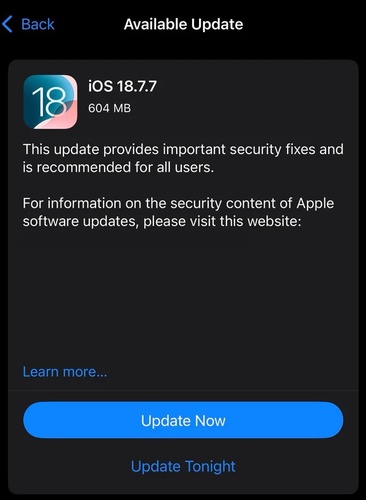
For most users, the answer is yes. If your iPhone is still on iOS 18, this update helps improve security and system stability. Apple released iOS 18.7.7 to fix an important security problem that could affect your privacy. It does not bring big new features, but the iOS 18.7.7 download is still useful for keeping your device safe.
This update is a good option for users who want to stay on iOS 18. Early iOS 18.7.7 review reports show that it installs smoothly for many users, though some people saw small download or verification issues.
1. Pros of Updating to iOS 18.7.7
-
Fixes a serious security vulnerability
-
Improves device protection against harmful websites
-
Better privacy for personal data
-
More stable system performance
-
Small bug fixes for older iPhones
-
Keeps iOS 18 devices supported longer
-
Good option for users avoiding major iOS upgrades
2. Cons of iOS 18.7.7 (Reported Issues)
-
Some users reported update verification errors
-
Download may fail on certain devices
-
No major new features included
-
Battery changes may vary by device
-
Some users saw temporary storage changes after update
Part 3. How to Update to iOS 18.7.7 Safely
Before installing any iOS update, it is important to update in a safe way so you don't lose data or face errors. The iOS 18.7.7 download is a security-focused update, so installing it properly ensures your iPhone stays protected and stable.
Update to iOS 18.7.7 with ReiBoot (Safe & Fast)
Tenorshare ReiBoot is a simple iOS system repair and upgrade tool that helps you update your iPhone safely without dealing with common problems like stuck updates, failed downloads, or storage errors.
Instead of going through complicated manual steps, ReiBoot lets you upgrade iOS in a few clicks while keeping your data safe. It is especially useful when the normal Software Update option is not working properly or the device is running slow during installation.
Key Features of ReiBoot for iOS Update
- One-click iOS upgrade and downgrade
- Fixes stuck Apple logo or update screen
- No data loss during standard upgrade
- Bypasses failed or incomplete updates
- Supports all latest iPhone and iOS versions
- Easy and user-friendly interface
- Repairs system issues during update
How to Upgrade to iOS 18.7.7 Using ReiBoot (Step-by-Step)
-
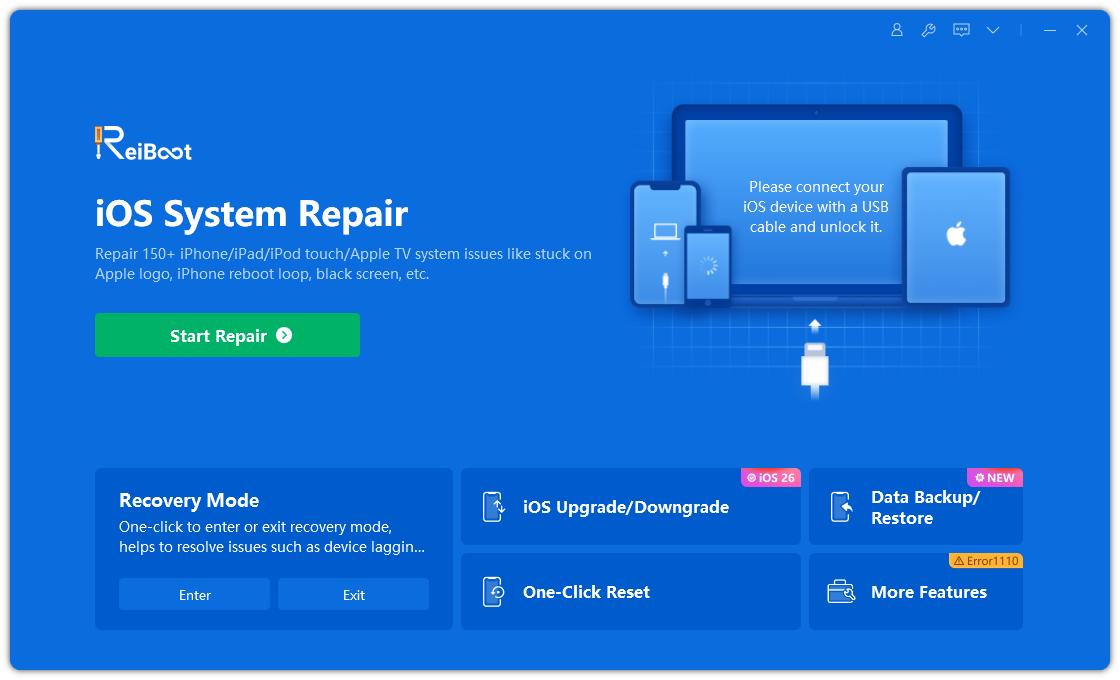
Download and install Tenorshare ReiBoot on your Windows or Mac computer. Use a USB cable to connect your iPhone or iPad to the computer and open ReiBoot. Click on iOS Upgrade/Downgrade from the main screen.
-
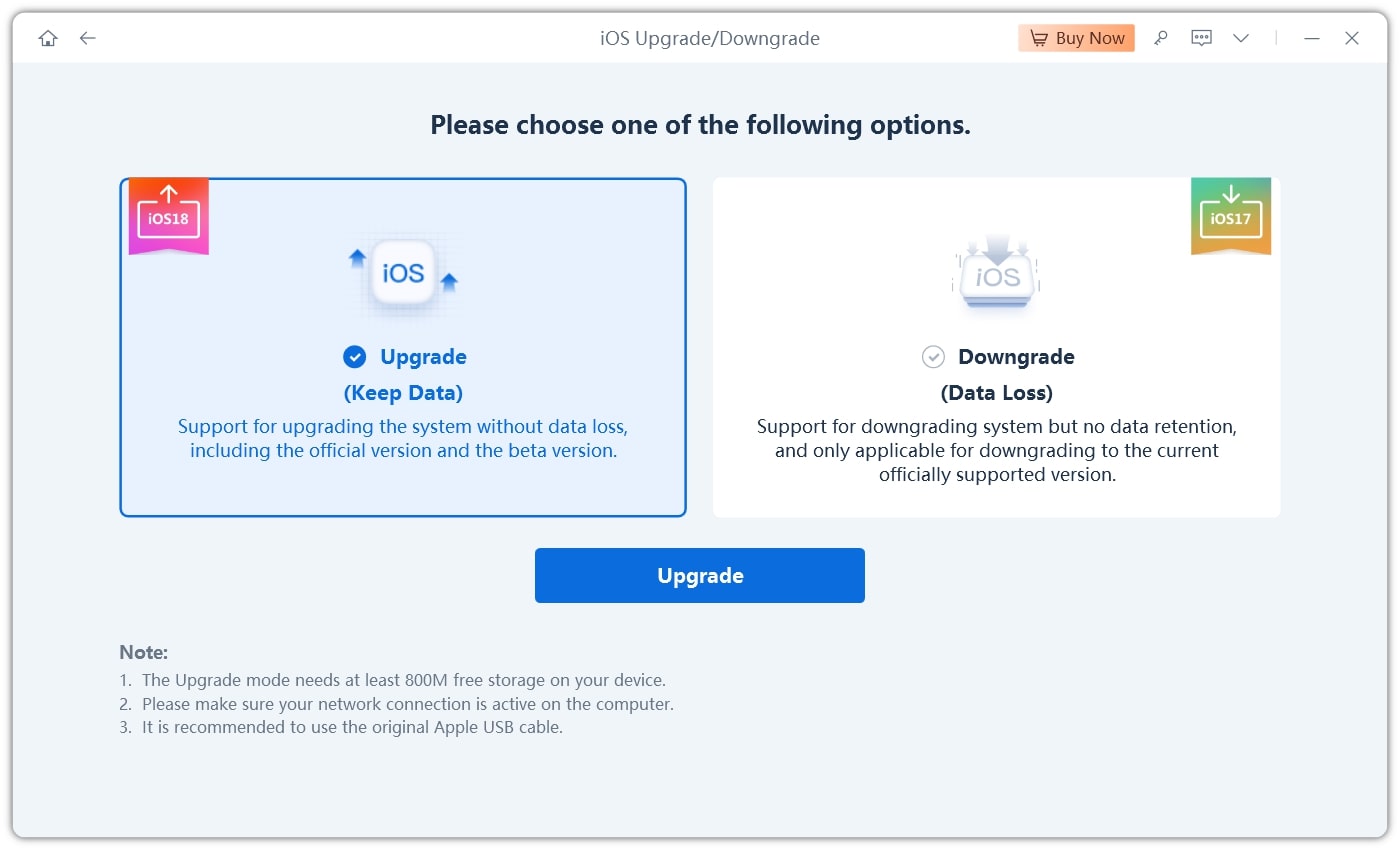
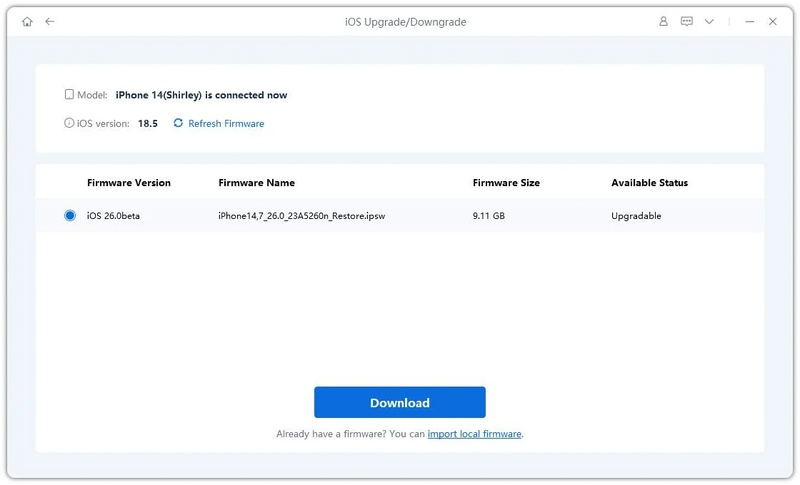
Select Upgrade iOS and choose iOS 18.7.7 from the available firmware list.
-
Click Download and wait for the firmware file to be completed.
-
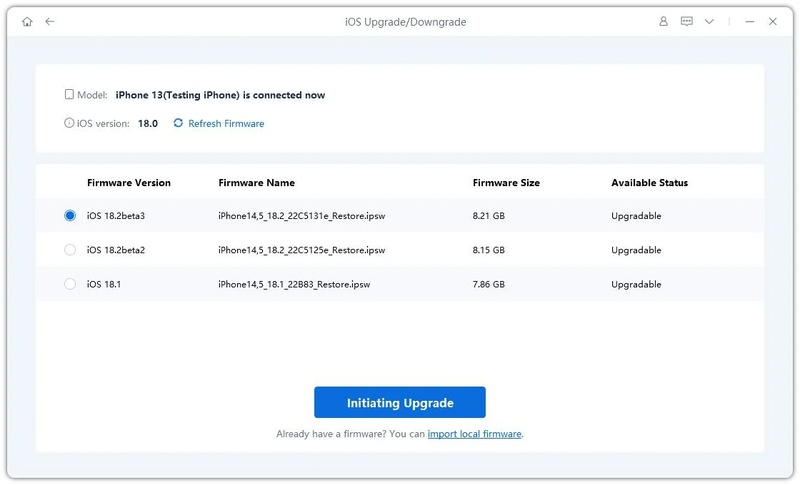
Click Start Upgrade to begin installing iOS 18.7.7 safely.
-
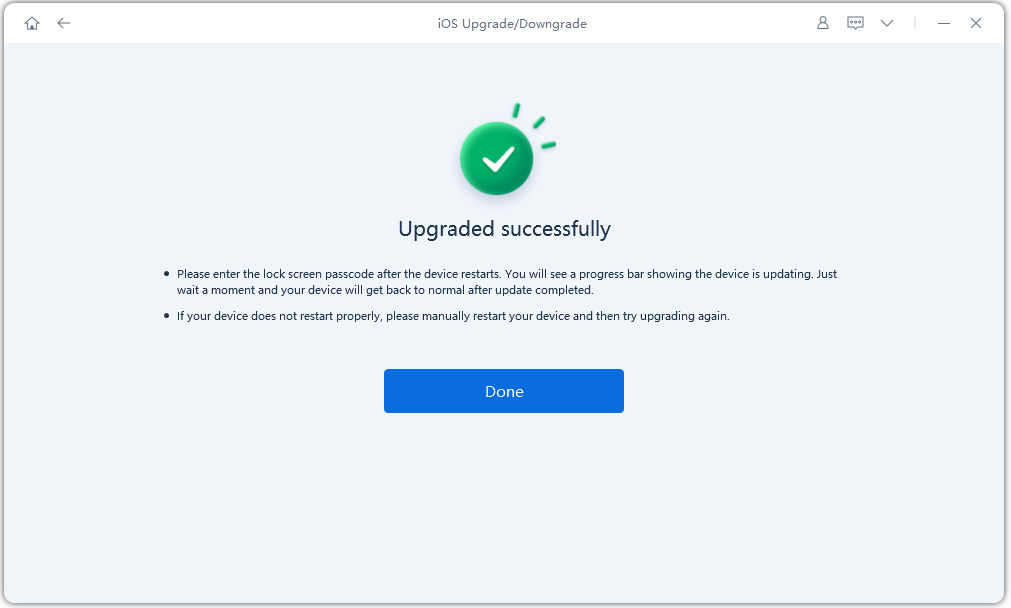
Keep your device connected until the process finishes and your iPhone restarts automatically.
Part 4. iOS 18.7.7 vs iOS 26.4: Which Should You Choose?
Apple now gives two options: stay on iOS 18.7.7 or upgrade to iOS 26.4. Both are good, but they are made for different types of users. That is why many people compare iOS 18.7.7 vs iOS 26.4 before updating. One focuses on stability and security, while the other brings new features and a modern system.
iOS 18.7.7 on iPhone 17 (Simple & Stable Choice)
iOS 18.7.7 is mainly a security update. It is made for users who want a safe and stable iPhone without major changes in design or system.
1. Why choose iOS 18.7.7:
-
Keeps your iPhone stable and smooth
-
Fixes important security problems
-
Uses fewer system resources
-
Works well on older or current iOS 18 devices
-
No big design or feature changes
-
Lower chance of bugs after update
iOS 26.4 (New Features & Modern Experience)
iOS 26.4 is a major update with new features, design updates, and system improvements. It is built for users who want the latest Apple experience.
2. Why choose iOS 26.4:
-
New features and tools added
-
Updated design and system look
-
Better Apple Intelligence support
-
More future updates from Apple
-
Improved app compatibility
-
Advanced system improvements
3. iOS 18.7.7 vs iOS 26.4
| Feature | iOS 18.7.7 | iOS 26.4 |
|---|---|---|
| Type of Update | Security & stability update | Major feature update |
| Main Purpose | Fix security issues and improve safety | Add new features and system upgrades |
| Performance | Light and stable | More advanced but heavier |
| Battery Impact | More consistent | May vary depending on device |
| Design Changes | No major changes | Updated modern interface |
| Bugs Risk | Lower chance of issues | Slightly higher after major update |
Part 5. FAQs on iOS 18.7.7
Q1. Is iOS 18.7.7 safe?
Yes, iOS 18.7.7 is safe to install. It is mainly a security update from Apple that fixes important system vulnerabilities and improves protection for your iPhone. It does not include risky changes, so most users can update without worry.
Q2. Will updating to iOS 18.7.7 slow down my iPhone?
In most cases, no. iOS 18.7.7 is a light update focused on security and stability, so it should not slow down your device. However, older iPhones may feel small changes in performance depending on battery health and storage.
Q3. Can I downgrade from iOS 18.7.7 if I don't like it?
Usually, no. Apple does not support downgrading once a new iOS version is installed and signed. After updating to iOS 18.7.7, going back to an older version is very difficult or not possible for most users.
Conclusion:
When deciding should I update to iOS 18.7.7, it is mainly considered a safe update focused on security and stability. It helps fix important system vulnerabilities and keeps your iPhone protected without major changes or new features. In case you face update errors or system issues, Tenorshare ReiBoot is a simple tool that can help fix them. It repairs iOS problems safely without deleting your data.
