
Updated on 2026-09-15 / iPhone Tips
Before you hit download, one big question comes up: is 3uTools free, and can you really trust it with your iPhone? This widely used tool offers firmware flashing, backups, and deep device management, which is why millions try it.
But mixed reviews about data privacy and safety make many users hesitate. In this 2026 complete review, we break down what 3uTools actually does, whether it's truly free, what features you get, how safe it is to use, and whether it works with the latest iOS versions, including iOS 27.
Part 1: Is 3uTools Free? (The Honest Truth)
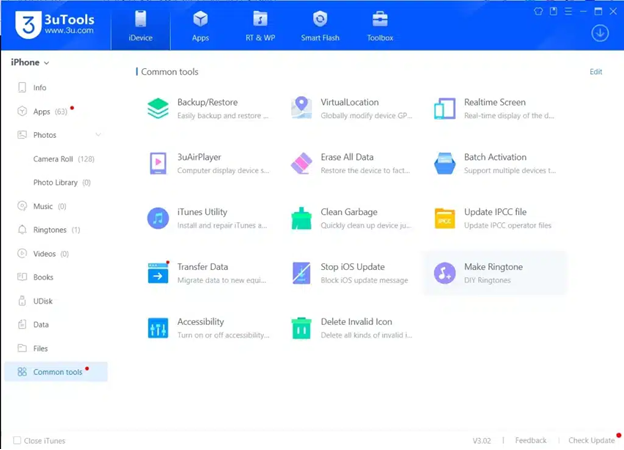
Yes, 3uTools is free to download and use, which is one of the main reasons it has become so popular among iOS users. You don’t need to pay to access core features like device management, file transfer, backups, or firmware flashing.
Part 2: Is 3uTools Safe to Use in 2026?
The big concern people have is not cost it’s “Is 3uTools safe?” The answer depends on how you use it.
3uTools itself is not widely classified as malware, and millions use it to manage their 3uTools for iPhone tasks like backups, restores, and firmware flashing.
Many Reddit users say they have used it for years without problems. Still, there are ongoing discussions about possible data collection, because the tool connects to its own servers when downloading firmware or verifying devices.
Here’s what you should know about safety:
- 3uTools runs on your Windows PC, not directly on your iPhone
- It can read device information like model, iOS version, and storage
- Flashing or jailbreaking through any third-party tool always carries risk
- Apple does not officially support 3uTools
To stay safer:
- Always create a full backup before using system tools
- Avoid modified or unofficial firmware files
- Download only from the official 3uTools download page
- Don’t jailbreak unless you understand the consequences
Part 3: Compatibility: Which Devices and OS Work with 3uTools?
3. 1 Desktop Operating Systems: Where to Install
3uTools has traditionally been a Windows-exclusive powerhouse, but the landscape has shifted. Here is the current compatibility for 3uTools download:
| Operating System | Compatibility Status | Notes |
|---|---|---|
| Windows 11 / 10 | Full Support | Optimized for the latest builds; supports both 64-bit and 32-bit. |
| Windows 7 / 8 | Partial Support | Works, but some advanced flashing features may require legacy drivers. |
| macOS (Apple Silicon/Intel) | Official Release | 3uTools now offers a native macOS version (V9.01+) for M1, M2, and M3 chips. |
| Linux | Not Supported | No native app; Wine/VM stability is generally poor for flashing. |
3. 2 Supported iOS Devices: iPhone, iPad, and iPod
Whether you have a vintage collector's item or the latest flagship, 3uTools likely supports it.
iPhone: Complete support from the iPhone 4s all the way up to the iPhone 16, iPhone 17, and iPhone Air series.
iPad: All models, including the iPad Pro (M4), iPad Air, and iPad Mini.
iPod Touch: Generations 3 through 7.
iOS Versions: 3uTools supports a wide range of iOS versions and provides firmware downloads for iOS 27, as well as earlier iOS releases.
3.3 The "Android Myth"
A common search is "3uTools for Android." It is important to clarify:
3uTools does NOT work for Android devices. It is strictly an iOS management utility. If you find a site offering a "3uTools APK," it is likely a phishing scam or malware.
Part 4: Full 3uTools Review: Features, Pros, and Cons
3uTools is a free iOS device management software that runs primarily on Windows PCs. It provides an alternative to Apple’s official tools by combining multiple functions into one interface. Most users seek it out to backup data, flash firmware, manage files, and customize their iPhone experience without using iTunes.
4.1 Key Features of 3uTools
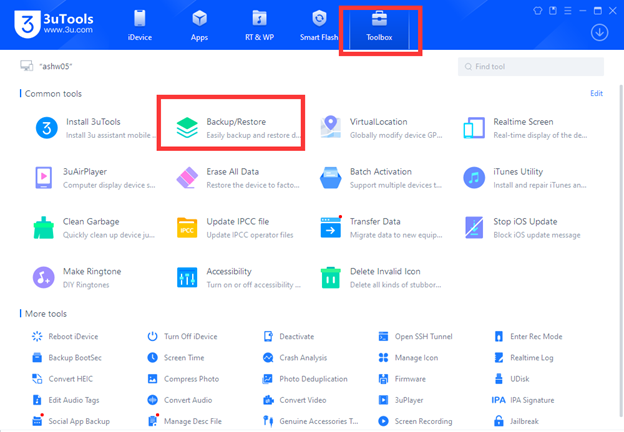
1. Data Backup & Restore
Save photos, videos, messages, and contacts
Restore entire backups or selected content
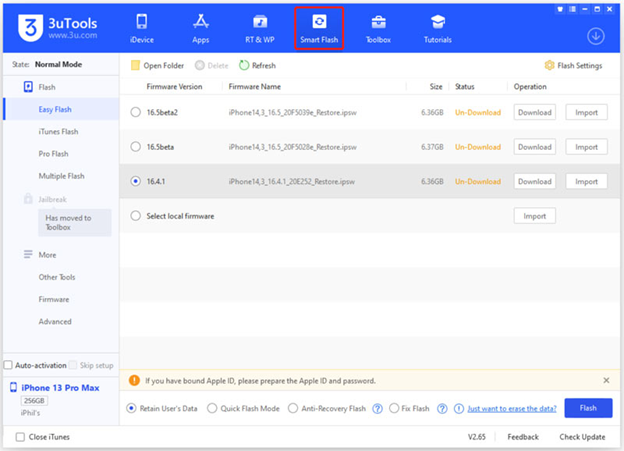
2. Firmware Flashing
Install, update, or downgrade iOS versions
Useful when iTunes fails to complete system installs
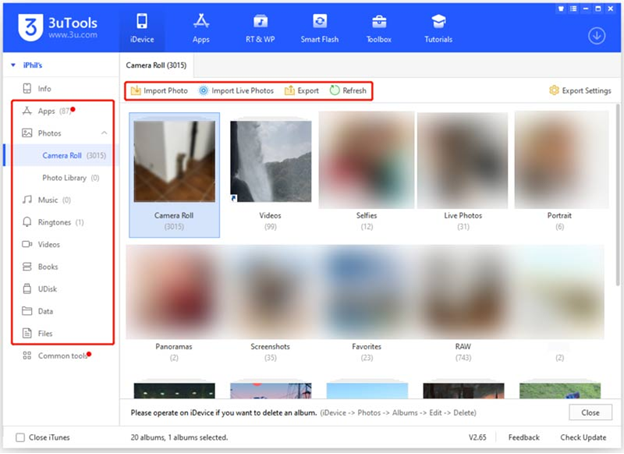
3. App and File Management
Add or remove apps without iTunes
Transfer files between iPhone and PC
4. Customization Tools
Create or download ringtones and wallpapers
Virtual location and other extra utilities
5. Device Info & Monitoring
Detailed device statistics like battery, storage, and jailbreak status
6. Advanced Toolbox
Jailbreaking support
Junk file cleaning, HEIC converter, and more functions
4.2 Real Tested Pros and Cons of 3uTools
Pros: What Users Appreciate
Completely free to download and use, unlike many other iOS tools.
Many users report that 3uTools can fix issues like boot loops or update errors when iTunes fails.
Transferring photos and videos to a PC is simpler than with Apple’s standard tools.
Offers more functionality than basic sync tools, including app management and customization.
All major utilities backup, restore, firmware updates are available without paying.
Cons: Limitations and Risks
Apple does not endorse 3uTools, and using advanced features like jailbreaking can void warranties and introduce risks.
Jailbreaking and firmware flashing can cause system instability or data loss if done incorrectly.
Full features are available mainly on Windows. Mac support is limited and less powerful.
Some reports say device info like battery health or storage may be displayed inaccurately at times.
Because it interacts deeply with device systems, there is debate about whether it collects device info.
4.3 User Reviews: What People Are Saying (Real Reddit & Trustpilot Feedback)
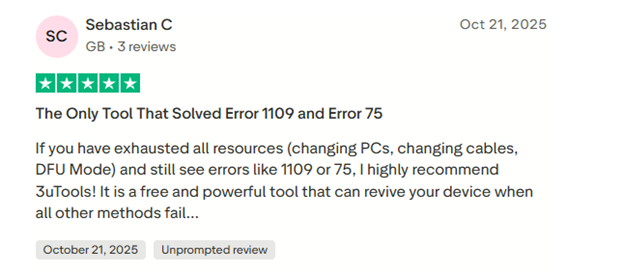
Helpful When iTunes Fails
Many users praise 3uTools for resolving issues iTunes couldn’t fix. One reviewer said it helped recover an iPhone stuck on the Apple logo when other methods failed.
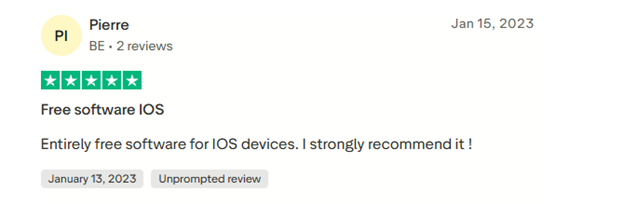
Free and Effective Tool
Some reviewers on Trustpilot and Reddit note they have used it for years without problems and appreciate that it remains free yet powerful.
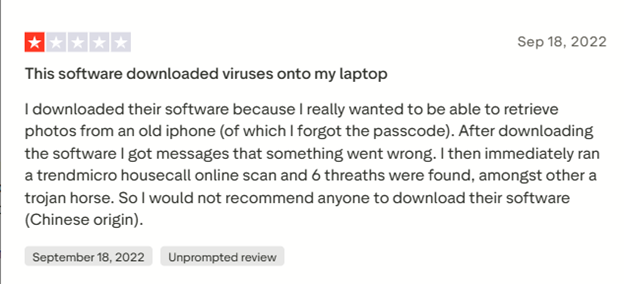
Security and Data Collection Concerns
On Reddit, several users warn that 3uTools may send device data to servers (including potentially Chinese servers) and suggest caution, especially for those who prioritize privacy.
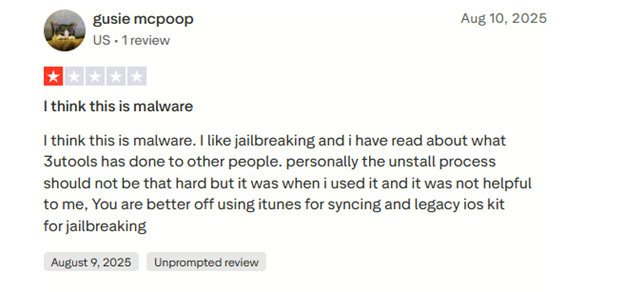
Jailbreak Tools Are Risky
Several comments specifically advise against using the jailbreak functions and recommend other tools for safe jailbreaking.
Mixed Results for Advanced Functions
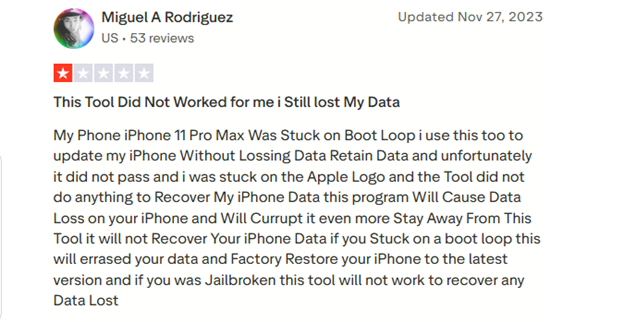
Some users report issues or data loss with advanced operations like flashing or system restore reinforcing that these tools should be used carefully.
Bonus Tip: ReiBoot: 3uTools Alternative That Won’t Compromise Your Data
For users exploring tools like 3uTools, privacy and system safety are often major concerns. Tenorshare ReiBoot stands out as a focused and security-conscious alternative. It is designed specifically for iOS system repair and recovery without any risk of data harvesting. It focuses purely on system recovery, upgrades, and repairs rather than offering unnecessary extras.
The software supports the latest iOS and iPadOS versions. With guided on-screen instructions and automated firmware handling, ReiBoot makes system repair simple, fast.
Key Features of Tenorshare ReiBoot
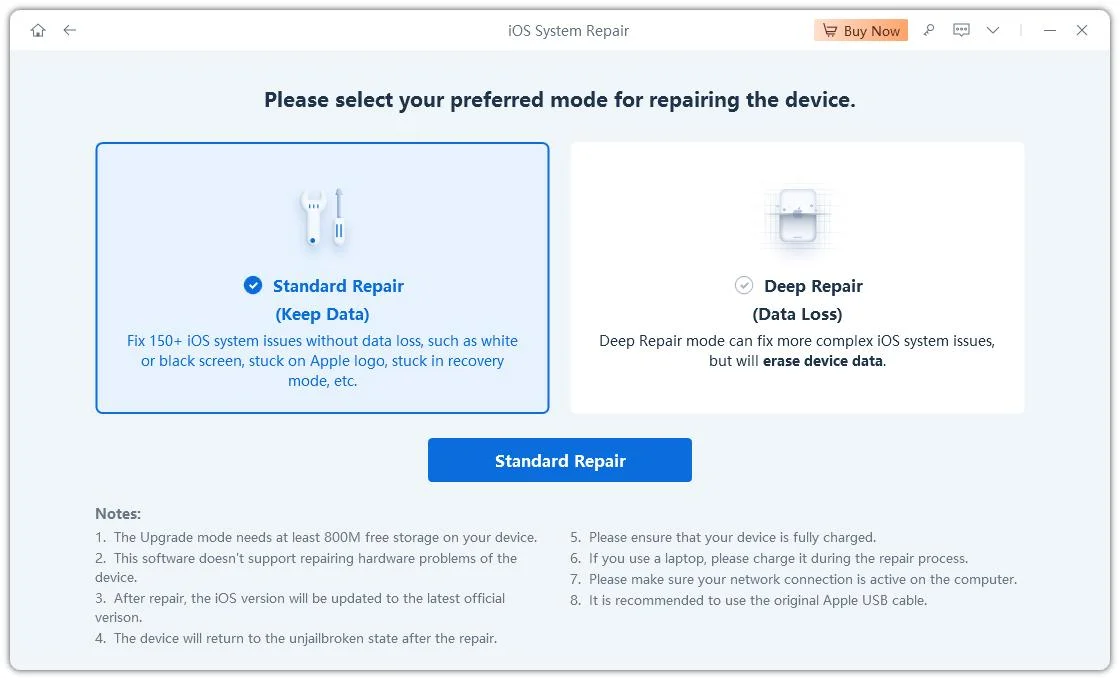
- Standard Repair: Quickly fix common iPhone issues without losing any photos, messages, or apps.
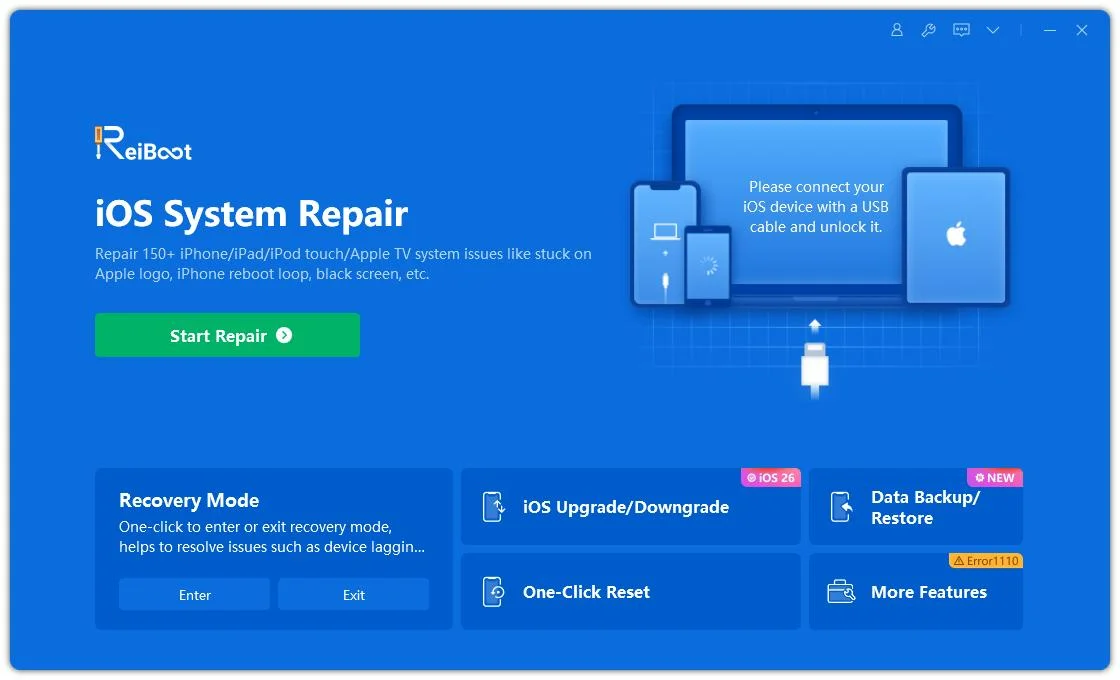
- Repair 150+ iOS Problems: Resolve issues like Apple logo stuck, black or frozen screens, boot loops, and devices that won’t turn on.
- One-Click Recovery Mode: Enter or exit Recovery Mode easily with a single click, no complicated button presses required.
- iOS Upgrade or Downgrade: Safely update or downgrade your iPhone without using iTunes or jailbreaking.
- Deep Repair: Solve serious system problems; ideal for advanced repairs (may erase data).
- Reset iPhone: Perform a full factory reset or general reset directly from the software.
- Fix iTunes Errors: Quickly fix common iTunes errors like 4013, 1110, and device detection issues.
- Backup & Restore: Effortlessly back up and restore iPhone data without relying on iCloud.
How to Flash Your iPhone with ReiBoot Without Losing Data
- Step 1: Install and Launch ReiBoot
Download and install Tenorshare ReiBoot on your PC. Open the program and connect your iPhone using a USB cable. Click Start to begin.
- Step 2: Select Standard Repair
Choose the “Standard Repair” option. Follow the on-screen instructions to put your iPhone into Recovery Mode or DFU Mode, if needed, then click Standard Repair to continue.
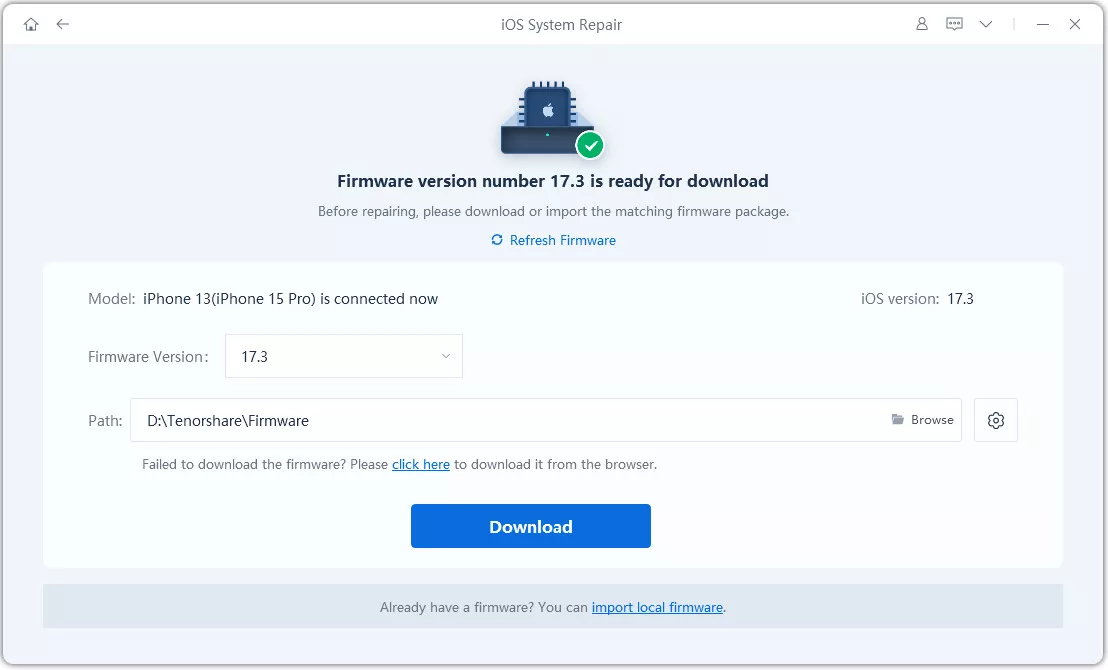
- Step 3: Start Flashing Process
Click Download to begin installing the firmware. ReiBoot will update your iPhone without deleting any data.
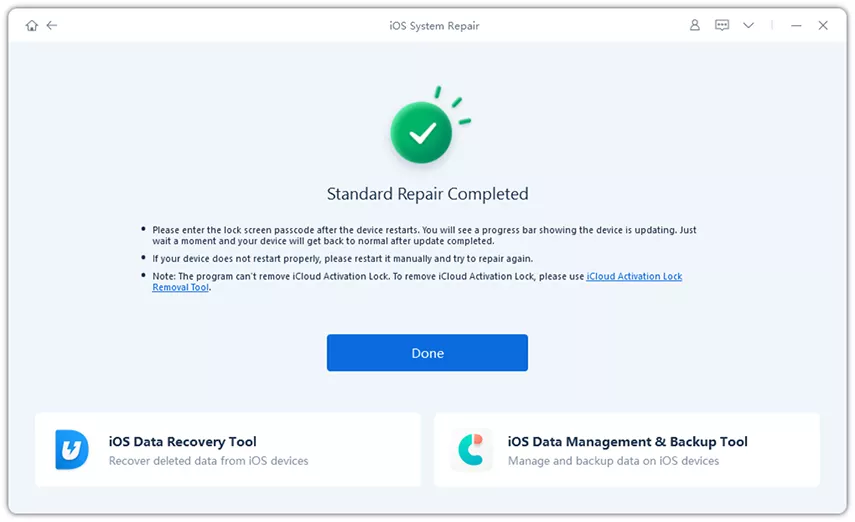
- Step 4: Complete and Restart
Once the process finishes, your iPhone will restart with a refreshed iOS system. All your data will remain intact, and your device will function normally.
Final Words:
In this article, we explored the question is 3uTools free and looked at its features, compatibility, and user reviews. While 3uTools is free and offers many tools for iPhone, iPad, and iPod management, some users have raised concerns about security, data logging, and occasional glitches.
For a safer and more reliable alternative, Tenorshare ReiBoot is highly recommended, allowing iOS repairs and firmware updates without risking your data.
