
Updated on 2026-07-21 / iPhone Tips
Apple officially launched the iOS 27 era at WWDC 2026 on June 8 and released the first Developer right after the keynote. Now, many users across the globe are wondering, "Should I update to iOS 27 right now, or is it smarter to wait?"
iOS 27 introduces new features and performance improvements aimed at fixing the battery and overheating issues seen in iOS 26. But the choice depends on your device, your needs, and how comfortable you are with bugs, as it's still software. This post explains everything you need to weigh before installing iOS 27.
- Part 1: What Are the New Features in iOS 27?
- Part 2: iOS 27 Pros and Cons
- Part 3: iOS 27 vs iOS 26: Is It Worth Upgrading?
- Part 4: Should I Update to iOS 27?
- Part 5: Try iOS 27 and Downgrade Anytime with ReiBoot
- Part 6: FAQs on iOS 27 Update
Part 1. What Are the New Features in iOS 27?
iOS 27 Beya may not look very different, but it's a major upgrade behind the scenes. Rather than focusing on a new design, Apple is improving speed, stability, battery life, and AI features. Here are the main features and improvements widely reported after WWDC 2026:
-
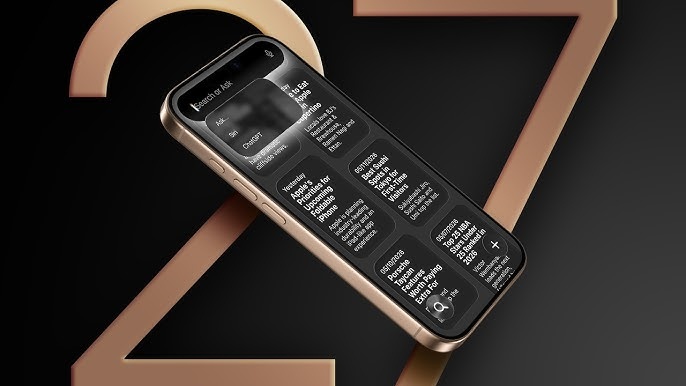
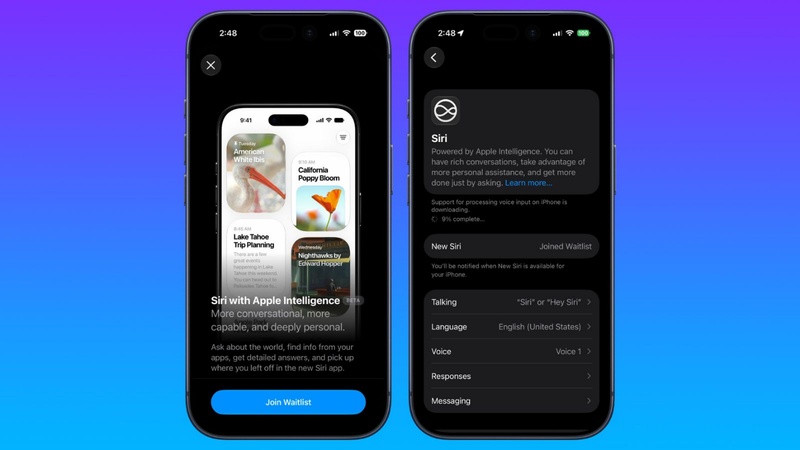
Completely Rebuilt Siri: iOS 27 introduces a dedicated Siri app with text and voice chat, conversation history, Dynamic Island integration, and on-screen awareness. Apple calls it the "Personalized Siri," first announced at WWDC 2024. It still carries a label.
-
Third-Party AI Support: Users can set ChatGPT, Google Gemini, or Claude as the default AI engine for Apple Intelligence features such as "Writing Tools" and "Image Playground."
-
AI Photo Editing: The Photos app adds three AI-powered tools:
-
Extend: Expands a photo beyond its original frame.
-
Enhance: Improves image quality automatically.
-
Reframe: Adjusts crop and perspective for a better composition.
-
-
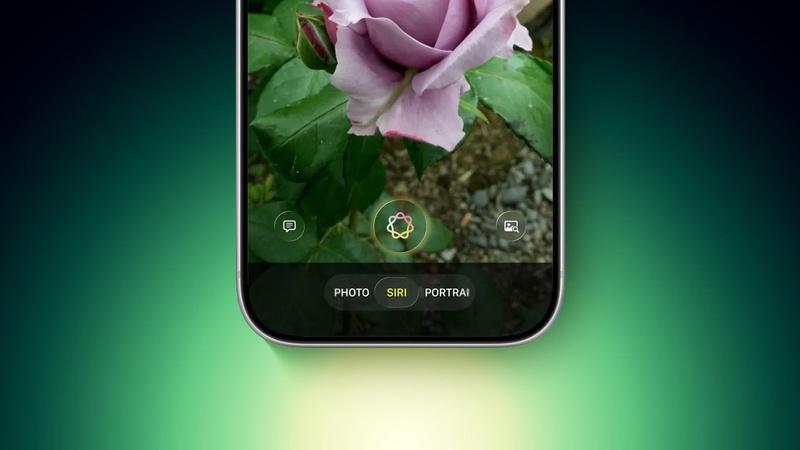
Visual Intelligence in Camera: A new Visual Intelligence button ("Siri Mode") makes object recognition easier. The Camera app also gets customizable widget-based controls.
-
Wallet Upgrades: Apple Wallet can now scan and save physical tickets, gym cards, concert passes, and QR codes as digital passes. An "Apple Cash bill-splitting" feature is also included.
-
Liquid Glass Improvements: iOS 27 refines the "Liquid Glass" design from iOS 26 with a new intensity slider for transparency effects, and improved shadows and layering.
-
Better Performance & Battery Life: Apple is optimizing the iOS codebase to reduce power drain, improve efficiency, and address battery and overheating issues reported by some iOS 26 users.
-
Smarter Safari Tabs: Safari can automatically organize open tabs into groups based on topic or context.
-
Home Screen Undo: A new undo feature lets users quickly revert Home Screen layout and icon changes.
-
Voice Control for Files: Users can manage files and folders in the Files app using natural language voice commands.
-
iPhone Fold Preparation: iOS 27 includes under-the-hood support for a future foldable iPhone, with better multitasking, adaptive layouts, and dual-screen APIs expected to be used when the device launches.
Part 2. iOS 27 Pros and Cons
If you're wondering, "Should I update my iPhone to iOS 27," take an honest look at what you're getting into. Here are the pros and cons of iOS 27:
Pros:
-
Try the New Siri First: iOS 27's rebuilt Siri is Apple's biggest assistant upgrade in years, featuring conversational AI, voice and text chat, and smarter on-screen awareness. Early access lets you test it before the public release.
-
Early Performance Improvements: iOS 27 focuses on efficiency and code cleanup. Thus, many users report smoother performance than late versions of iOS 26, especially on iPhone 15 and iPhone 16 models. Battery life is also expected to improve with future updates.
-
Access New AI Features Early: Users and developers can try upcoming integrations with ChatGPT, Google Gemini, and other AI services before the official launch.
-
Help Improve iOS 27: Testing the iOS 27 and reporting issues gives Apple valuable feedback, helping make the final September release more stable and polished.
-
Check App Compatibility: For developers, installing the from Day 1 is important for finding and fixing app compatibility issues before the public release.
Cons:
-
Developer 1 Is Unstable: The first Developer is usually the buggiest version. App crashes, random reboots, and software glitches are frequent, making it risky for a primary device used for calls, banking, or navigation.
-
Battery Life May Be Worse Initially: Early builds run extra background tasks, diagnostics, and indexing processes. As a result, battery drain can actually be worse before later updates improve efficiency.
-
App Compatibility Issues: Many third-party apps are not yet optimized for iOS 27. Popular apps, especially banking and fintech apps, may crash, malfunction, or temporarily lose features.
-
Apple Intelligence 2.0 Bugs: The new system-wide multimodal AI layer (Apple Intelligence 2.0) can introduce glitches and instability in early builds.
-
Downgrading Can Be Difficult: Returning to iOS 26 requires a computer, firmware files, or a third-party tool. It also becomes harder once Apple stops signing older iOS versions.
-
New Siri Features May Be Incomplete: Apple still labels the personalized Siri experience as "Beta" within iOS 27. Even the headline feature may not be fully finished and could roll out gradually over multiple updates.
Part 3. iOS 27 vs iOS 26: Is It Worth Upgrading?
Here's a short comparison of iOS 26 and iOS 27. So, you can decide whether it's worth upgrading to:
| Feature Area | iOS 26 | iOS 27 |
|---|---|---|
| Design Language | Liquid Glass (introduced) | Liquid Glass (refined + intensity control) |
| Siri | Limited Apple Intelligence, basic voice | Full conversational Siri app, Dynamic Island integration |
| AI Capabilities | Apple Intelligence foundational | Expanded: third-party AI, Core AI framework |
| Battery Life | Significant complaints. Liquid Glass GPU drain | Targeted codebase-level fixes. Early signs of improvement |
| Performance | Frequent crashes, sluggish animations on some devices | “Snow Leopard” cleanup. Smoother on tested hardware |
| Camera | Redesigned in iOS 26 | Visual Intelligence button, widget-based controls |
| Photos Editing | Basic AI tools | Extend, Enhance, Reframe (generative) |
| Wallet | Standard digital passes | “Create a Pass” from physical cards/QR codes |
| Stability | 10 patches required post-launch | Developer. Actively unstable |
| Supported Devices | iPhone 11 and newer | iPhone 12 and newer (iPhone 11 series dropped) |
Part 4. Should I Update to iOS 27?
The answer to "Should I update to iOS 27 or stay on iOS 26," varies depending on your device and situation. Here's how:
Should I Update to iOS 27 or Wait?
Install now if you're a developer, have a spare device, or want early access and feedback participation. Wait, if it's your main device, you rely on critical apps like banking, you're traveling, or you don't want bugs and troubleshooting. But the best middle option is the Public in mid-July. It's safer for most people, and is more stable than the Developer.
Should I Update to iOS 27 on iPhone 17?
The iPhone 17 possesses the best hardware for iOS 27 due to the A19 chip, which can manage Siri AI and generative photo tools easily. Some users also report less overheating compared to iOS 26. But if it's your only phone, it's safer to wait or use a backup device.
Should I Update My iPhone to iOS 27 If I'm on an Older Model?
Users of older iPhones (iPhone 12, 13, 14) must be careful. Early s can run worse on older hardware. It's better to wait for the Public in mid-July, which is more stable after developer feedback.
Should I Update to iOS 27 on iPad?
iPad users face the same risks as iPhone users. If you use your iPad for work (editing, documents, presentations), don't install the Developer. Wait for the Public or stable September release. But it's okay on a secondary iPad for casual use.
Part 5. Try iOS 27 and Downgrade Anytime with ReiBoot
One of the main worries with installing the iOS 27 is getting stuck if something goes wrong and not being able to go back easily. Tenorshare ReiBoot helps solve this problem. It is an iOS Repair tool that lets you downgrade iOS 27 without dealing with Apple's strict rollback limits. If the causes issues, it can also repair them successfully without resetting your device and data loss.
Main Features of ReiBoot:
-
1-Click iOS Downgrade: Revert from iOS 27 to iOS 26 (or any signed firmware version) with no jailbreak or iTunes fumbling.
-
Fix 150+ iOS System Issues: Resolves boot loops, stuck Apple logo, recovery mode loops, black screens, and frozen updates without data loss.
-
Safe iOS Upgrade: Install iOS 27 directly without needing a developer account or relying on Apple's OTA update system.
-
General Reset Options: Includes full reset capabilities for selling or trading in your device.
-
Wide Compatibility: Supports the latest iPhone 17 series and iOS 27 across Windows and Mac.
Steps to Use ReiBoot:
Here's how to downgrade iOS 27 with ReiBoot:
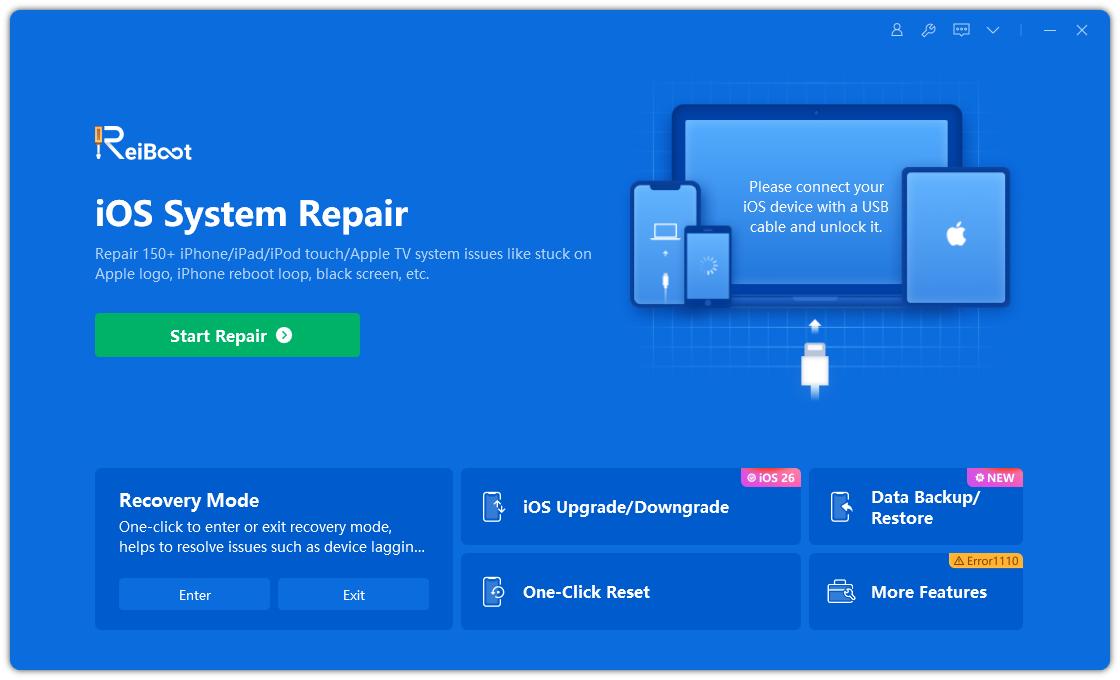
- Execute ReiBoot on your computer. Then, connect your iOS device and trust the computer on it. Choose “iOS Upgrade/Downgrade.
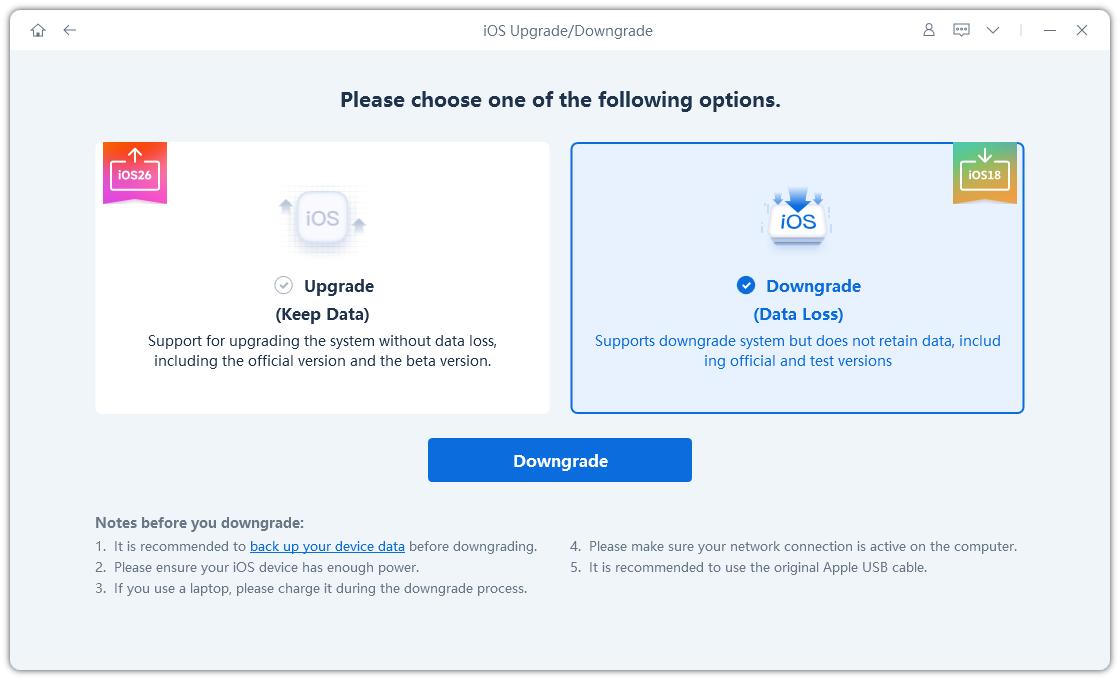
- Tap “Downgrade.” Next, click “Download” to get the latest firmware package.
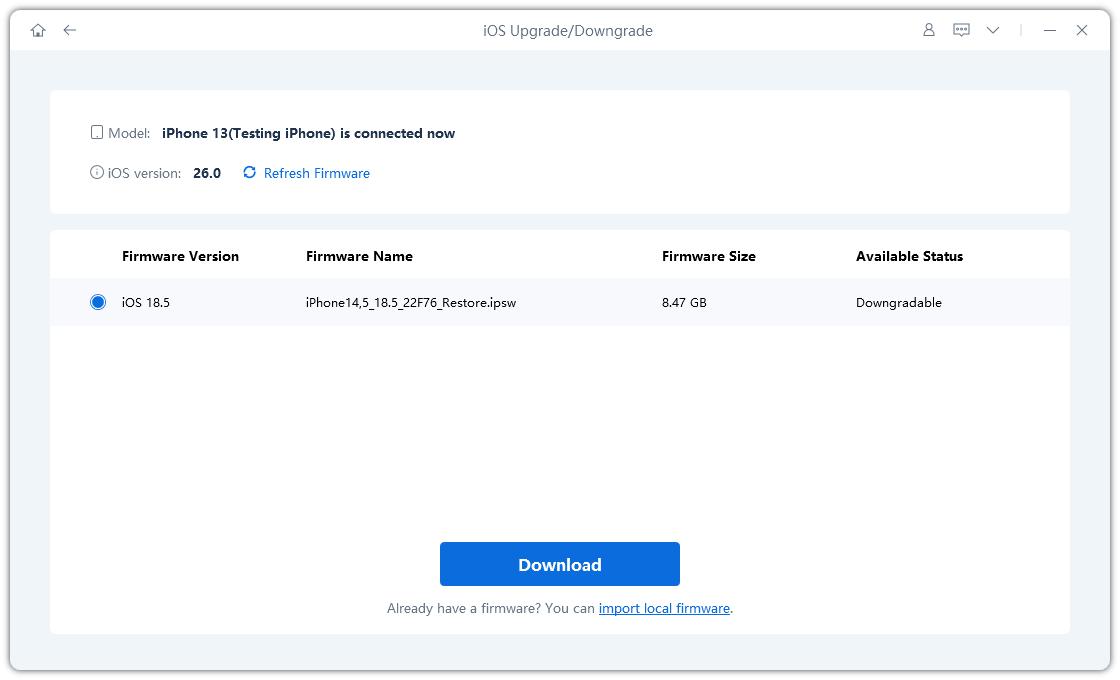
- ReiBoot will automatically detect your device and show compatible firmware. Choose iOS 26 and click Download.
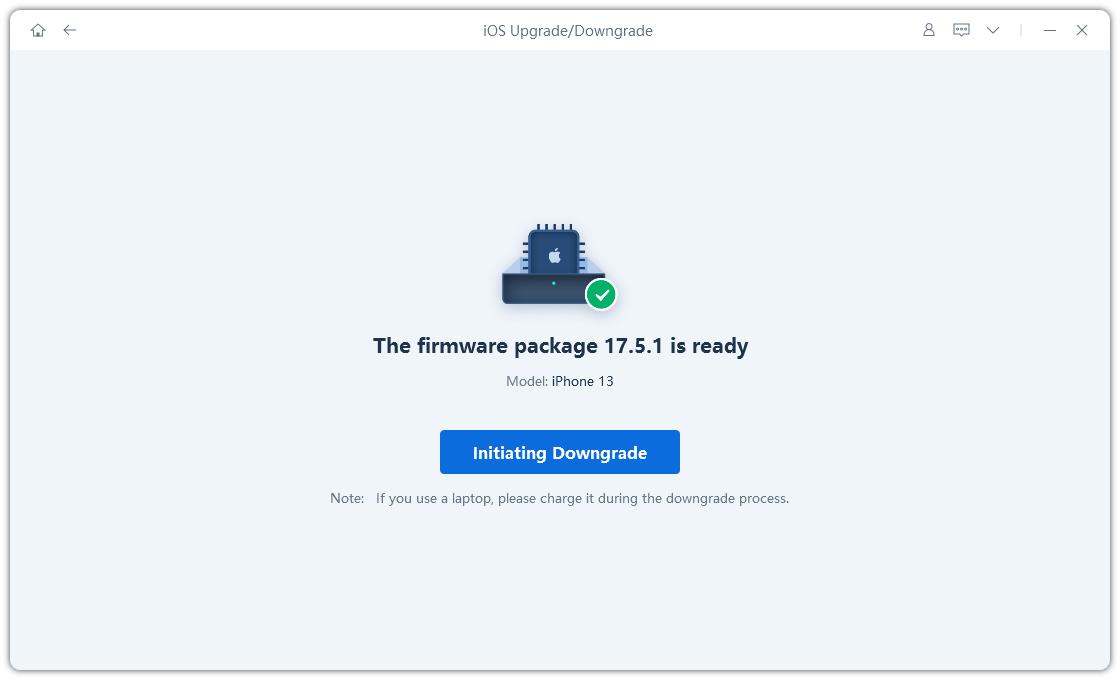
- Once the firmware is downloaded, hit “Initiating Downgrade” to start the downgrading process.
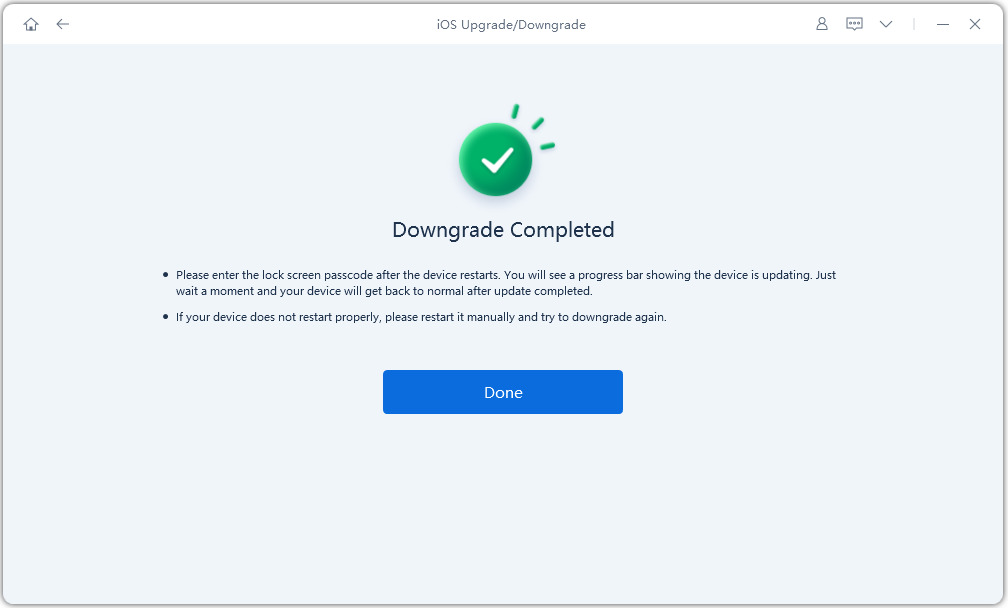
- Wait for the process to complete. Your device will automatically restart with iOS 26 installed no errors.
Part 6. FAQs on iOS 27 Update
Q1. Is it safe to update to iOS 27 now?
It depends on how much risk you're comfortable with and how you use your iPhone. The June 8 Developer is the earliest and least stable version of iOS 27. It won't damage your phone, but it can cause bugs like app crashes, random restarts, battery drain, and some apps not functioning correctly. If it's your main iPhone, it's better to wait for the Public in mid-July or the final release in September. But if you have a second device, you can try it now, but you should back up your data first.
Q2. Which iPhones will no longer be supported in 2026?
iOS 27 has dropped support for the iPhone 11, 11 Pro, 11 Pro Max, and iPhone SE (2nd gen, 2020). All iPhone 12 and newer models, including the 12 mini, 13, 14, 15, 16, and 17 series, are compatible.
Q3. Can we revert back from iOS 27 to iOS 26?
Yes, but only for a limited time. You can downgrade back to iOS 26 while Apple is still signing it, which usually lasts a few weeks or months after iOS 27 is released. The easiest way is to use a tool like Tenorshare ReiBoot, which handles the downgrade automatically. You can also do it manually using a Mac (Finder) or Windows (iTunes) with an iOS 26 IPSW file, but that is more complicated.
Conclusion
We've answered your query, "Should I update to iOS 27," to the best of our knowledge. iOS 27 is a major update focused more on improving performance and AI rather than changing visuals. If you want early access, you can install it safely with a backup plan. But if you start having issues, employ Tenorshare ReiBoot to downgrade back to iOS 26 if needed. It can revert to stable iOS 26 in a few clicks, without iTunes, and without data loss.
