
Updated on 2026-07-21 / iPhone Tips
Apple introduced iOS 27 at WWDC 2026 on June 8, with the first Developer released the same day. It arrives about nine months after iOS 26, which had a mixed launch with complaints about overheating, battery drain, and frequent updates.
Unlike iOS 26's major redesign with "Liquid Glass" and "Apple Intelligence," iOS 27 focuses more on bug fixes and performance improvements. This article compares iOS 27 vs. iOS 26, including testing methods, new features, pros and cons, and upgrade risks.
- Part 1: How We Tested iOS 27 vs. iOS 26?
- Part 2: What's New in iOS 27?
- Part 3: iOS 27 vs. iOS 26: Which Is Better?
- Part 4: Is iOS 27 Worth Upgrading? Pros and Cons
- Part 5: Try iOS 27 and Downgrade Anytime with ReiBoot
- Part 6: FAQs on iOS 27 vs. iOS 26
Part 1. How We Tested iOS 27 vs. iOS 26?
To produce an accurate iOS 27 review that goes beyond speculation, our testing focused on real-world performance. We also evaluated feedback from Developer builds, community forum reports across Apple Developer, Reddit's r/iOS, and the MacRumors forum. Devices tested span from the iPhone 12 to the iPhone 17 Pro Max. Here are the criteria we used to evaluate both operating systems:
-
Thermal Performance: Did the device run hot during routine tasks like browsing, messaging, or navigation?
-
Battery Drain Rate: How quickly did the battery deplete during mixed-use conditions, especially in standby and light use?
-
App Launch Speed: How long did common apps take to open, including system apps like Messages, Safari, and Camera?
-
System Stability: How frequently did crashes, UI glitches, and visual bugs occur?
-
App Compatibility: Did third-party apps behave normally, or were there freezes, blank screens, or notification failures?
-
iOS 27 Performance on Old iPhones: We paid close attention to how iPhone 12, 13, and 14 devices held up compared to their iOS 26 experience.
-
Feature Completeness: Which new iOS 27 features were accessible in the early, and which remained locked or unfinished?
Part 2. What's New in iOS 27?
iOS 27 is not a feature dump. Bloomberg's Mark Gurman described it early as a "Snow Leopard" release. This means Apple's engineers are cutting bloat, rewriting inefficient code, and laying groundwork rather than stacking new features. That being said, several meaningful additions are either confirmed or already visible in the Developer, such as the following:
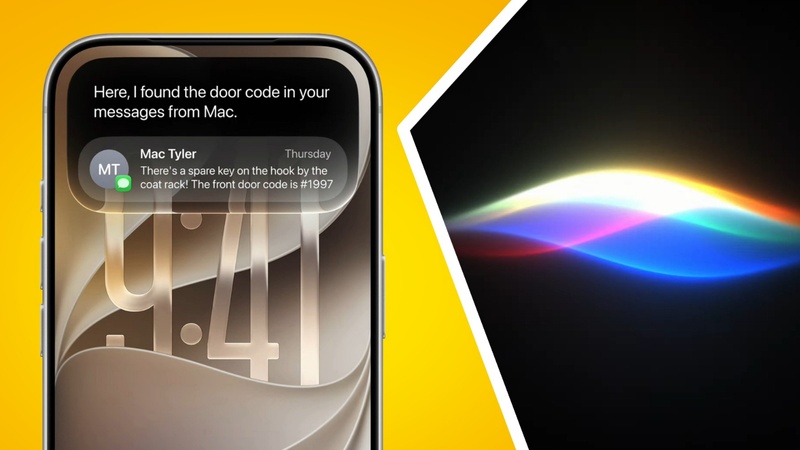
Siri Becomes a Full App
Siri now operates as a dedicated full-screen chatbot app instead of a pop-up overlay. It supports voice and text input, keeps full chat history, and appears in the "Dynamic Island" on supported devices. Siri can also connect to ChatGPT, Gemini, or Claude through third-party AI extensions.
Third-Party AI Support
Users can set ChatGPT, Gemini, or other AI models as the default engine for Apple Intelligence features such as "Writing Tools" and "Image Playground." This marks a major shift from Apple's previously closed ecosystem.
Core AI Replaces Core ML
Apple is introducing a new Core AI framework to replace Core ML, aiming to improve on-device AI speed, efficiency, and battery performance.
New AI Photo Tools
The Photos app adds three AI-powered features: "Extend" (expand photo backgrounds), "Enhance" (improve image quality), and "Reframe" (automatically recrop around subjects). These build on the "Clean Up" tool introduced in iOS 26.
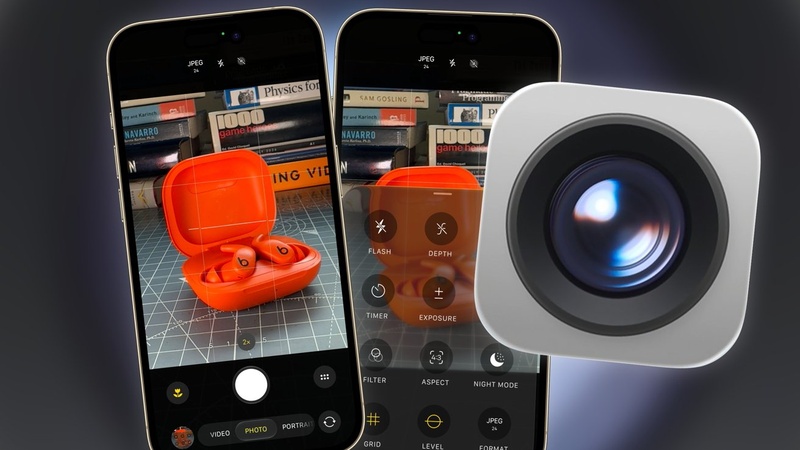
Customizable Camera App
Users can add, remove, and rearrange camera controls with a new widget-based interface, making the app more flexible for advanced photography.
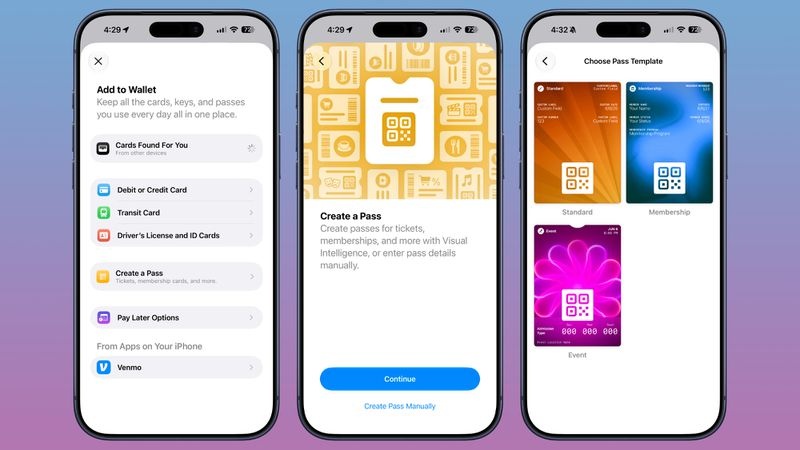
Create Passes in Apple Wallet
"Apple Wallet" can now generate custom QR codes, tickets, loyalty cards, event passes, and other digital passes without requiring third-party apps.
Performance and Stability Upgrades
Apple is simplifying iOS 27 by removing outdated processes and optimizing apps, with reports pointing to faster performance and improved battery life.
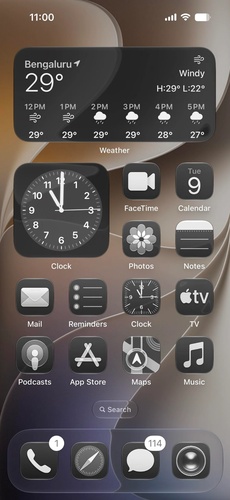
Liquid Glass Improvements
iOS 27 refines the "Liquid Glass" design introduced in iOS 26 with a system-wide opacity slider for better readability and fixes for icon rendering issues.
Part 3. iOS 27 vs. iOS 26: Which Is Better?
Here is a side-by-side comparison of iOS 26 vs. iOS 27 on iPhone 17, and earlier versions across the metrics that matter most to everyday users:
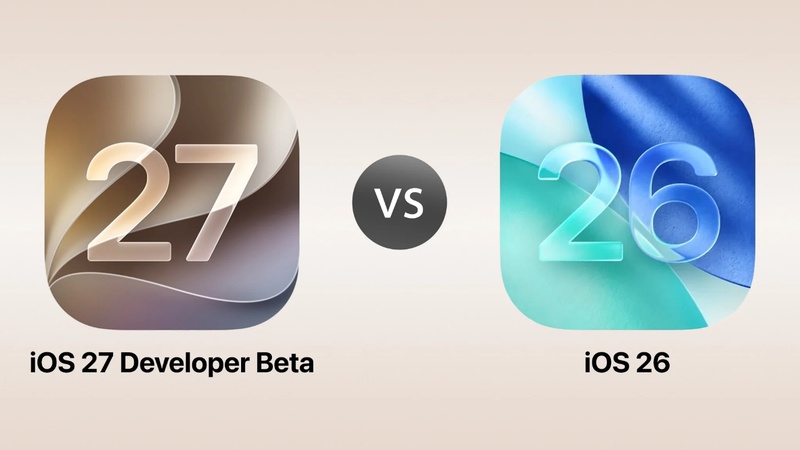
| Category | iOS 26 (Stable) | iOS 27 |
|---|---|---|
| Performance | Laggy on older chips. A13/A14 noticeably sluggish | Optimized for all supported chips with a cleaner codebase |
| Speed | Slower app launch times reported | Faster app loading (Snow Leopard approach) |
| Battery Life | 15–30% higher drain reported post-update | Efficiency improvements targeting battery gains |
| Heat Management | Overheating on iPhone 17 Pro Max and older models | Improved thermal management in progress |
| Stability | 10+ patches since Sept 2025. Icons are disappearing, and Face ID lags | Stability-first focus with fewer bugs |
| App Compatibility | Most apps work. But some-stage glitches | Early, so third-party apps need some catching up |
| Device Compatibility | iPhone 11–17 series supported | iPhone 12–17 + SE 3rd gen (iPhone 11 dropped) |
Part 4. Is iOS 27 Worth Upgrading? Pros and Cons
Whether to upgrade depends heavily on which iPhone you have, your tolerance for-stage instability, and how much iOS 26's performance issues have affected you. Here are the benefits and limitations of upgrading to iOS 27:
Pros:
-
Early access to Siri 2.0: The new Siri app is a meaningful upgrade for anyone who uses Apple's assistant regularly. Conversation history, third-party AI extensions, and a proper chatbot interface are genuinely useful.
-
Performance improvements on older devices: iOS 27 performance on old iPhones is showing promise. iPhone 12 and 13 owners who suffered on iOS 26 are reporting smoother behavior in iOS 27.
-
Better battery life ahead: The efficiency improvements targeting iOS 26's notorious battery drain are a strong reason to watch this release closely.
-
Liquid Glass gets less aggressive: The opacity slider is a welcome fix for users who found iOS 26's interface illegible or visually fatiguing.
-
Genuinely useful new camera and photo features: Extend, Reframe, and the customizable Camera app are practical tools, not just demos.
Cons:
-
Issues after the iOS 27 update: Push notification failures, Wi-Fi drops, and UI glitches have already appeared in community reports.
-
"iOS 27 not functioning" issues for some apps: Third-party apps have not yet been updated for iOS 27. Thus, crashes and compatibility issues are frequent.
-
Apple Intelligence remains gated to iPhone 15 Pro and newer: If you're on an older device hoping for AI features, those remain restricted regardless of iOS version.
-
Downgrading requires extra steps: Once you're on iOS 27, returning to iOS 26 is not as simple as a normal OTA update. You will need a tool like ReiBoot or manual iTunes steps to go back.
-
iPhone 11 users are cut off: iOS 27 drops support for the iPhone 11 series and iPhone SE 2. If you're on one of these devices, iOS 26 is your final major update.
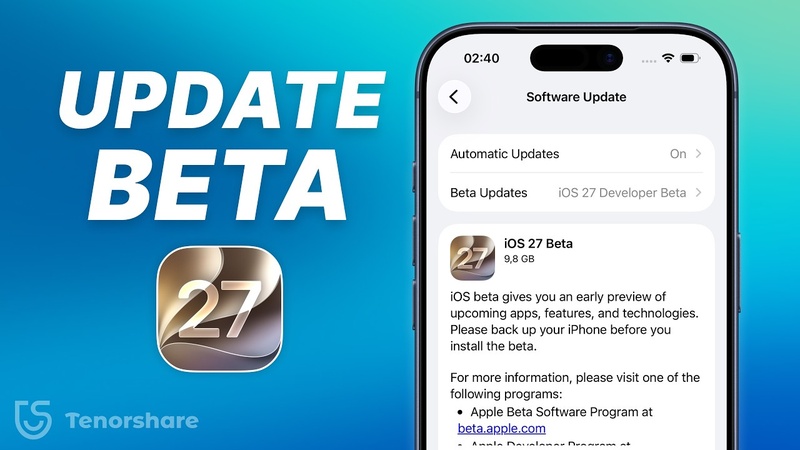
Part 5. Try iOS 27 and Downgrade Anytime with ReiBoot
Many users avoid installing iOS 27 because software can be unstable, and reverting to iOS 26 has traditionally required complicated iTunes restore steps. If you're facing issues after the iOS 27 update, an iOS Repair tool like Tenorshare ReiBoot, lets users downgrade to iOS 26 without iTunes, or jailbreaking. You can also pick the version of iOS to downgrade to.
Main Features of ReiBoot:
-
Safe Downgrade to iOS 26: If iOS 27 is not working, it detects your current iOS version and presents downgradable firmware options.
-
Fix 150+ iOS System Issues: Stuck on Apple logo, boot loops, black screen, Recovery Mode loops, update failures, and more.
-
One-Click iOS 27 Upgrade: Download and install iOS 27 firmware directly without going through Apple Developer or iTunes.
-
One-Click Recovery Mode Entry/Exit: Enters and exits Recovery Mode with a single click, with no button combinations required.
-
Supports Windows and Mac: Full support for macOS and Windows, compatible with all iPhones running iOS 26 and the iPhone 17 series.
Steps to Downgrade iOS 27 with ReiBoot:
Here's how to downgrade iOS 27 to iOS 26 with ReiBoot:
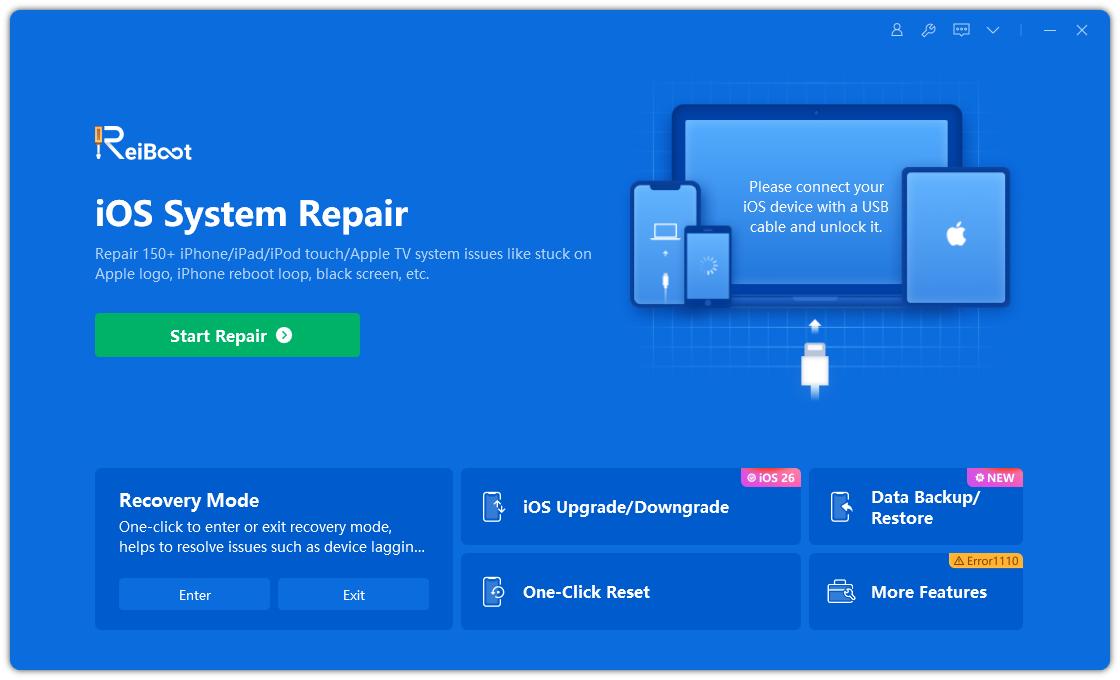
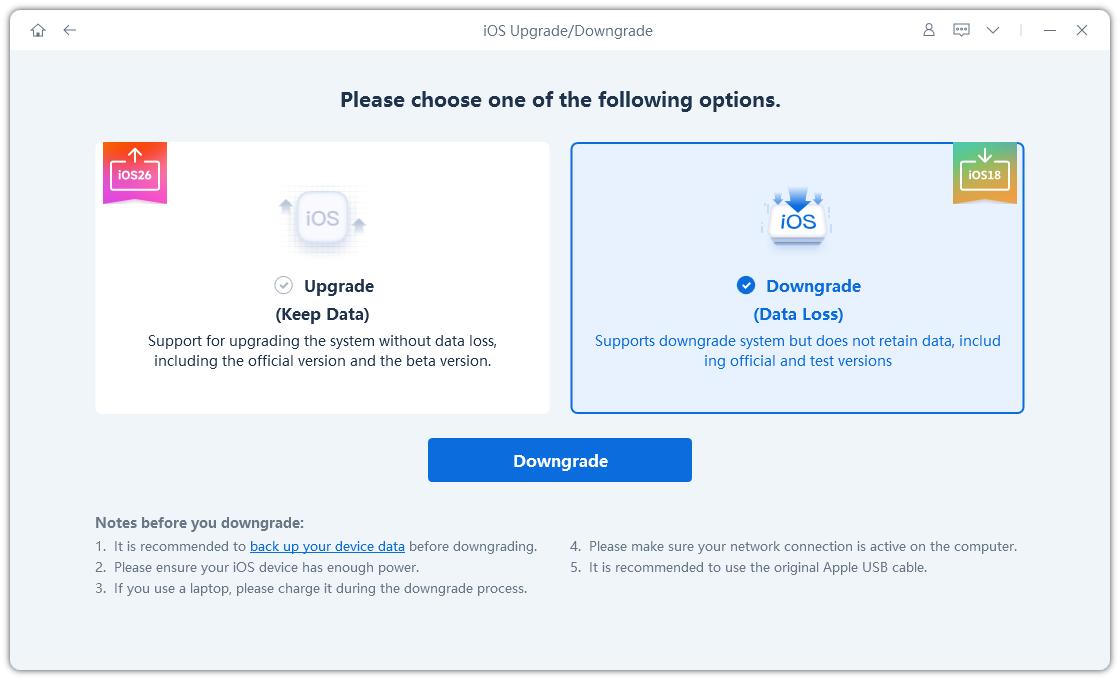
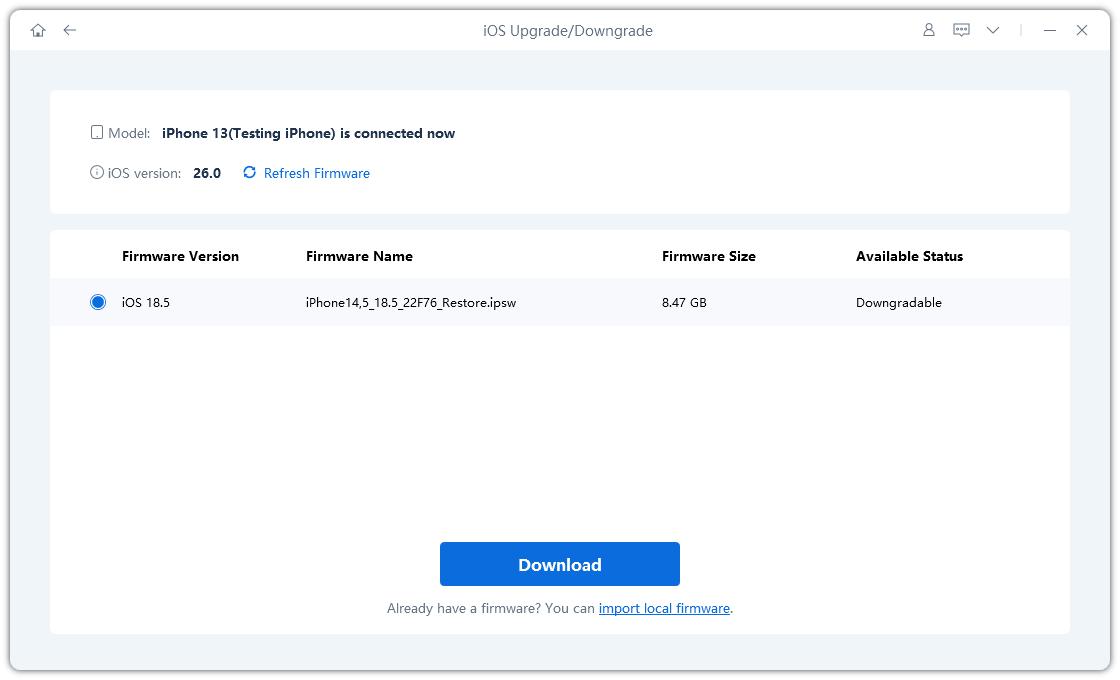
- Execute ReiBoot on your computer. Then, connect your iOS device and trust the computer on it. Choose “iOS Upgrade/Downgrade.”
- Tap “Downgrade.” Next, click “Download” to get the latest firmware package.
- ReiBoot will automatically detect your device and show compatible firmware. Choose iOS 26 and click Download.
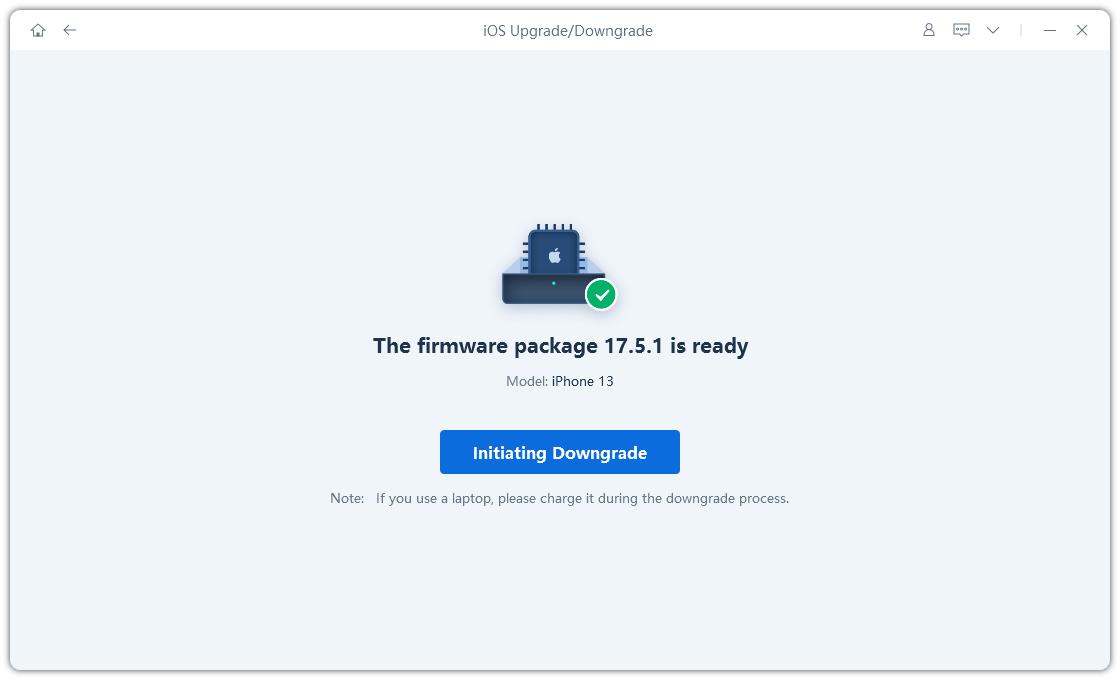
- Once the firmware is downloaded, click "Initiating Downgrade".
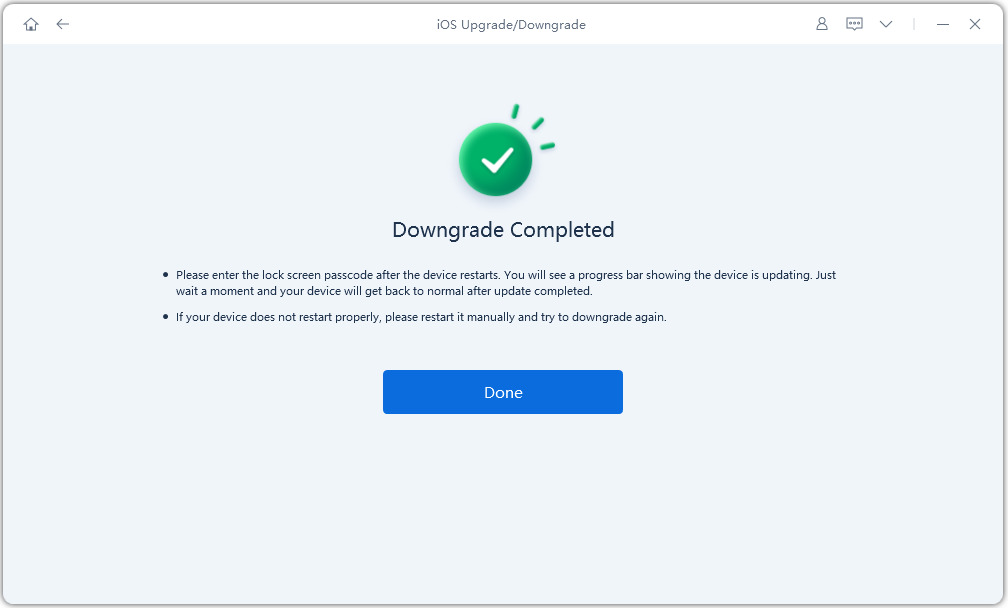
- Wait for the process to complete. Your device will automatically restart with iOS 26 installed no errors.
Part 6. FAQs on iOS 27 vs. iOS 26
Q1. Which iPhones run iOS 27 better than iOS 26?
iOS 27 shows better thermal management and background performance on the iPhone 14 Pro, iPhone 15 series, iPhone 16 series, and iPhone 17 series. iPhone 17 users have also reported less overheating during charging and navigation, while iPhone 12 and 13 owners have also seen some improvements.
Q2. How to improve iOS 27 performance?
If iOS 27 feels slow or is draining battery, turn off "Background App Refresh." Also, give the system 24--48 hours to finish indexing files and photos after installation. Enable "Auto-Brightness," avoid using the phone while charging, and monitor performance. If problems continue, employ Tenorshare ReiBoot's Standard Repair to fix system issues without erasing your data.
Q3. Can you downgrade from iOS 27 to iOS 26?
Yes, you can downgrade to iOS 26 while Apple is still signing it, which is usually during the iOS 27 period before the official release. The simplest way is to use Tenorshare ReiBoot to downgrade without manual steps, and iTunes.
Conclusion
iOS 27 vs. iOS 26 shows a clear change. iOS 26 aimed for new features. But it had issues such as overheating, battery drain, and frequent repairs. While iOS 27 focuses more on fixing and improving the system. However, it is still software, so bugs and stability issues are expected. If that happens, you can employ Tenorshare ReiBoot to downgrade iOS 27 back to iOS 26 without using iTunes.
