
Updated on 2026-07-29 / iPhone Tips
Apple's iOS 27 release brought a massive surprise: the iPhone 11 officially made the compatibility list, hitting an eight-year support milestone.
To help you make the right call, we are breaking down unfiltered user feedback from Reddit and providing a quick interactive quiz for personalized upgrade advice. Whether you decide to proceed with our step-by-step download guide, or you need a reliable way to safely downgrade and fix a sluggish device after a regrettable update, we've got you covered.

- Part 1: Is iOS 27 Available for iPhone 11? (Compatible Devices List)
- Part 2: iOS 27 on iPhone 11 Series: Performance & Reality
- Part 3: Should You Upgrade? Take the iOS 27 Decision Test
- Part 4: How to Download and Install iOS 27 on iPhone 11 (Step-by-Step)
- Part 5: Upgraded and Regret It? How to Downgrade Safely & Fix Issues
- Part 6: How Much Longer Will an iPhone 11 Be Supported?
- FAQs FAQs About iOS 27 on iPhone 11
Part 1: Is iOS 27 Available for iPhone 11? (Compatible Devices List)
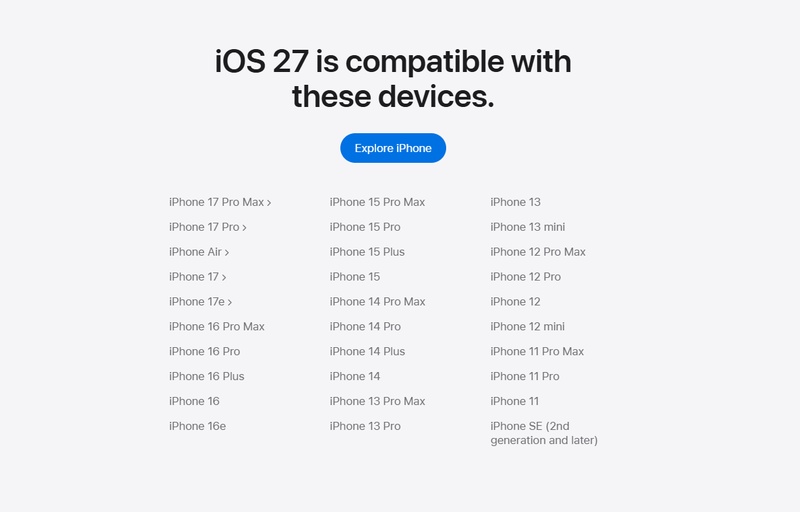
To answer the most pressing question directly: Yes, iOS 27 is available for the iPhone 11. If you are wondering will iOS 27 work on iPhone 11 and its Pro variants, the official answer from Apple is a definitive yes. The following image is taken from Apple's official website and shows the complete list of iPhone models compatible with iOS 27:
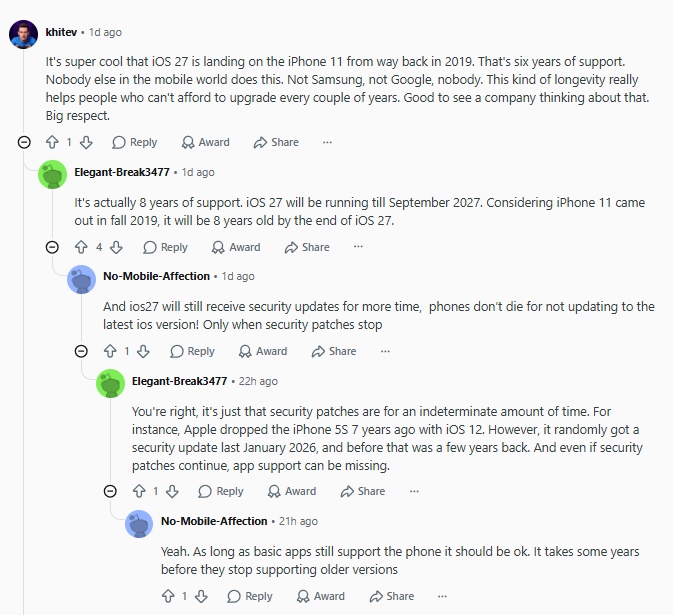
This announcement caught many in the tech community off guard. Across forums like Reddit, early adopters are expressing genuine surprise that the A13-equipped device survived yet another major software update cycle.

By making the cut for iOS 27, the iPhone 11 series has effectively secured nearly 8 years of continuous system update support. This is a rare milestone for smartphone longevity and has sparked widespread discussion among long-term users.
However, simply being on the iOS 27 compatible devices list does not guarantee the full next-generation experience. Apple heavily restricts advanced features based on hardware capabilities---specifically processing power and RAM.
Below is the complete compatibility table according to Apple's press release. Pay close attention to the "Feature Limitations" column to understand what older models like the iPhone 11 will miss out on, even after installing the update.
| Device Model | iOS 27 Update | Feature Limitations |
|---|---|---|
| iPhone 17 Series (17e/17/17 Pro/17 Pro Max)iPhone AiriPhone 16 Series (16e/16/16 Pro/16 Pro Max)iPhone 15 Pro & 15 Pro Max | ✔ | None. (Full access to the iOS 27 ecosystem, including the completely overhauled Siri AI and the full suite of Apple Intelligence features.) |
| iPhone 15 & 15 PlusiPhone 14 SeriesiPhone 13 SeriesiPhone 12 Series | ✔ | Partial Features. (Receives core iOS 27 UI updates and security patches. Excluded from new Siri AI and the other new Apple Intelligence features being introduced in iOS 27.) |
| iPhone 11 SeriesiPhone SE (2nd Generation and later) | ✔ | Basic System Only. (Receive the underlying OS update, but NO Siri AI or Apple Intelligence. ) |
Note: Analyses of WWDC26 developer sessions indicate that the most powerful "On-Device Apple Intelligence Model" requires 12GB of RAM to run fully. Currently, only these models meet this hardware requirement:
-
iPhone Air
-
iPhone 17 Pro
-
iPhone 17 Pro Max
Part 2: iOS 27 on iPhone 11 Series: Performance & Reality
While the technical eligibility of the iPhone 11 Base Models & Pro & Pro Max for iOS 27 is a welcome surprise, the real-world performance paints a far more complicated picture. Early adopters migrating their aging devices to the 2026 operating system have already flagged immediate hardware struggles, specifically regarding battery longevity and system responsiveness.
A significant wave of iPhone 11 users has reported immediate battery drain and power consumption issues following the update. The increased background indexing and demanding background processes of the new OS appear to severely tax older lithium-ion cells.
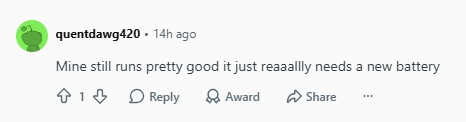
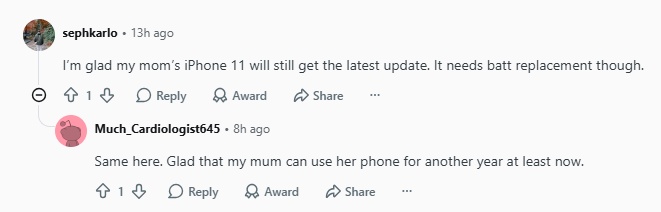
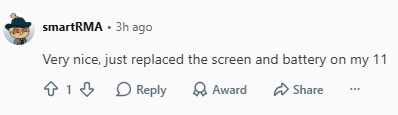
Furthermore, everyday usability has taken a noticeable hit. Users are actively raising concerns about slow operation, freezing apps, and persistent UI lag when navigating the heavy system interface on an iPhone 11.
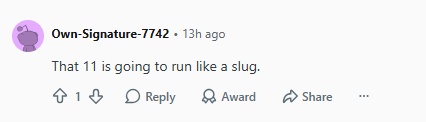

To understand why the update triggers these performance regressions, we have to look at the underlying technical bottlenecks of the hardware:
• The A13 Chip is Tired: Built in 2019, the iPhone 11's brain (the A13 chip) simply wasn't designed for a heavy 2026 operating system. Running iOS 27 forces the old processor to work at 100% capacity just to handle basic daily tasks, which instantly causes your phone to overheat and slow down.
• Not Enough Memory (RAM): The iPhone 11 only has 4GB of memory. According to Apple's official requirements, the new Siri AI and Apple Intelligence features need at least 8GB of RAM to run. Because 4GB is barely enough just to keep the basic home screen open, your phone is locked out of all the cool new AI features.
Part 3: Should You Upgrade? Take the iOS 27 Decision Test
Before hitting the update button, it is crucial to look at what early adopters are actually experiencing. Over on Reddit, the conversation among iPhone 11 owners is filled with real concerns and valid reasons for hesitation.
Real User Concerns on iOS 27
The "Magic Fix" Myth: Several users admitted they jumped on the update hoping iOS 27 would magically solve pre-existing glitches and lagging issues on their phones.

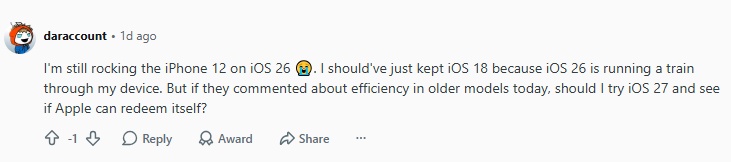
AI is a Memory Hog: Even though the iPhone 11 misses out on the flagship Apple Intelligence features, users noted that the background AI frameworks built into iOS 27 still consume an excessive amount of memory.

Staying Put: Many users are actively choosing to skip the update entirely. The most common reasons cited for staying on older versions include fear of extreme battery drain, potential app crashes, and the simple fact that their current iOS version is perfectly stable. "If it ain't broke, don't update" remains a popular strategy.

The 4-Step iOS 27 Decision Quiz
If you are still on the fence about whether to update your iPhone 11, don't just guess---test it. We highly recommend checking out the iOS 27 Upgrade Companion.
Instead of scrolling through endless forum debates, you can take a quick 4-step quiz. By selecting your specific device, battery health, and core needs, the tool uses real-time data to generate a personalized upgrade recommendation score.
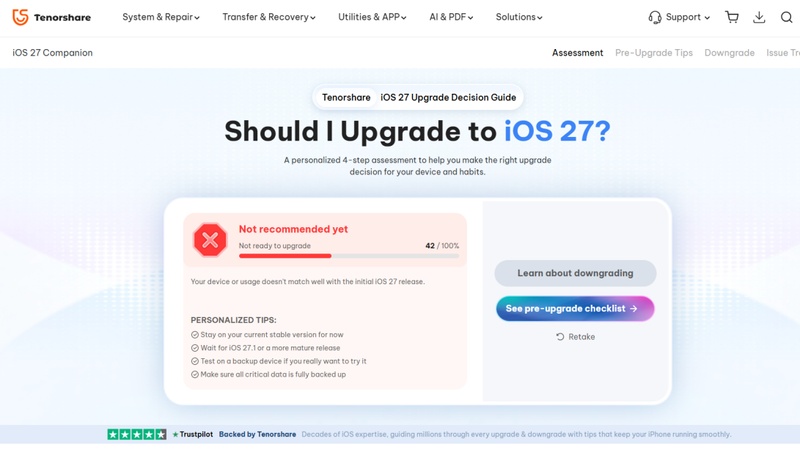
Make a data-driven decision before you risk your phone's performance!
Part 4: How to Download and Install iOS 27 on iPhone 11 (Step-by-Step)
If you have weighed the risks, checked your device compatibility, and decided to experience the new software firsthand, here is the safest way to install the update on your iPhone 11.
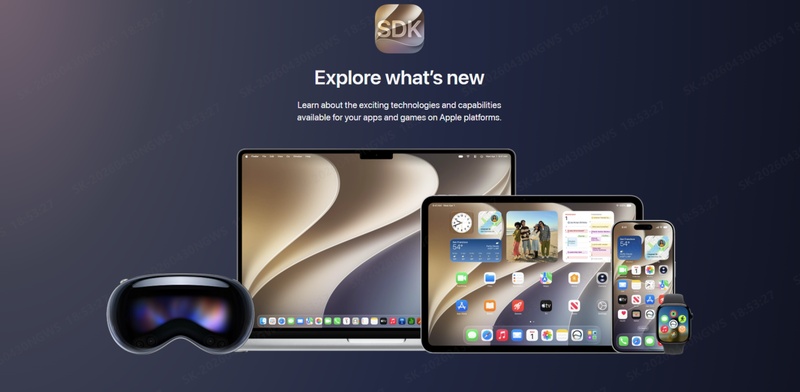
You no longer need a paid $99/year Apple Developer account to access early iOS. Apple now allows anyone with a standard Apple ID to unlock iOS updates for free according to Apple Developer's Membership Guide.
-
Enroll Your Apple ID.
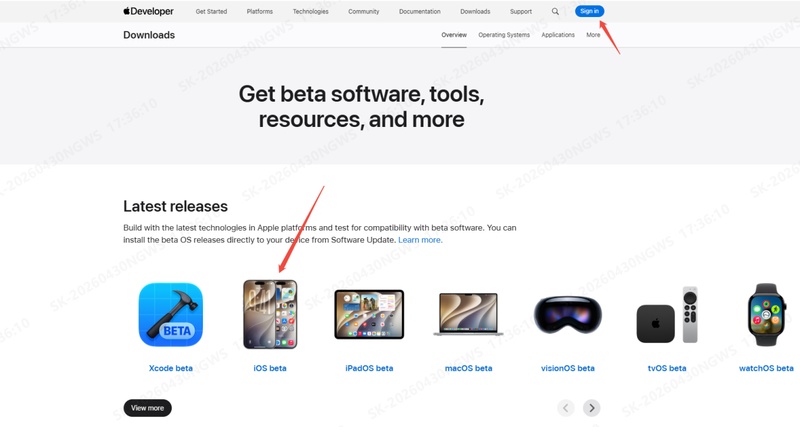
Open Safari on your iPhone and visit developer.apple.com. Navigate to Account and sign in with your everyday Apple ID.
-
Back Up Your iPhone:
A major update can occasionally corrupt files or cause installation errors. You can perform an iCloud backup directly from your phone (Settings > \Your Name\ > iCloud > iCloud Backup) or connect your iPhone 11 to a computer to perform a local backup via iTunes or Finder.
-
Check Storage and Power Requirements:
Ensure your iPhone 11 has at least 5-8GB of free storage space available to avoid a stalled installation. Additionally, confirm your battery life is over 50%, or keep the phone plugged into a power source throughout the entire process.
-
Download and Install the Update:
Navigate to Settings > General > Software Update. Your device will query Apple's servers. Once the update populates, tap Download and Install, enter your passcode, and let the system complete the process.
What to Do If the Update Isn't Showing Up
If you navigate to your software settings and see nothing but an "iOS is up to date" message, do not panic. This is a common deployment issue, especially during initial rollouts or public phases. For a complete list of workarounds, check out our comprehensive guide on How to Fix iOS 27 Not Showing Up to trigger the download prompt instantly.
Stuck on "Preparing Update" or Apple Logo?
Older hardware like the iPhone 11 is highly prone to installation failures during heavy system transitions. If your phone gets permanently stuck on the "Preparing Update..." loading bar, stalls on a black screen, or enters an endless loop on the Apple Logo, your system core has glitched.
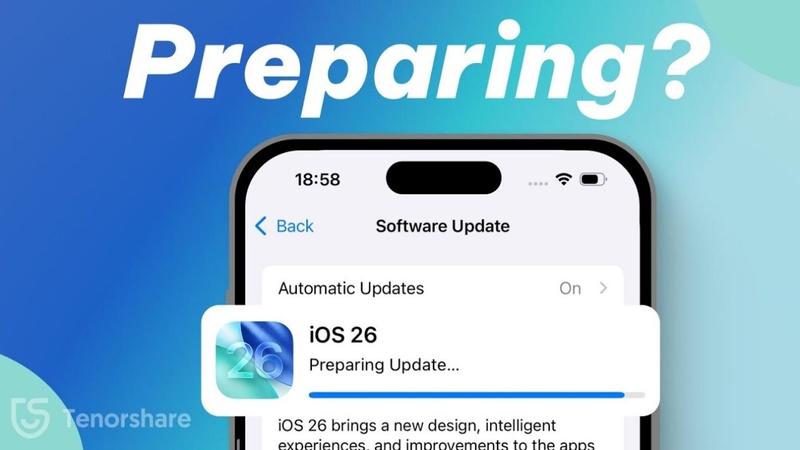
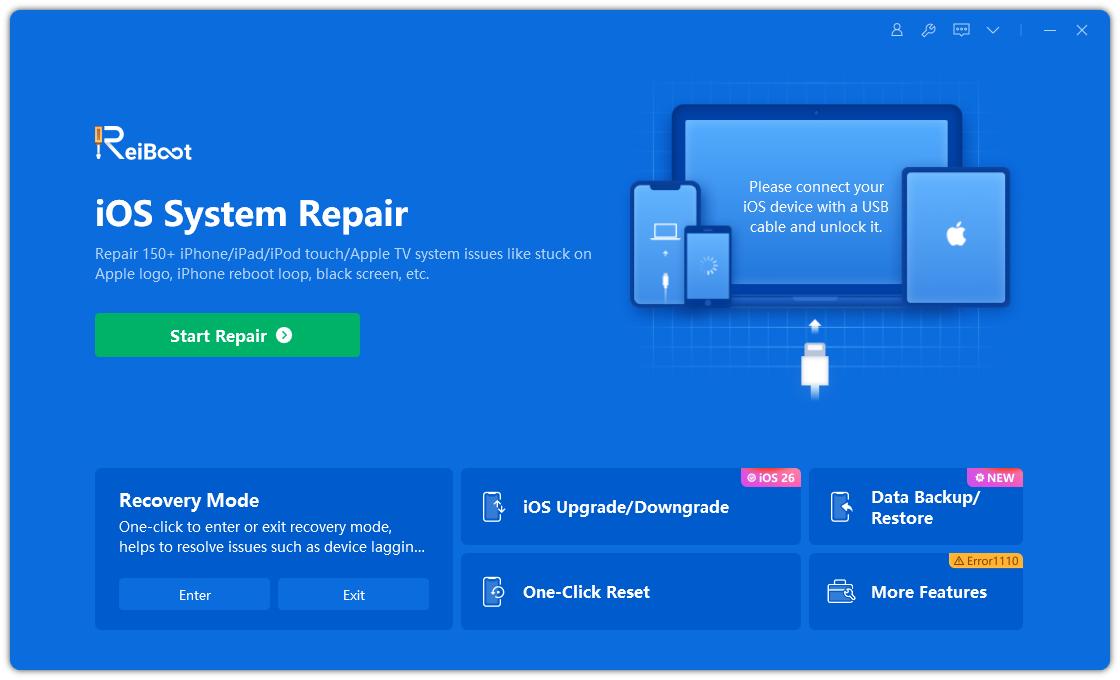
Instead of performing a hard factory reset that deletes your memories, you can use Tenorshare ReiBoot. Its Standard Repair feature is specifically built to bypass these exact system freezes, safely kickstarting your iPhone 11 out of a boot loop and completing the update without a single byte of data loss.
Part 5: Upgraded and Regret It? How to Downgrade Safely & Fix Issues
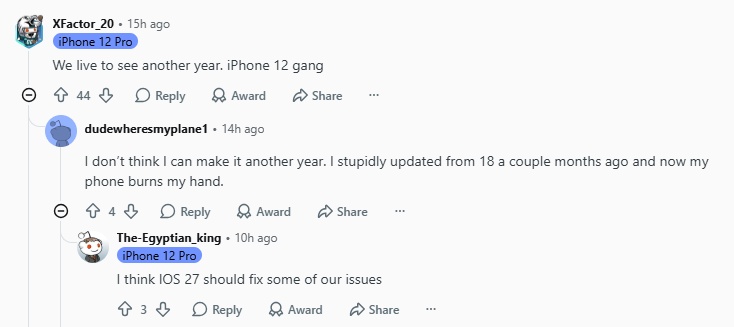
It is common for users to experience buyer's remorse after a major iOS update. As seen in previous update cycles---such as users reporting severe overheating and battery drain after updating devices like the iPhone 12 to iOS 18---similar performance regressions are now surfacing for older models testing the iOS 27.
To monitor the current landscape of system bugs, you can consult the real-time iOS 27 Issue Tracker. This hub actively logs known iOS 27 glitches affecting older hardware, indicating that UI lag or rapid battery drain are widespread system issues rather than isolated hardware failures.
The Apple "Signing Window" Limitation
If the update renders your iPhone 11 too sluggish for daily use, downgrading is the logical solution. However, Apple strictly restricts this process through a timeframe known as the "Signing Window." Shortly after a new iOS version is released, Apple stops cryptographically signing the older firmware. Once this window closes, standard downgrades via iTunes or Finder are permanently blocked.
The Safest Downgrade Solution: Tenorshare ReiBoot
Manual downgrades require forcing your phone into DFU (Device Firmware Update) mode---a complex sequence of button presses that risks bricking your device if executed incorrectly.
Tenorshare ReiBoot provides a secure, one-click alternative. It automatically identifies available firmware and downgrades your iOS 27 to a stable release without the technical risks associated with manual DFU mode. Alternatively, if you prefer to stay on iOS 27 but need to resolve freezing or battery drain, you can utilize ReiBoot's Standard Repair feature to fix core system errors while keeping your data fully intact.
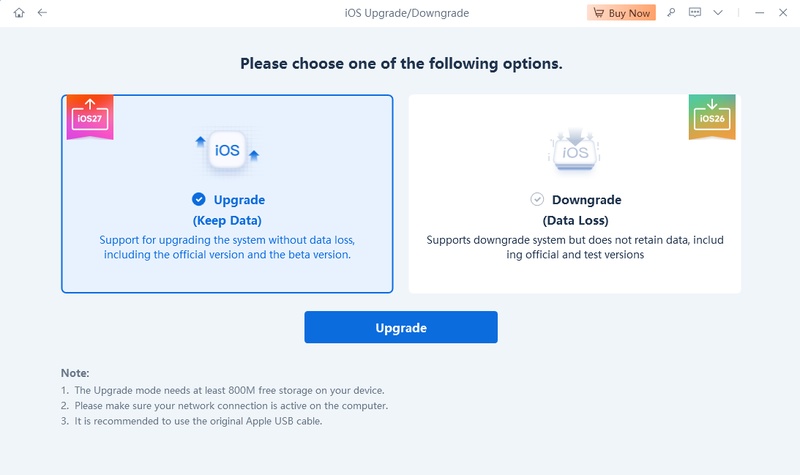
For detailed instructions, refer to our complete step-by-step guide: How to Downgrade iOS 27 to iOS 26 with ReiBoot.
Part 6: How Much Longer Will an iPhone 11 Be Supported?
Even with the iOS 27 update confirmed, users must view the iPhone 11's lifecycle realistically. Looking beyond 2026, it is highly probable that iOS 27 will be the final major architectural update for the A13 Bionic chip. However, reaching the end of the major OS line does not mean the device becomes obsolete overnight.
Community Predictions
Observing the discussions among long-term Apple users, a clear consensus emerges regarding how Apple phases out old hardware:
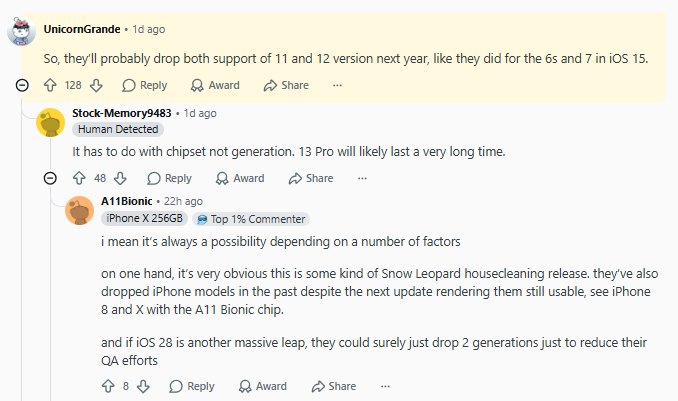
It's About the Chip, Not the Generation: Users correctly point out that Apple determines obsolescence based on the chipset (SoC) rather than the phone's release year. The fate of the iPhone 11 is directly tied to the A13 chip.
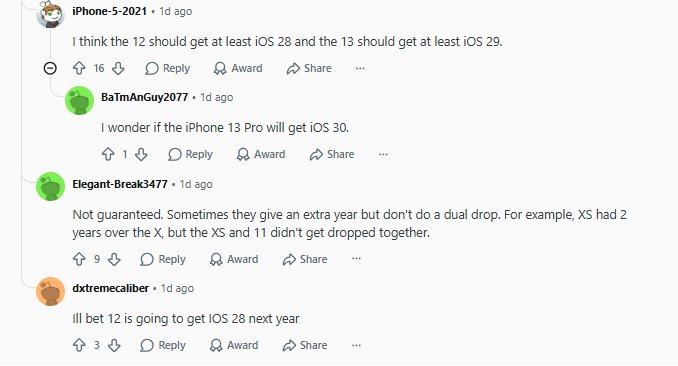
The "Dual Drop" Prediction: A major topic of debate is the future elimination rate. Will Apple phase out two generations simultaneously? History shows precedent for this---iOS 15 dropped both the iPhone 6s (A9) and iPhone 7 (A10) at the same time. Given that both the A13 (iPhone 11) and A14 (iPhone 12) fall drastically short of the hardware requirements for modern Apple Intelligence, many users predict a similar "dual drop" for iOS 28 next year.
Security Updates and Daily Driver Viability
Apple has a strong track record of maintaining older devices. Even after the iPhone 11 stops receiving features like iOS 28 or iOS 29, Apple will likely continue to deploy essential security patches and bug fixes.
The App Store ecosystem also typically supports the last two to three iOS versions, meaning your core apps (banking, messaging, social media) will function normally for years to come, keeping the iPhone 11 perfectly viable as a basic daily driver.
Conclusion
While it is impressive that the A13 chip survived another update cycle, the reality of missing advanced AI features and facing potential performance drops means you should proceed with caution. Use ReiBoot to safely downgrade your system or repair core iOS glitches without losing any data. Your iPhone 11 still has years of life left---make sure it runs smoothly.
FAQs
Q1. Will iPhone 11 get all iOS 27 features?
Not necessarily. Although iPhone 11 may support iOS 27, some advanced features could require newer hardware, such as newer processors, improved cameras, or AI-related capabilities. Apple usually limits certain features based on device performance requirements.
Q2. Will iOS 27 slow down iPhone 11?
A major iOS update may affect performance temporarily while the system completes background optimization. However, iPhone 11 is designed to handle supported iOS versions. Users experiencing slow performance can improve responsiveness by managing storage, restarting the device, and reviewing battery health.
Q3. Should I upgrade my iPhone 11 before installing iOS 27?
If your iPhone 11 is working well and receives iOS 27 support, upgrading is not necessary immediately. However, users looking for better battery life, camera improvements, and newer AI features may benefit from upgrading to a newer iPhone model.
Q4. How long will iPhone 11 receive security updates after iOS 27?
Apple typically continues providing security updates beyond major iOS version support. The exact timeline depends on Apple's security update policy and future device compatibility decisions.
Q5. Can iPhone 11 install the iOS 27 beta version?
If Apple includes iPhone 11 in the supported device list, users can install the iOS 27 beta through Apple's official beta program. Beta versions may contain bugs, so they are recommended for testing rather than daily use.
