
Updated on 2026-07-21 / iPhone Tips
Are you tempted to download the brand-new Apple update but wondering, is iOS 27 stable enough for your daily drive? Historically, early developers are a wild ride. They pack exciting features but usually trigger annoying bugs, severe battery drain, and app crashes.
If you rely heavily on your iPhone for work or daily tasks, holding off is the smartest move. So, let's see in detail what iOS 27 really offers and where it still needs improvement.
- Part 1: Is iOS 27 Stable Right Now?
- Part 2: Why Is iOS 27 Not Stable?
- Part 3: Apple iOS 27 vs iOS 26 Stability
- Part 4: Is iOS 27 Worth Installing?
- Part 5: How to Improve iOS 27 Performance and Stability
- Part 6: One-Click to Fix iOS 27 Issues with ReiBoot (Quick & Easy)
- Part 7: FAQs on iOS 27 Stability
Part 1: Is iOS 27 Stable Right Now?
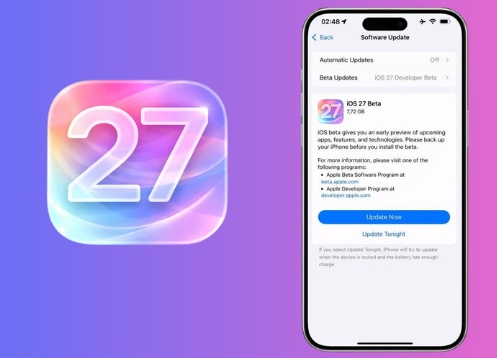
iOS 27 is still in the early testing phase, so it is not fully stable yet. Some users may get smooth performance, but others can face issues like battery drain, overheating, app crashes, and random lag. Apple keeps releasing updates to improve stability and fix bugs. While it gives a preview of new features, it is still not fully reliable for daily use on iPhone 17 at this stage.
Part 2. Why Is iOS 27 Not Stable?
So, is iOS 27 stable enough for daily use? The short answer is no. Like every version, it is still in testing and needs more improvements before the final release. Here are the main reasons it is not fully stable yet:
Here's why it is not fully stable yet:
-
Still in testing phase
iOS 27 is not a final release. Apple is still collecting feedback and fixing system errors.
-
Random app crashes
Some apps may suddenly close, freeze, or fail to open due to unfinished system changes.
-
Fast battery drain
Background tasks are not fully optimized yet, which can reduce battery life faster than normal use.
-
Heating issues
Some users may notice device warming during normal use or while charging.
-
App compatibility problems
Not all apps are updated for the latest, so some features may not work correctly.
-
Performance lag
You may see delays in animations, keyboard response, or multitasking.
-
Frequent system changes
Apple keeps updating the often, which can temporarily create new bugs while fixing old ones.
-
Missing or broken features
Some new features may not work properly or may change in later updates.
Part 3: Apple iOS 27 vs iOS 26 Stability
So, how does iOS 27 compare with iOS 26 in terms of stability? It's an important comparison because iOS 26 had both strong features and noticeable performance issues. iOS 27 aims to fix many of those problems, but since it is still in, it is not fully stable yet.
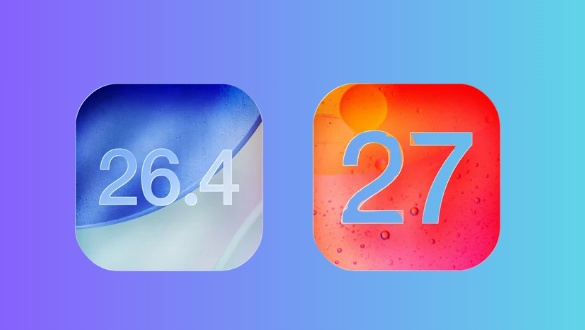
Here's a side-by-side view:
iOS 26: Feature-rich but unstable at launch
iOS 26 brought major design changes and new features, but it also came with stability issues. Many users experienced app crashes, random reboots, and system lag. Some devices also showed battery drain and slower performance, especially after updating. Even basic apps like Camera and Messages occasionally froze or behaved unexpectedly, making the experience less smooth than expected.
iOS 27: More focused on stability, but still in progress
iOS 27 is designed with performance and stability improvements in mind. Apple is working on fixing the issues seen in iOS 26 and refining the system for better speed and responsiveness. However, since it is still in, users may still face bugs, unfinished features, and occasional performance drops.
Main difference:
iOS 26 struggled after release due to heavy changes, while iOS 27 is trying to stabilize the system but the version is still not fully refined.
Part 4: Is iOS 27 Worth Installing?
Still thinking about whether is ios 27 stable enough to install on your iPhone? The answer depends on how you use your device. For most users, it is better to wait because versions are still unstable and can affect daily use.
Here's a simple breakdown to help you decide:
Install it if you are a developer or tester
If you build apps or like testing new features early, iOS 27 is useful. It helps you prepare apps and explore new system changes on a secondary device.
Skip it if this is your main iPhone
If you rely on your phone for work, calls, or important apps, issues are risky. You may face ios 27 battery drain, app crashes, or slow performance that can interrupt your daily tasks.
Wait for Public if you are curious
Public is usually more stable than the developer version. Many bugs are fixed before it reaches public users, making it safer to try.
Be careful with important apps
Banking apps, payment apps, and 2FA tools may not work properly. Some users also report ios 27 overheating, especially during setup, updates, or heavy usage.
Performance is still improving
Apple is working on making iOS 27 faster and more stable, but early versions still include bugs, lag, and background process issues.
Part 5: How to Improve iOS 27 Performance and Stability
Running iOS 27 can sometimes make your iPhone feel slow, warm, or less responsive. This is normal because software is still being improved. A few simple changes can help make it smoother.
-
Restart your iPhone regularly
A restart clears temporary bugs and refreshes system processes.
-
<strong>2. Wait for background indexing to complete</strong>
After updating, the device organizes files in the background. This can take 24--48 hours and may cause heating or battery drain.
-
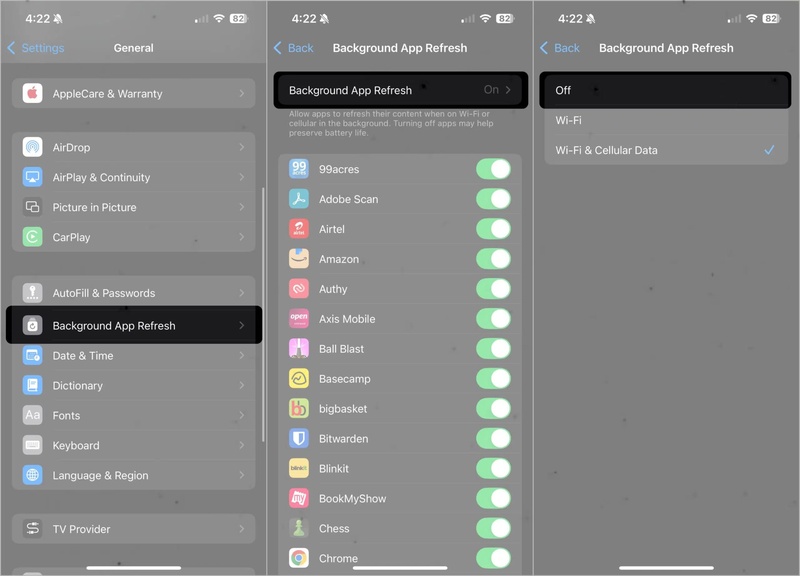
Turn off Background App Refresh
Go to Settings → General → Background App Refresh and disable it for apps you don't need running constantly.
-
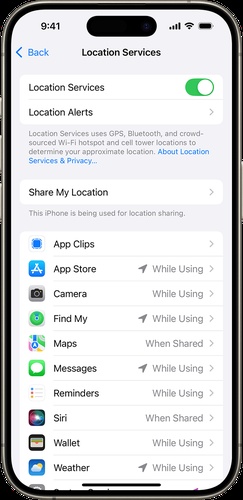
Limit location access
Restrict location permissions to essential apps only to reduce battery and CPU usage.
-
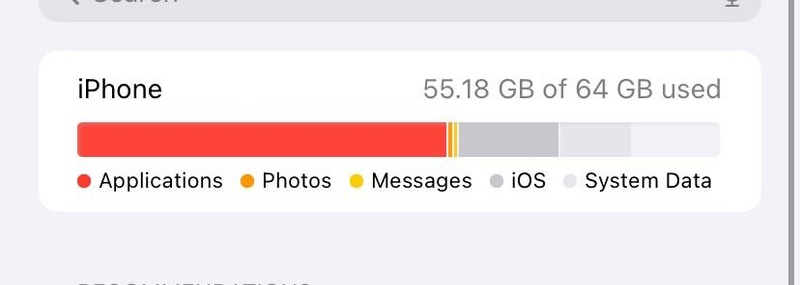
Free up storage space
Low storage can slow performance. Keeping 5--10GB free helps the system run more smoothly.
-
Install the latest updates
Each new version includes bug fixes and performance improvements.
Part 6. One-Click to Fix iOS 27 Issues with ReiBoot (Quick & Easy)
A buggy iOS 27 can cause crashes, freezing, or slow performance and make your iPhone hard to use. Tenorshare ReiBoot helps fix these issues and brings your device back to normal quickly.
ReiBoot iOS System Repair can fix 150+ iOS and iPadOS system problems without causing data loss. Powered by advanced AI repair technology, it helps diagnose and resolve update errors, system glitches, and network issues in just a few steps. No technical skills are required to use it, making the recovery process simple and quick.
Key Features of ReiBoot
-
Fixes 150+ iOS problems like Apple logo stuck, recovery mode loop, black screen, boot loop, and update failure safely.
-
Standard Repair fixes common issues like freezes and crashes without data loss.
-
Deep Repair handles serious system problems with higher success.
-
Allows iOS update or downgrade without iTunes and automatically downloads firmware.
-
Works on all iPhones from older models to latest, including iOS 27.
How to Use ReiBoot Standard Repair (Step-by-Step):
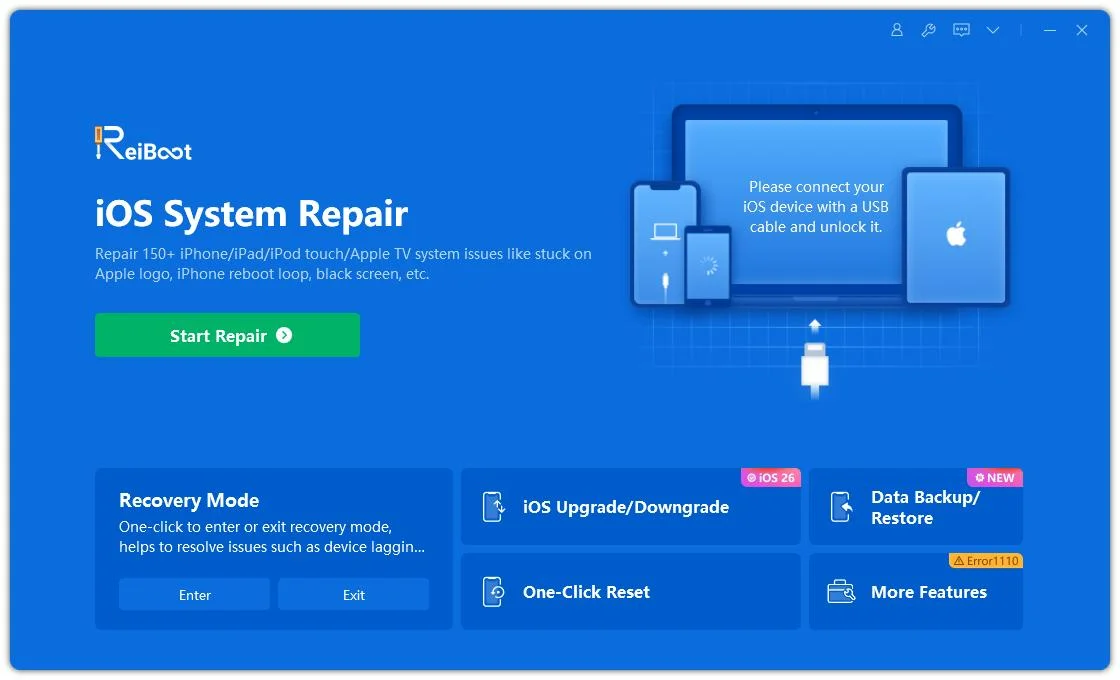
- Step 1: Launch ReiBoot on Your PC/Mac
Download and install ReiBoot on your Windows PC or Mac. Connect your iPhone via USB cable and launch ReiBoot. Click Start Repair from the main dashboard.
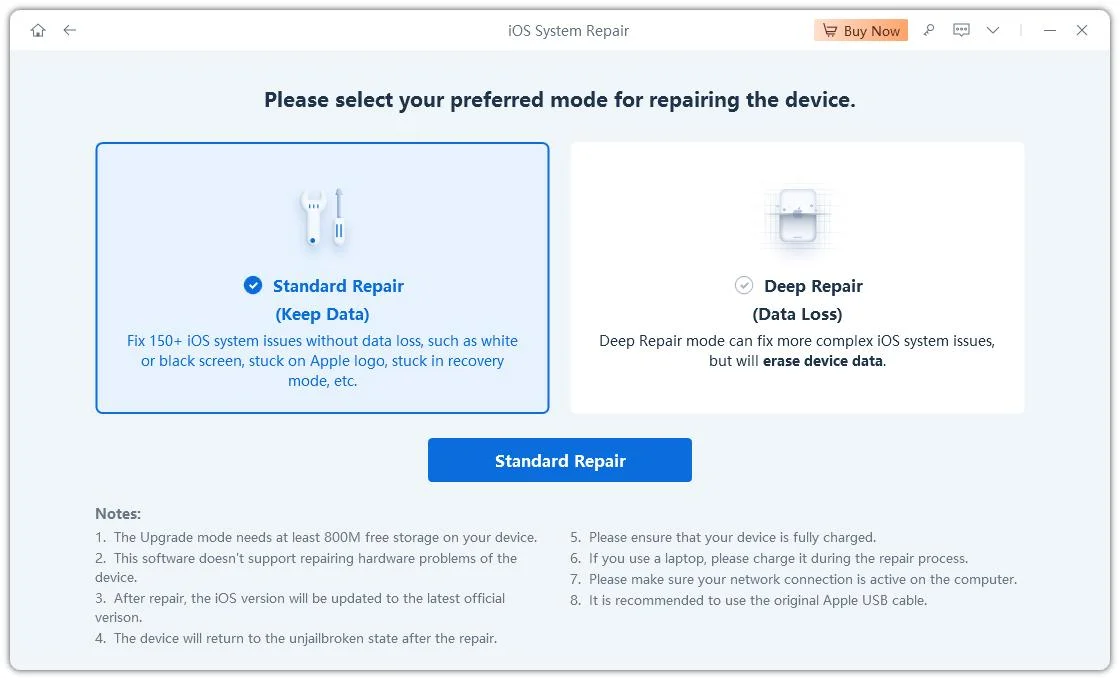
- Step 2: Click on "Standard Repair"
Click on "Standard Repair" when ReiBoot detects your device to fix common iOS 27 issues without losing data.
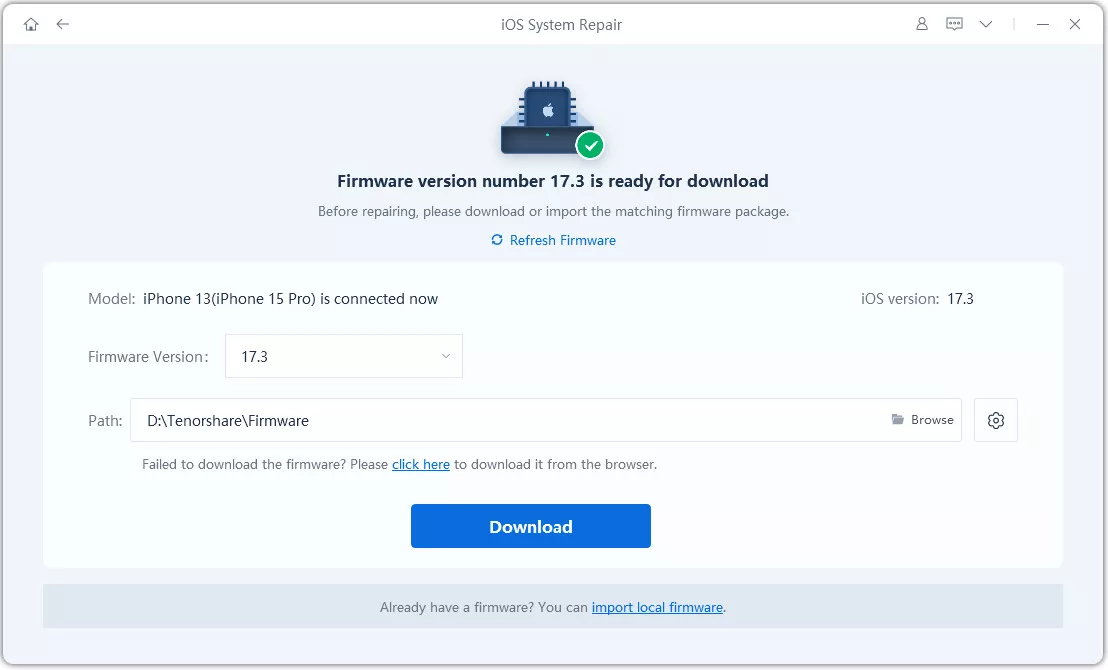
- Step 3: Download Firmware Package
Click Download to get the latest firmware for your device. If necessary, ReiBoot will guide you to enter Recovery Mode or DFU Mode.
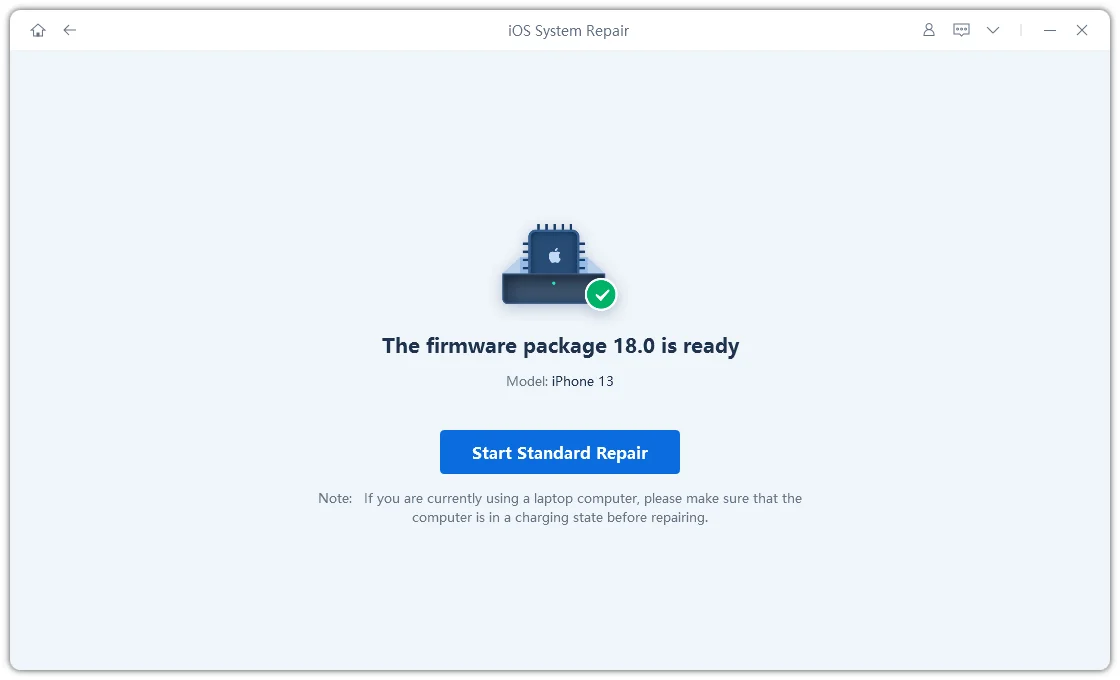
- Step 4: Start Standard Repair
Once the firmware is downloaded, click "Start Standard Repair" and wait for the process to complete.
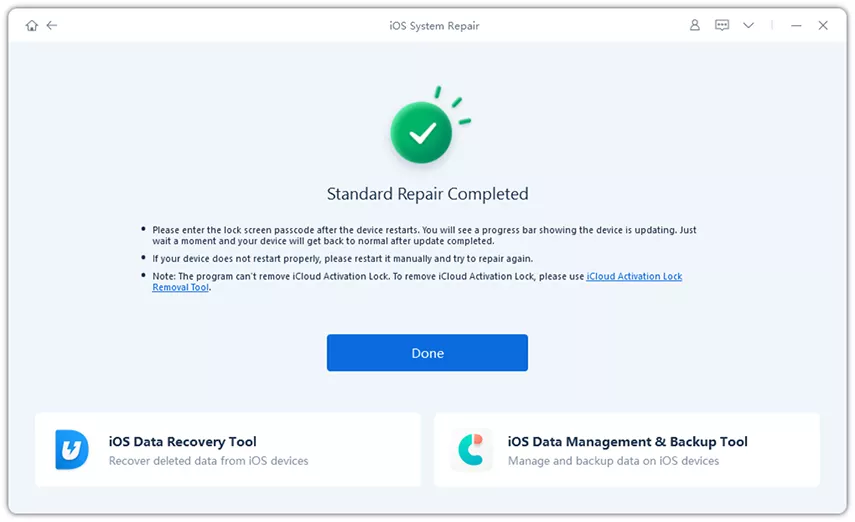
- Step 5: iPhone Working Normally Again
Your iPhone will restart automatically after repair. Check whether the iOS 27 issues have been resolved successfully.
Part 7: FAQs on iOS 27 Stability
Q1. Which iPhone runs iOS 27 most smoothly?
iOS 27 runs best on the latest iPhones because they have faster chips and better system support. Older iPhones may still run it, but they can feel slower and may have more battery drain or heating issues.
Q2. Can you downgrade if iOS 27 is not stable?
Yes, you can downgrade if iOS 27 is not stable. Using tools like Tenorshare ReiBoot, you can easily upgrade to iOS 27 or downgrade back to a stable iOS version without complicated steps. It helps fix system issues and switch iOS versions safely, making the process much easier for non-technical users.
Q3. Is it safe to install iOS 27 on my iPhone now?
iOS 27 is not fully safe for everyday use. It may have bugs, crashes, battery drain, and overheating issues. It is better for testing on a secondary device, not your main iPhone.
Conclusion:
The iOS 27 brings exciting new features, but many users still wonder is ios 27 stable enough for daily use. At this stage, it is still a work in progress, and issues like bugs, battery drain, overheating, and app crashes can still appear, especially in early builds. You can easily fix these system issues and safely downgrade your device using a reliable tool like Tenorshare ReiBoot. It gives you the freedom to explore the risk-free.
