
Updated on 2026-07-21 / iPhone Tips
The issue of iphone bricked after ios 27 update can be frustrating when your device gets stuck on the Apple logo, freezes, or stops responding completely. This usually happens due to unstable software or an incomplete update.
It can often be fixed without technical stress. In this guide, you'll explore 7 simple and effective ways to bring your iPhone back to life safely. Just follow the steps carefully and restore your device to normal working condition.
Part 1. iPhone Bricked After iOS 27 Update Fixes Compared
| Solutions | Success Rate | Data Loss | Ease of Use | Time Required |
|---|---|---|---|---|
| Force Restart the iPhone | Medium | No | Very Easy | 2–5 Minutes |
| ReiBoot | Very High | No | Easy | 5–10 Minutes |
| Finder/iTunes | High | Possible | Moderate | 10–20 Minutes |
| DFU Mode | High | Yes | Difficult | 20–40 Minutes |
| Apple Recovery Assistant | Medium | Possible | Easy | 30–60 Minutes |
| Nearby Restore with Another Apple Device | Medium | No | Easy | 15–30 Minutes |
| Contact Apple Support | Low | Possible | Easy | Depends on Service Time |
Part 2. Why iPhone Gets Bricked After iOS 27 Update
After installing a update, some iPhones may stop working properly or get stuck during startup. This usually happens because software is not fully stable and can cause system errors. Understanding the reasons can help you avoid the issue in the future.
Common reasons behind iPhone bricked after iOS 27 update:
-
Incomplete or interrupted update process
-
Bugs or glitches in software
-
Low storage space during installation
-
Unstable internet connection while updating
-
Compatibility issues with older iPhone models
-
Failed system reboot after update
-
Corrupted system files during installation
Part 3. How to Fix iPhone Bricked After iOS 27 Update
1. Force Restart the iPhone
Force restart is the first and simplest method to fix minor system issues caused by a failed update. It helps when the iPhone is frozen, stuck on the Apple logo, or not responding.
Steps to fix with force restart:
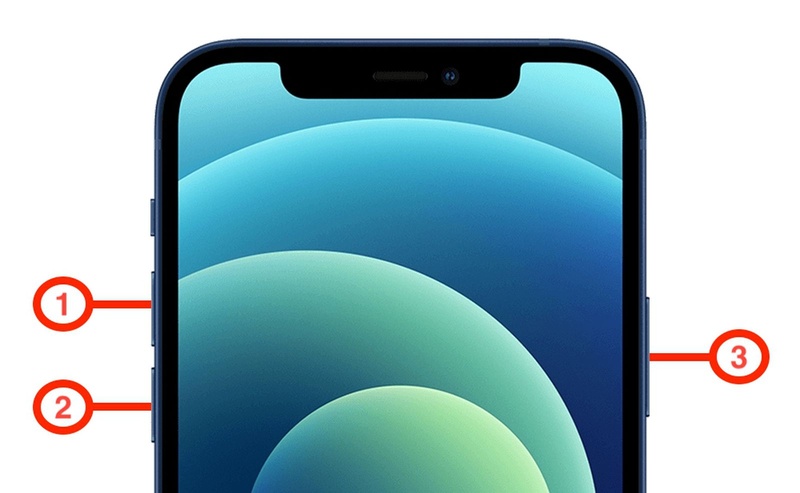
Press and quickly release the Volume Up button.
Press and quickly release the Volume Down button.
Press and hold the Side Button.
-
Keep holding until the Apple logo appears. Release and wait for the iPhone to reboot.
2. Repair Your Bricked iPhone Easily with ReiBoot
ReiBoot is a powerful iOS system repair tool designed to fix common and serious iPhone issues without using iTunes or jailbreaking. It helps when your iphone not turning on after ios 27 update by repairing system errors like stuck Apple logo, black screen, or boot loop.
The tool offers one-click recovery mode access and a simple interface, making it easy for beginners. It also supports Standard Repair, which can fix iOS problems without deleting your data in most cases.
Features of ReiBoot:
-
Fix iOS system issues like boot loop and Apple logo stuck
-
Repair iPhone without iTunes or jailbreak
-
Enter and exit recovery mode in one click
-
Standard Repair option to fix issues without data loss
-
Supports latest iOS versions and iPhone models
-
Easy-to-use interface for beginners
-
Fix black screen and update failure problems
How to Fix iPhone Bricked After iOS 27 Update:
- Step 1: Launch ReiBoot on Your Computer
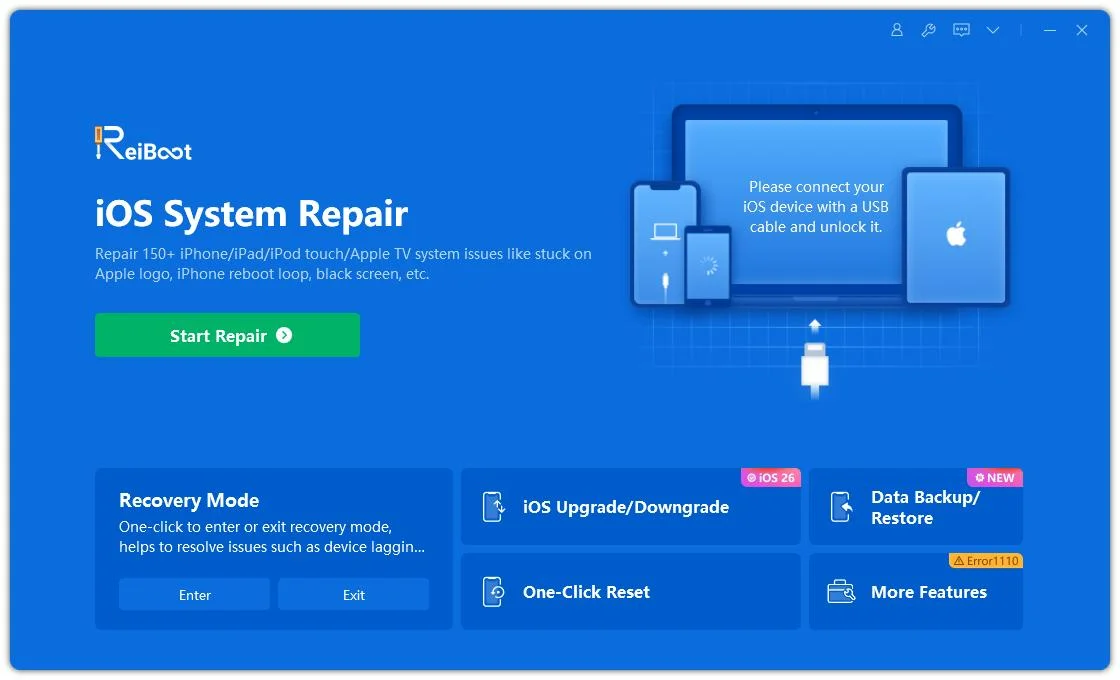
Download and install Tenorshare ReiBoot on your computer. Open the program and connect your bricked iPhone after the iOS 27 update using a USB cable.
- Step 2: Click on "Standard Repair"
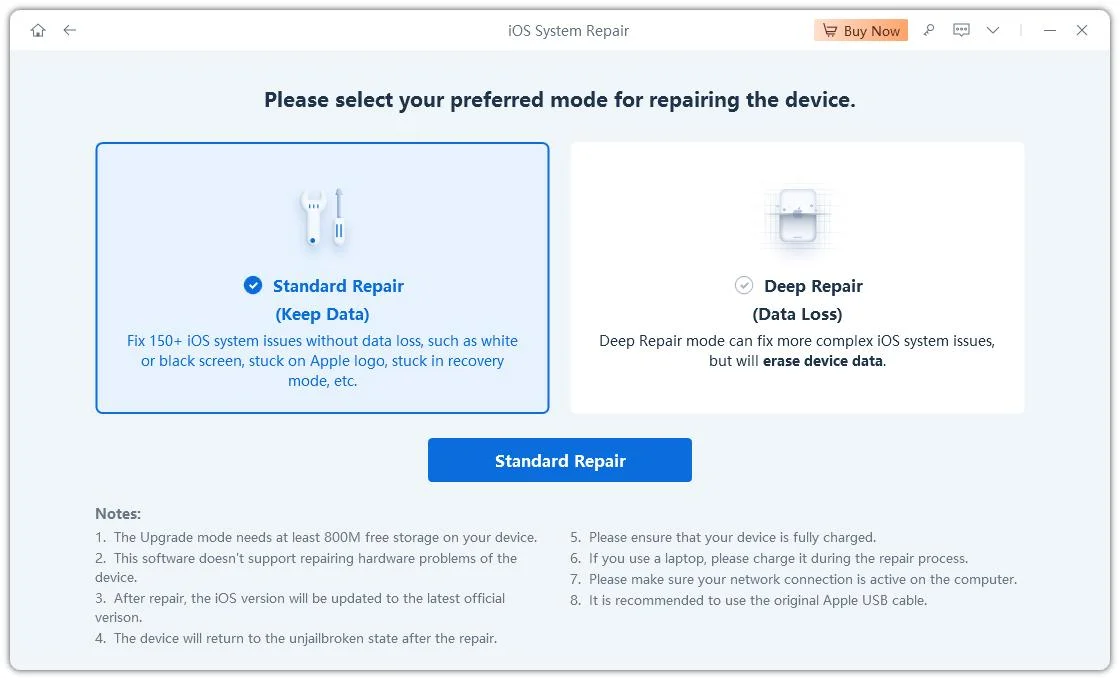
Click on "Standard Repair" when ReiBoot detects your device to fix the iPhone system without erasing your data.
- Step 3: Download Firmware Package
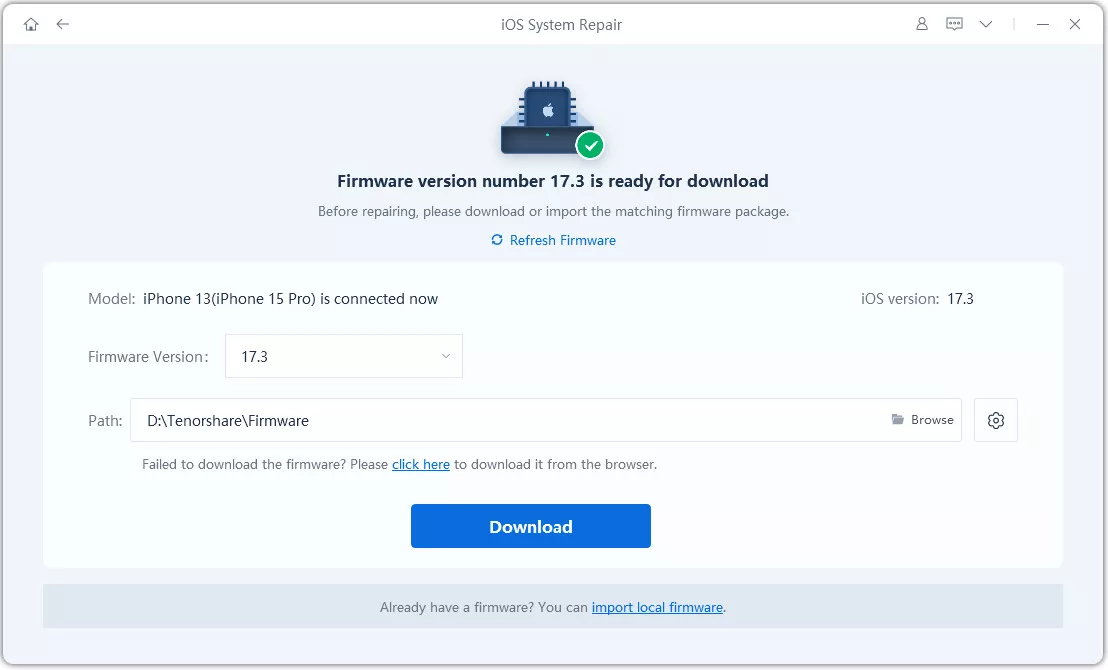
Download the latest firmware package when prompted. ReiBoot will automatically prepare the correct firmware after confirmation.
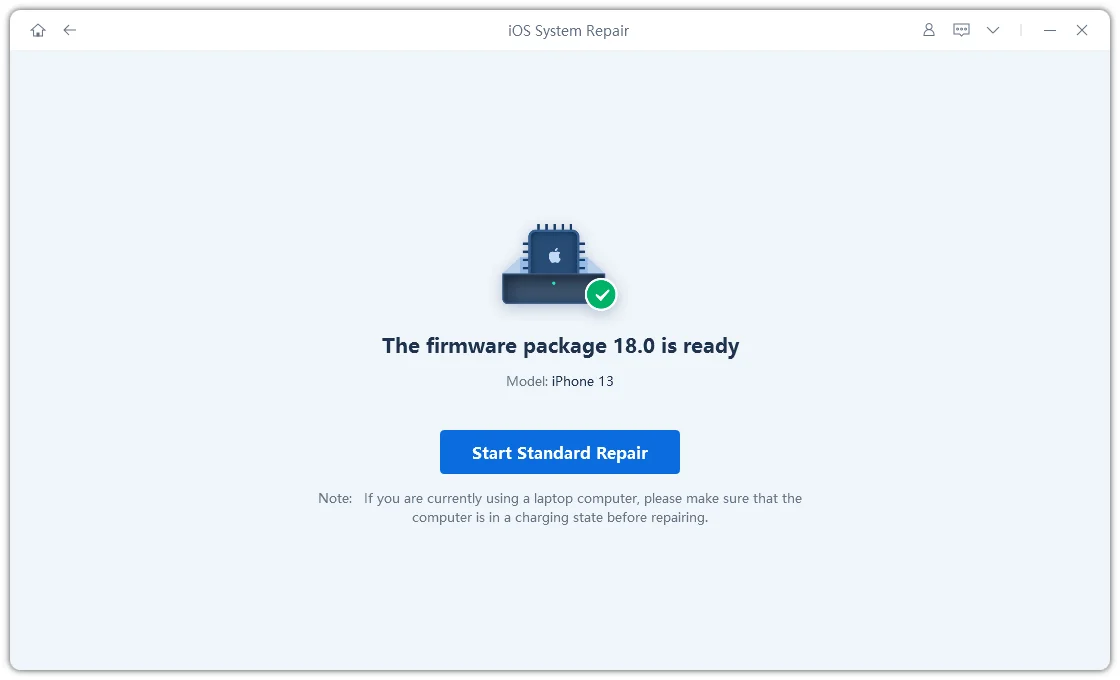
- Step 4: Start Standard Repair
Once the firmware is ready, click “Start Standard Repair” to fix the bricked iPhone after the iOS 27 update. Wait for the process to complete.
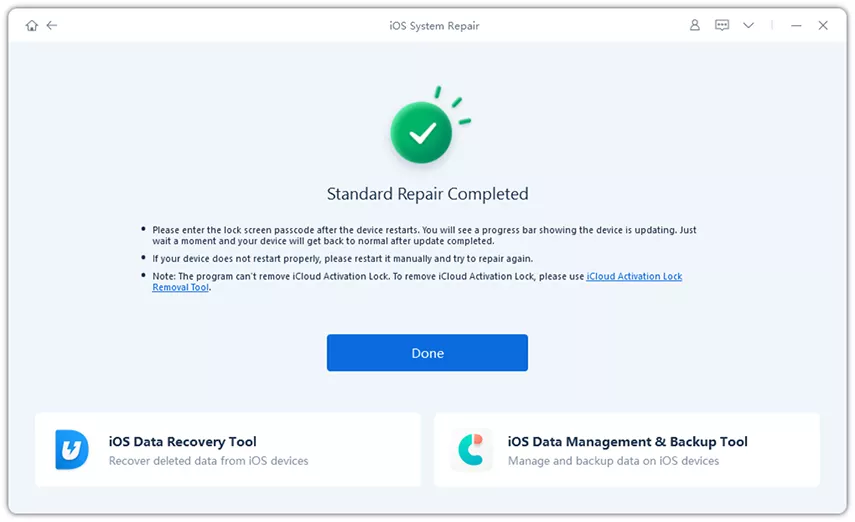
- Step 5: iPhone Restored Successfully
Your iPhone will restart automatically and return to normal if the iOS 27 bricked issue is fixed successfully.
3. Fix iPhone Bricked via Finder/iTunes
A failed update like iphone 17 bricked after ios 27 update can sometimes damage the system startup files. Finder or iTunes helps fix this by reinstalling iOS and refreshing the device system. This method is reliable but may erase data if you choose restore instead of update.
Steps to fix iphone bricked overnight:
Connect iPhone to a computer using a USB cable.
-
Open Finder (macOS Catalina or later) or iTunes (Windows/macOS Mojave or earlier).
-
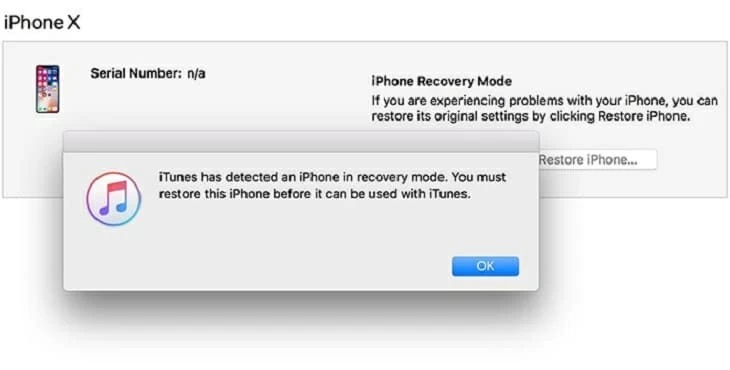
Put iPhone into Recovery Mode using the correct button sequence for your model.
-
Wait until the device is detected and shown on the screen. Select your iPhone from Finder or click the device icon in iTunes.
-
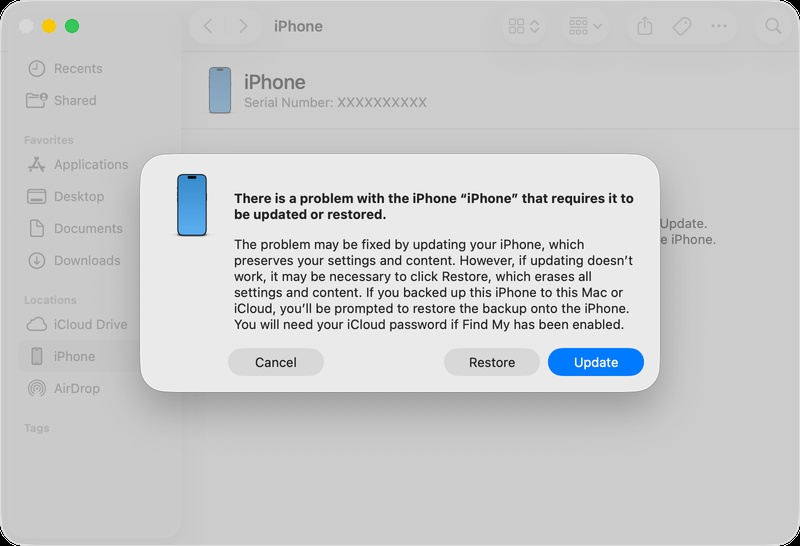
Click Update first to reinstall iOS without data loss. If update fails, select Restore iPhone (this will erase data). Keep the device connected until the process completes and it restarts.
4. Fix iPhone Bricked by DFU Mode
DFU mode is a deeper restoration method used when issues like iphone stuck after ios 27 update cannot be fixed through recovery mode. It reloads both firmware and iOS completely, making it useful for severe system corruption. However, it will erase all data and should be used as a last option.
Let's see iphone 17 bricked after ios 27 update:
-
Connect iPhone to a computer using a USB cable and make sure iTunes or Finder is open.
-
Press the correct button combination for your iPhone model to enter DFU mode.
-
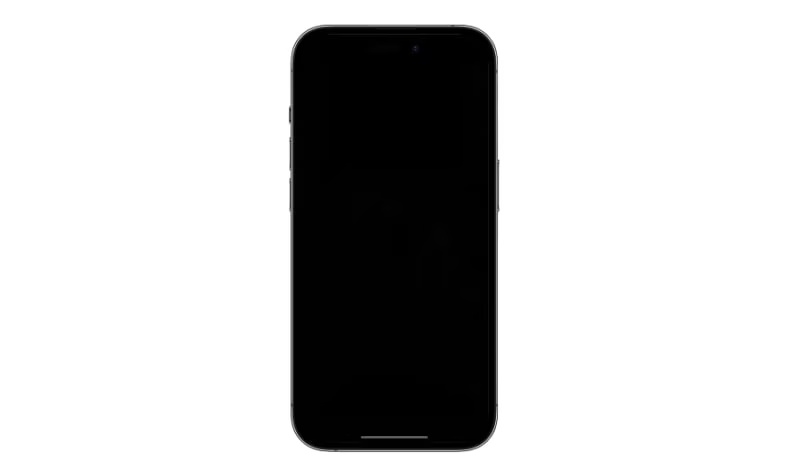
Keep holding until the screen turns completely black with no logo.
-
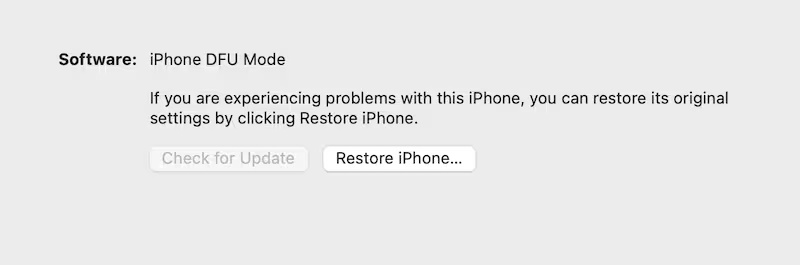
Wait for Finder or iTunes to display a message that a device has been detected in recovery mode.
-
Click Restore iPhone to begin a full iOS reinstall.
-
Allow the firmware to download and installation to complete without interruption.
-
Keep the device connected until the process finishes. Wait for the iPhone to restart and proceed with setup.
5. Use Apple Recovery Assistant
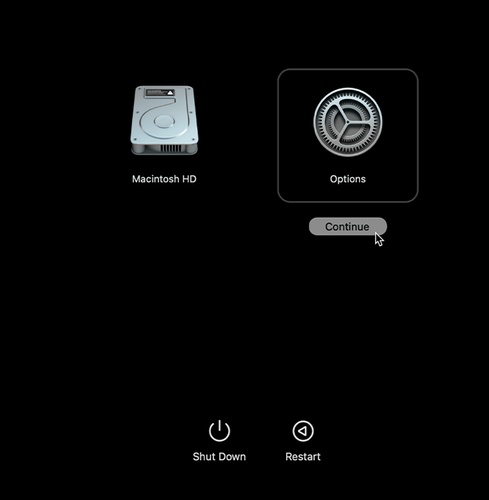
Apple Recovery Assistant is an official recovery method that helps fix serious software failures caused by updates, like or iphone 17 bricked after ios 27 update. It automatically detects system issues and guides the restore process. This method is simple but requires a stable internet connection and time for firmware download.
Here how to use apple recovery assistant:
-
Connect your iPhone to a computer or plug it into a power source.
Turn off the device completely.
-
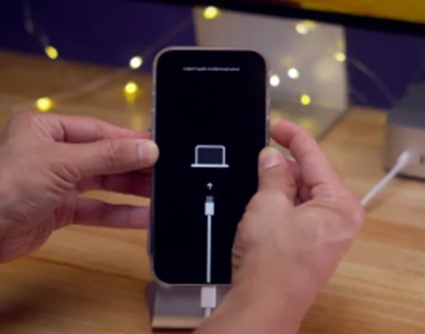
Press and hold the Side button until the "Connect to computer" screen appears.
-
Release the button, then double press the Side button.
-
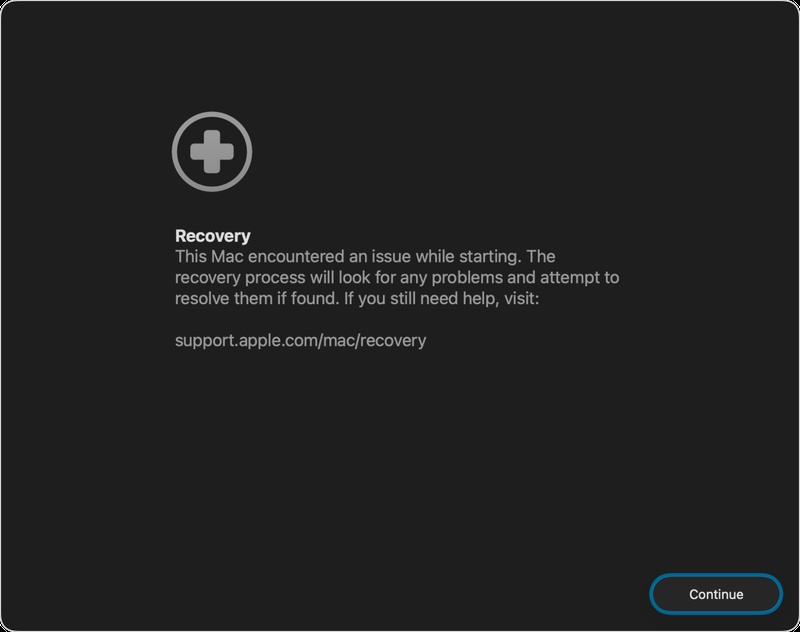
Wait for the Recovery Assistant screen to appear and click Continue.
-
Connect to a stable Wi-Fi network to allow the system to download the recovery package.
-
Choose whether to share diagnostic data with Apple (optional).
-
Wait while the recovery process completes, then restart your iPhone normally.
6. Use Nearby Restore with Another Apple Device
Nearby Restore is a wireless recovery feature that helps fix serious startup issues like iphone bricked after ios 27 update without using a computer. It allows you to restore your iPhone or iPad by connecting it to another nearby Apple device.
This method is useful when your device shows a recovery animation asking you to move it closer to another device.
Lets see iphone not turning on after ios 27 update fix:
-
Connect the device that is in recovery mode to a power source to prevent shutdown.
-
Place it close to another unlocked iPhone or iPad already connected to Wi-Fi.
-
Wait for the message "Restore Nearby \device" to appear on the working device.
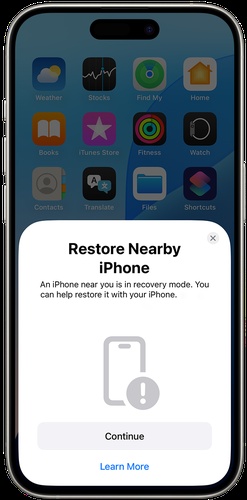
Tap Continue and allow both devices to connect.
-
A six-digit code will appear on the recovery device; enter it on the working device.
Tap OK when the message "Restoring \device" appears.
-
Keep both devices close together until the restore process completes. Move devices closer again if you want to check restore progress.
7. Contact Apple Support
Apple Support is the final option when the issue is not fixed using other methods. Their team can diagnose the device and guide you with the right repair or replacement solution.
You can get help through the Apple Support app, official website, or by visiting an Apple Store or authorized service center.
Part 4. FAQs on How to Fix iPhone Bricked After iOS 27 Update
Q1. Is it possible to unbrick a hard-bricked phone?
Yes, in many cases a hard-bricked iPhone can still be fixed. You can try Recovery Mode, DFU Mode, or a professional repair tool to reinstall iOS. However, if the issue is caused by hardware damage, you may need Apple Support for repair or replacement.
Q2. Can we revert back from iOS 27 to iOS 26?
Yes, you can downgrade from iOS 27 to iOS 26, but only if Apple is still signing the iOS 26 firmware. This can be done using Finder or iTunes by restoring the device with the correct IPSW file. Keep in mind that this process usually erases all data, so a backup is important.
Q3. Why is my phone dying fast after the iOS 27 update?
This happens because software is not fully stable. The system runs extra background tasks and some apps are not optimized yet. Battery usually improves after some time or with a stable update.
Conclusion
An iphone bricked after ios 27 update can be stressful, especially when your iPhone suddenly freezes, gets stuck on the Apple logo, or refuses to turn on. But in most cases, the problem is fixable. For the easiest and quickest fix, ReiBoot is a great option to try. It repairs iOS system issues in just a few clicks and helps get your iPhone working again without complicated steps.
