Updated on 2026-07-21 / iPhone Tips
Everyone wants to test out the cool new iOS 27 Public updates, but nobody wants to stare at a frozen loading bar. Exactly how long does iOS 27 Public take to download on a standard iPhone? A clean download usually finishes within 15 minutes.
But when you include the complex system unpacking and final installation steps, you should budget about 45 minutes total. We will also show you exactly how to bypass a frozen download screen safely without losing any data.
- Part 1: How Long Does iOS 27 Public Take to Download?
- Part 2: Why Is iOS 27 Public Taking So Long to Download?
- Part 3: How to Speed Up iOS 27 Public Download
- Part 4: How Long Does iOS 27 Public Take to Install?
- Part 5: Upgrade to iOS 27 Public Without Getting Stuck with ReiBoot
- Part 6: FAQs About iOS 27 Public Download Time
Part 1. How Long Does iOS 27 Public Take to Download?
The iOS 27 Public update download time is not fixed. It can change from user to user based on internet speed, device condition, and Apple server load. In normal conditions, it is a large file, so it usually takes some time to complete. That's why many users feel the iOS 27 Public update takes forever, especially when the network is not stable.
On average, the download time can look like this:
-
Fast Wi-Fi (strong connection): around 10--20 minutes
-
Average home internet: around 20--45 minutes
-
Slow or busy network: 45 minutes to 1+ hour
-
High traffic (Apple servers busy): can take even longer than expected
On newer devices like the iPhone 17, the processing is smoother, so the download may finish faster if the internet is strong. However, even then, weak Wi-Fi or low storage can still slow things down.
Part 2. Why Is iOS 27 Public Taking So Long to Download?
The iOS 27 Public download slow or iOS 27 Public download stuck issue is very common with updates. These files are large, and the download depends on both Apple's servers and your device conditions. Any small interruption can increase waiting time or freeze the process.
-
High server load: When many users download at the same time, Apple servers slow down due to heavy traffic
-
Weak Wi-Fi signal: Unstable internet causes repeated pauses and slow data transfer
-
Large update size: updates are heavy system files that naturally take longer to download
-
Low storage space: Limited free space can slow down preparation and extraction of update files
-
Background data usage: Other apps using internet reduce speed for the update process
-
VPN or network filters: Can block or slow connection to Apple update servers
-
System glitches: Temporary iOS bugs may cause the progress bar to freeze or appear stuck
-
Device performance load: Overheating or heavy background activity can delay installation steps
Part 3. How to Speed Up iOS 27 Public Download
The iOS 27 Public download slow issue is common after a new release because many users download it at the same time, which overloads Apple servers. Sometimes it may look stuck, but it usually just needs a little time or a quick fix.
How to fix or speed up the download:
-
Check your Wi-Fi connection
Use a strong and stable Wi-Fi network. A weak signal is one of the main reasons for slow downloads.
-
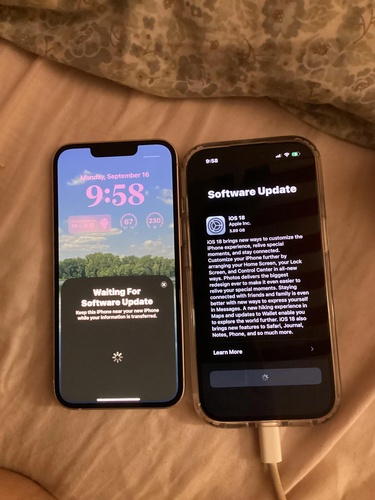
Restart the download
Go to Settings > General > Software Update, cancel the update, then start it again to refresh the process.
-
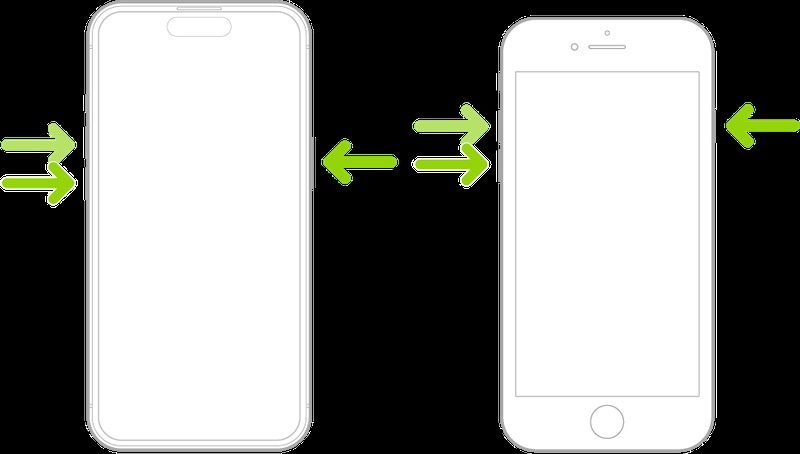
Restart your iPhone
A quick restart clears background issues that may slow down the download.
-
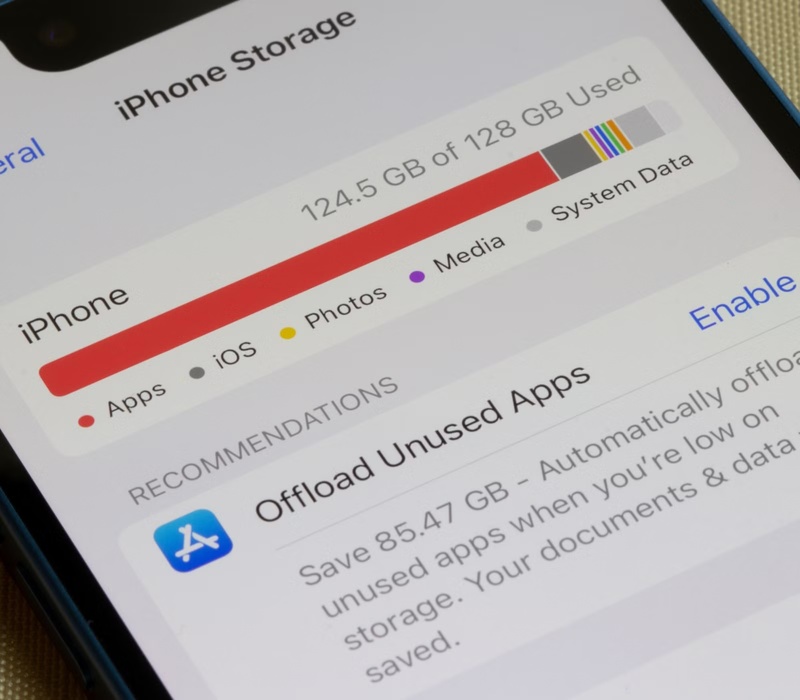
Free up storage space
Make sure you have at least 15--20 GB free. Remove unused apps or files from iPhone Storage.
-
Try a different time
Download speeds are faster when Apple servers are less busy, usually late night or early morning.
-
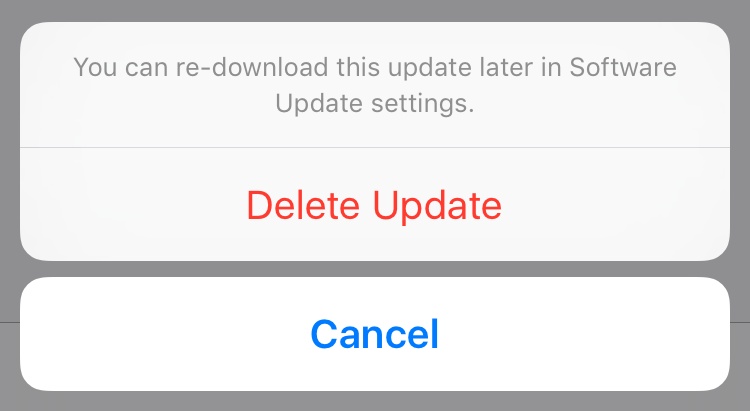
Delete and re-download the update file
Remove the partially downloaded update from iPhone Storage and start fresh from Software Update.
-
Use a computer if needed
If nothing works, install the update using Finder (Mac) or iTunes (Windows) for a more stable download process.
Part 4. How Long Does iOS 27 Public Take to Install?
Once the download is complete, the installation starts automatically. This step takes longer than a normal app update because the system is replacing core iOS files. If your iOS 27 Public update takes forever, it is usually normal and not a problem.
| Stage | Time |
|---|---|
| Download (OTA, good Wi-Fi) | 10–30 minutes |
| Preparing update | 5–15 minutes |
| Installing | 10–20 minutes |
| Verification & restart | 3–5 minutes |
| Total | 30–60 minutes |
Why iOS 27 Public takes longer to install:
-
iOS 27 files are large (often 13--20 GB or more)
-
iOS needs time to verify the update with Apple servers
-
"Preparing update" may look stuck but is actually processing files
-
Older devices take more time compared to newer models
-
System restarts and background setup add extra time
Tips to avoid installation issues:
-
Keep your iPhone plugged in during the entire process
-
Do not force restart while installation is running
-
Wait patiently if the progress bar pauses for a while
-
Avoid using your phone during installation
-
If nothing changes for a very long time, then a force restart may be needed
Part 5. Upgrade to iOS 27 Public Without Getting Stuck with ReiBoot
Upgrading to iOS 27 Public can sometimes get tricky, especially when the update freezes, slows down, or gets stuck on the Apple logo. Tenorshare ReiBoot is designed to solve these problems by repairing iOS system issues and helping the update process complete smoothly.
It creates a stable environment for installation, especially when your iPhone is frozen, stuck on the Apple logo, or not responding during an update. This makes it a helpful tool for safely installing iOS 27 Public without common interruptions.
Key Features of ReiBoot
-
Fixes iPhone stuck on Apple logo or frozen update screen
-
Enters and exits Recovery Mode with one click
-
Repairs more than 150+ iOS system issues
-
Supports latest iOS updates and upgrades
-
Helps complete iOS installation without iTunes errors
-
Offers Standard Repair mode to avoid data loss in many cases
Steps to Upgrade iOS 27 Public Using ReiBoot:
-
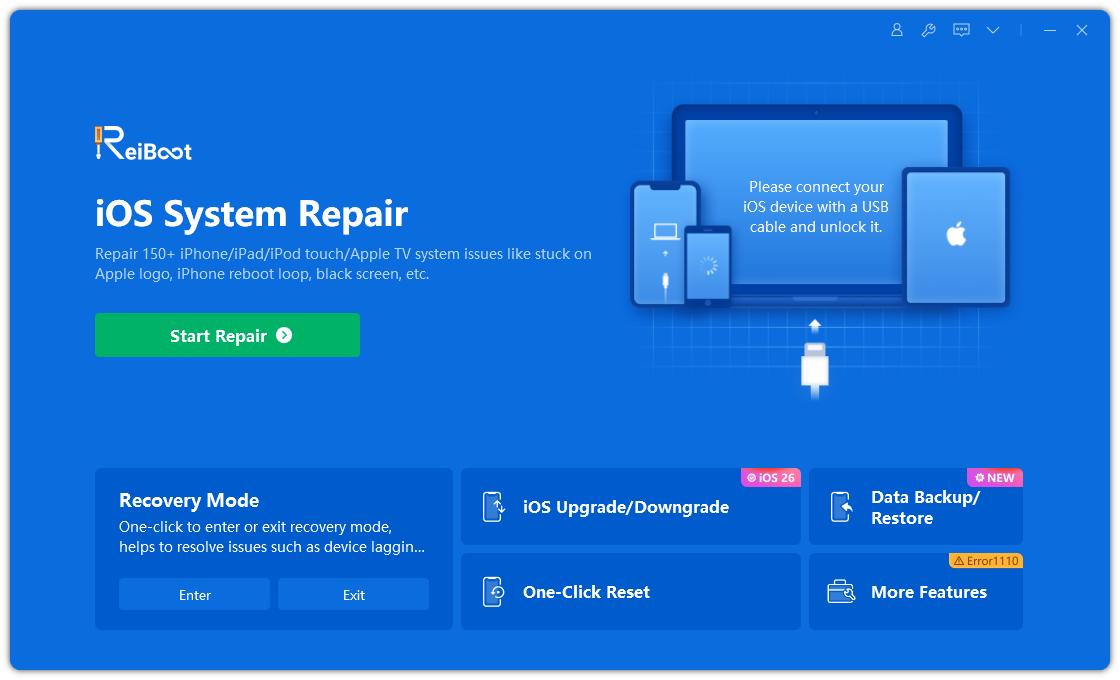
Download ReiBoot on your Windows PC or Mac and install it properly. the main screen.
-
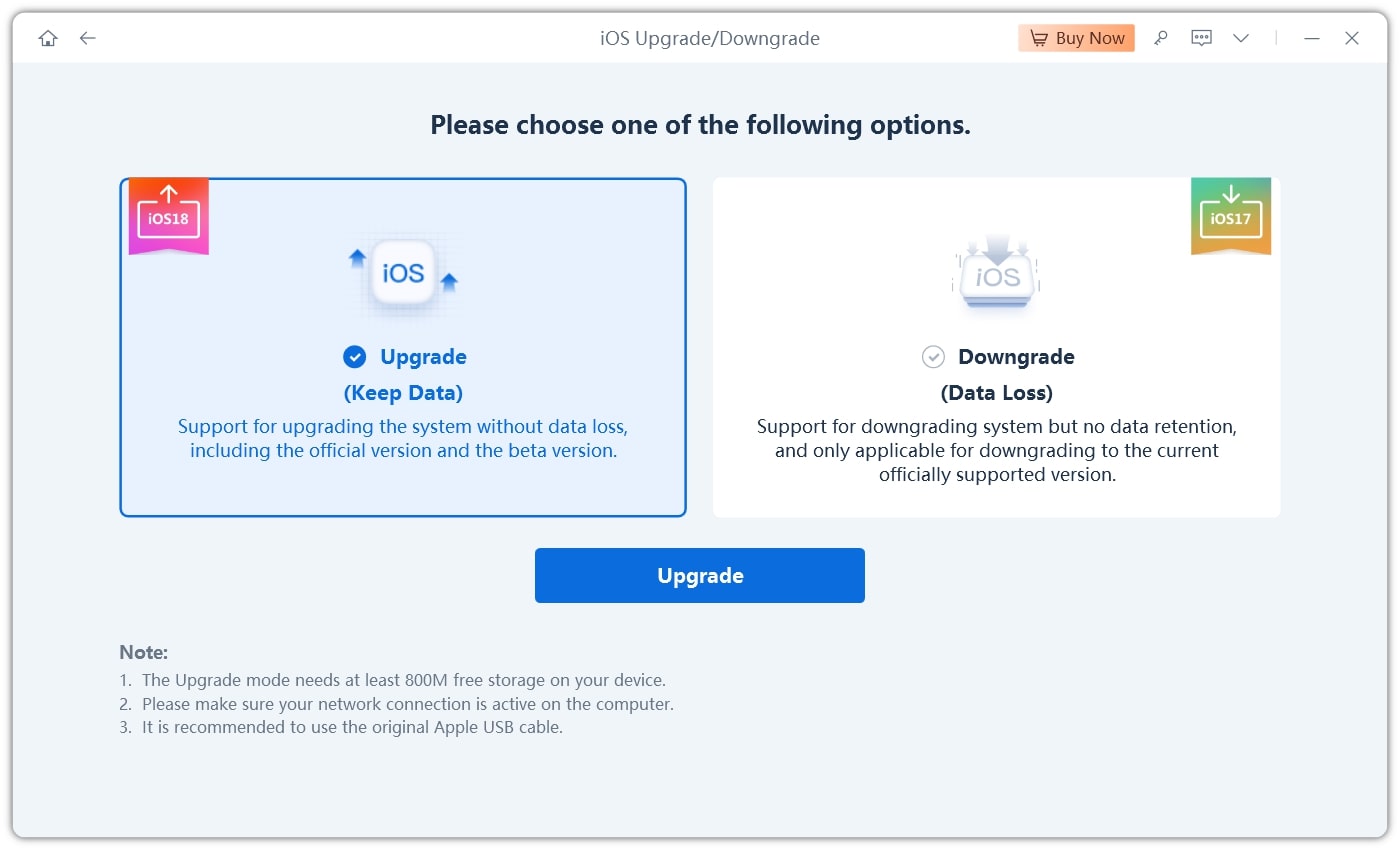
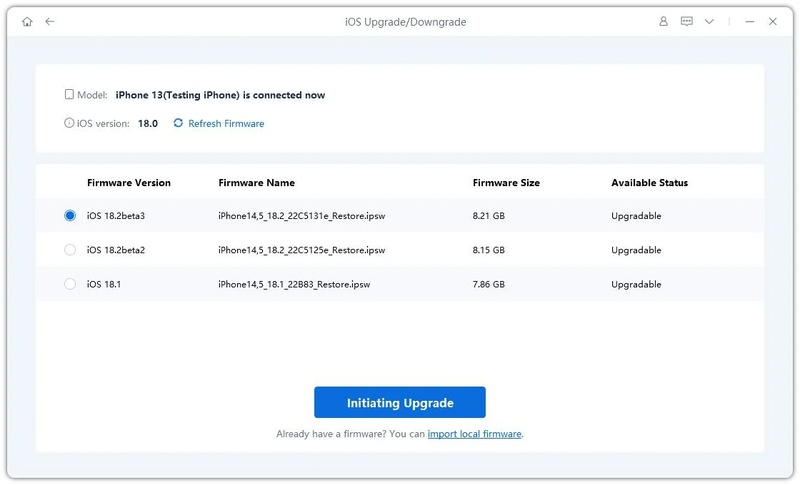
Select Upgrade iOS and choose iOS 27 Public from the available firmware list.
-
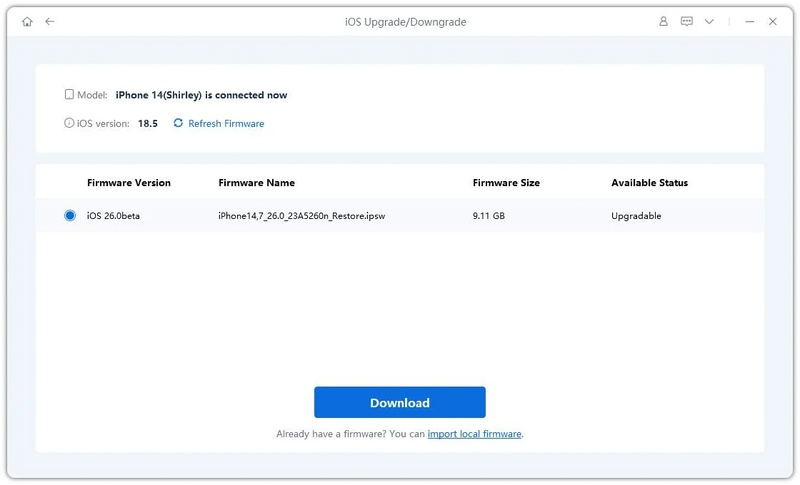
Click Download and wait for the firmware file to be completed.
-
Click Start Upgrade to begin installing iOS 27 Public safely.
-
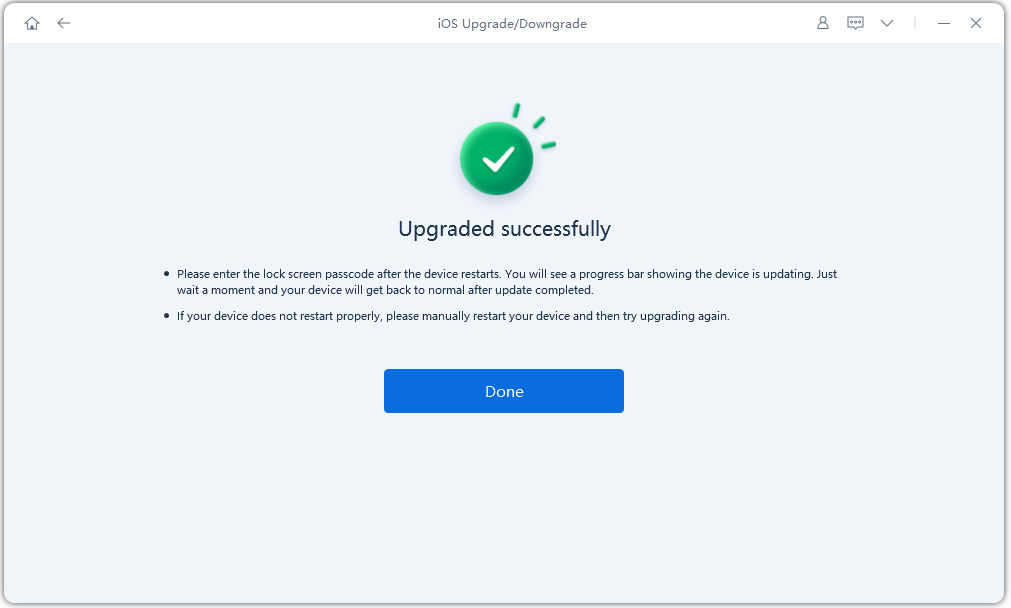
Keep your device connected until the process finishes and your iPhone restarts automatically.
Part 6. FAQs About iOS 27 Public Download Time
Q1. How big is the download for iOS 27 Public?
The iOS 27 Public download is usually large, often around 13GB to 20GB or more depending on the device model and update type. Full updates are bigger because they include new system files and features.
Q2. Should I update to iOS 27 Public?
You can update if you want early features and are okay with bugs or battery drain. But if you need a stable phone for daily use, it's better to wait for the official release instead of installing the .
Q3. Is iOS 27 Public stable right now?
No, versions are not fully stable. They may have issues like lag, crashes, or battery drain because they are still in testing phase and not the final public version.
Conclusion
The time for how long does iOS 27 Public take to download can be different for everyone. A fast internet connection and enough storage usually make the process quicker, while busy Apple servers or weak Wi-Fi can slow it down. To avoid update problems and make upgrading or downgrading easier, Tenorshare ReiBoot is a helpful option. It can fix stuck downloads, frozen screens, and update errors.